
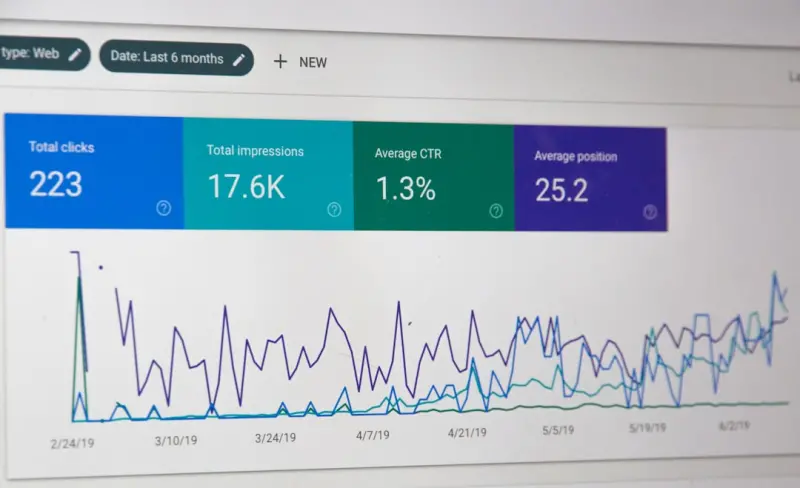
Why Going Headless Isn’t a Threat to Your WordPress SEO — It’s an Opportunity
When I first heard the buzz around “headless WordPress,” my instinct was to grab a coffee, stare at the screen, and wonder if I should start learning a new JavaScript framework just to keep my rankings intact. Spoiler: you don’t have to abandon the SEO fundamentals you love. Instead, you can leverage the decoupled architecture to supercharge visibility, speed, and scalability—all without compromising the organic traffic that fuels your business.
The Core Misconception: Headless Means “SEO‑Free”
Many site owners assume that once the front‑end is pulled away from the WordPress core, the platform’s built‑in SEO features—like permalinks, meta tags, and XML sitemaps—become irrelevant. That’s a myth that can cost you dearly. The truth is, the Edge‑Driven Technical SEO principles that power CDNs still apply, regardless of whether the HTML is generated by PHP or a static site generator.
Step 1: Preserve Your Canonical Signals
Google still relies heavily on canonical tags to understand content ownership. In a headless setup, you’re often serving pre‑rendered HTML from a CDN or a Jamstack framework like Next.js. Make sure each page includes a <link rel="canonical"> that points back to the original WordPress URL. This tiny line prevents duplicate‑content penalties and tells crawlers where to consolidate link equity.
- Generate canonical tags dynamically in your front‑end build step.
- Validate them with the URL Inspection tool in Google Search Console.
- Keep the WordPress slug structure identical to the front‑end route.
Step 2: Keep Structured Data Fresh
Schema markup isn’t just a nice‑to‑have; it’s a ranking signal that helps Google understand the context of your content. When you move to a headless stack, you must export the JSON‑LD generated by your WordPress plugins (Yoast, Rank Math, etc.) and embed it in the static pages. If you’re using a headless CMS approach, consider pulling the schema directly from the WP REST API and injecting it at build time.
Pro tip: Use a build‑time validator like schema.org’s Schema Linter to catch syntax errors before they go live.
Step 3: Leverage Semantic‑Driven Content at Scale
In a decoupled environment, you have the freedom to serve content from multiple data sources—think product feeds, user‑generated reviews, and even AI‑generated copy. This is where Semantic‑Driven SEM meets SEO. By aligning your content clusters with topic clusters that Google’s knowledge graph recognizes, you amplify both paid and organic reach.
Here’s how to do it without overcomplicating your workflow:
- Identify core topics using a tool like Ahrefs’ Content Explorer.
- Map supporting sub‑topics to specific Gutenberg blocks or custom post types.
- Generate JSON‑LD for each sub‑topic so the knowledge graph can connect the dots.
The result? A semantic web of pages that reinforce each other’s authority, making it easier for Google to surface your site for long‑tail queries.
Step 4: Optimize Core Web Vitals on the Front‑End
Google’s ranking algorithm now heavily weights Core Web Vitals—LCP, FID, and CLS. While WordPress can be tuned with caching plugins, a headless front‑end gives you granular control over each metric:
- LCP (Largest Contentful Paint): Serve critical images via
srcsetand lazy‑load non‑essential assets. - FID (First Input Delay): Defer non‑essential JavaScript and leverage
requestIdleCallbackfor interactive elements. - CLS (Cumulative Layout Shift): Reserve space for dynamic Gutenberg blocks by defining explicit dimensions in CSS.
Running a lighthouse audit on every build ensures you catch regressions before they affect users—or rankings.
Step 5: Manage SEO at Scale with Multi‑Site Networks
Enterprises often run dozens of WordPress sites under a single umbrella. In a headless architecture, you can centralize SEO governance by:
- Using a shared
robots.txtandsitemap.xmlgenerated from a single source of truth. - Applying a global
robots metapolicy via a headless middleware layer. - Implementing a single sign‑on (SSO) for content editors to maintain consistency across sites.
This reduces the risk of accidental noindex tags and ensures a uniform brand voice across the digital estate.
Step 6: Keep Your Redirects and 404s Under Control
Migration is the most dreaded part of any SEO project. When you decouple WordPress, URLs may change, causing 404 spikes. The solution is a robust redirect map that lives in the edge layer (e.g., Cloudflare Workers). By intercepting requests before they reach the origin server, you preserve link equity and avoid crawl budget waste.
Don’t forget to:
- Audit old URLs with Screaming Frog.
- Export the redirect list to a JSON file for the edge runtime.
- Test with
curl -Ito verify 301 status codes.
Step 7: Future‑Proof with Incremental Static Regeneration (ISR)
Static Site Generators (SSG) like Next.js offer ISR, which lets you update individual pages without rebuilding the entire site. Pair ISR with WordPress webhooks to trigger a rebuild only when a post is updated. This keeps your content fresh for search engines while maintaining the speed advantages of static delivery.
Step 8: Harness Analytics for Continuous Improvement
Even though your front‑end is now a separate codebase, you can still feed data back into Google Analytics and Search Console. Use gtag.js or the newer Google Tag Manager container to push events like “Gutenberg Block Viewed” or “Headless API Call Completed.” These signals help you understand how users interact with your new architecture and where SEO tweaks are needed.
Putting It All Together: A Checklist for Your Headless SEO Launch
- ✅ Maintain canonical tags pointing to original WordPress URLs.
- ✅ Export and embed schema markup from WordPress plugins.
- ✅ Build topic clusters that align with semantic‑driven strategies.
- ✅ Audit Core Web Vitals on every front‑end build.
- ✅ Centralize SEO governance for multi‑site networks.
- ✅ Implement edge‑level redirects for seamless migrations.
- ✅ Leverage ISR for real‑time content updates.
- ✅ Set up robust analytics pipelines for ongoing optimization.
By following this roadmap, you’ll not only protect your existing rankings but also unlock new growth avenues that only a headless architecture can provide. SEO isn’t a static checklist; it’s a living, breathing practice that evolves with technology. Embrace the change, and let your WordPress site lead the conversation—not just in content, but in performance, scalability, and search visibility.

Meghan Morris is not just a freelance writer - she is a force to be reckoned with in the world of writing. When Meghan isn't immersed into her writing, she dedicates her time and energy to her role as an Activation Coordinator. Apart from her writing and career, Meghan is also a passionate traveler and a self-proclaimed movie lover.
Related Posts
The Hidden SEO Goldmine in WordPress Taxonomies
Learn a fresh SEO strategy for WordPress: use taxonomies to create structured content hubs, improve ... Read More

Turning Community Signals into SEO Fuel on WordPress
Discover actionable tactics to turn community interactions—comments, reviews, user‑generated ima... Read More
Designing an SEO‑First WordPress Theme: A Developer’s Playbook
A step‑by‑step guide to crafting an SEO‑friendly WordPress theme from architecture to caching,... Read More
Top Posts

Riding the 2024 Google SEO Wave: Rose DesRochers’ Insider Playbook
Rose DesRochers reveals how intent, AI, and authority reshape SEO in 2024, offering actionable tactics to boost rankings and future‑proof your strategy....Read More

Community‑First Maps: The Hidden Engine Behind Local SEO Success
Learn a fresh, community‑centric approach to local SEO that goes beyond citations, using map optimization, neighborhood partnerships, and hyper‑local conten...Read More

Riding the Wave: How SaaS Marketers Can Thrive Amid Google’s Latest Algorithm Shifts
Google’s algorithm updates can feel unpredictable, but with a focus on real user value, E‑E‑A‑T, and emerging signals like MUM, SaaS marketers can turn ...Read More
Semantic Internal Linking in WordPress: Building a Knowledge Graph for SEO
Discover a step‑by‑step method to turn your WordPress site into a search‑engine‑friendly knowledge graph using semantic internal linking, custom fields,...Read More
0 Comments
Post Comment
You will need to Login or Register to comment on this post!