
Why Technical SEO Belongs in Your CI/CD Pipeline
When I first started automating builds for a SaaS product, my checklist was all about performance, security, and unit test coverage. SEO was the quiet after‑thought that lived in a separate spreadsheet, updated only when a marketing stakeholder shouted “we’re dropping a new page!”. Over time I realized that this split mindset creates a hidden technical debt: every time a developer pushes a change, the site’s crawlability, indexability, and schema compliance can shift—often without anyone noticing until rankings dip.
Embedding technical SEO directly into the continuous integration/continuous deployment (CI/CD) workflow turns SEO from a reactive “fix‑after‑the‑fact” activity into a proactive guardrail. It ensures that every commit, every merge, and every release is evaluated against the same SEO standards you would apply during a manual audit. The result? Faster feedback loops, fewer ranking surprises, and a culture where developers own the search performance of the pages they ship.
The Core Pillars of Automated Technical SEO
Before we dive into the tooling, let’s outline the three technical SEO pillars that lend themselves to automation:
- Crawlability & Indexability – Are your robots.txt rules, meta robots tags, and canonical links consistent with your intent?
- Structured Data Integrity – Does each page emit valid JSON‑LD or Microdata that matches the content type?
- Performance & Rendering – Are critical resources loading within acceptable thresholds, and can Googlebot render your JavaScript without errors?
These pillars map neatly onto existing CI/CD steps: linting, unit testing, integration testing, and post‑deployment health checks.
Step‑by‑Step: Building the SEO Guardrails
1. Lint Your HTML & Structured Data
Just as you run ESLint for JavaScript, you can run an HTML linter that validates tags, checks for missing alt attributes, and verifies that <title> tags are unique. For structured data, tools like Google’s Structured Data Testing Library can be invoked via CLI. Integrate the linter into your npm run lint stage so that any schema violation fails the build.
Sample .eslintrc snippet for HTML linting:
{
  "plugins": ["html"],
  "rules": {
    "html/attr-no-duplication": "error",
    "html/alt-require": "error",
    "html/heading-order": "warn"
  }
}
2. Validate Robots.txt, Sitemap, and Canonicals with Unit Tests
Write unit tests that fetch /robots.txt and /sitemap.xml from a test server and assert the presence of expected directives. For canonical URLs, spin up a headless browser (e.g., Puppeteer) against a staging build and verify that each page’s <link rel="canonical"> points to the correct absolute URL. If a PR introduces a stray noindex tag on a product page, the test will break the pipeline instantly.
3. Crawl Budget & Log File Analysis in CI
While Crawl Budget Decoded covers the theory, you can operationalize the concept by parsing server logs in a nightly job. Use a lightweight script to flag any 4xx/5xx responses for Googlebot, unexpected Cache-Control headers, or unusually long response times. Export the findings as an artifact that developers can review directly in the pull request comments.
4. JavaScript Rendering Checks
Google’s render‑and‑index tool can be scripted to fetch a page, wait for network idle, then compare the DOM snapshot against a baseline. Store the baseline HTML for each critical page (e.g., pricing, signup, docs) and fail the build if the rendered markup diverges beyond a set threshold. This catches broken client‑side routing or missing hydration scripts before they hit production.
5. Performance Budgets as Code
Define performance budgets (e.g., Largest Contentful Paint < 2.5 s, Total Blocking Time < 150 ms) in a .performanceci.json file. Tools like Lighthouse CI can run against each PR and enforce these limits. When a new analytics script pushes LCP over the limit, the CI job fails, prompting a quick optimization before merge.
Integrating SEO Audits with Existing DevOps Practices
The beauty of this approach is that it piggybacks on existing DevOps habits. Here’s how to slot SEO checks into a typical GitHub Actions workflow:
name: CI

on:
  push:
    branches: [main]
  pull_request:
    branches: [main]

jobs:
  build:
    runs-on: ubuntu-latest
    steps:
      - uses: actions/checkout@v2
      - name: Install dependencies
        run: npm ci
      - name: Lint HTML & JSON‑LD
        run: npm run lint:html
      - name: Run SEO unit tests
        run: npm run test:seo
      - name: Lighthouse CI
        uses: treosh/lighthouse-ci-action@v10
        with:
          configPath: ./.lighthouserc.json
      - name: Crawl budget sanity check
        run: node scripts/check-crawl-budget.js
Each step produces a status badge that surfaces directly in the PR view. Non‑technical stakeholders can still see the SEO health without digging into raw logs.
Case Study: Reducing Indexing Errors for a SaaS Knowledge Base
One of our SaaS clients maintained a sprawling knowledge base built on a static site generator. Over time, the team added dozens of new articles, but a handful of them were inadvertently marked noindex due to a copy‑paste error in the front‑matter. Rankings for several high‑traffic help topics nosedived, and the support team blamed the content writers.
By adding a simple SEO unit test that parses the generated HTML for meta name="robots" and fails if it contains noindex on any page under /docs/, the CI pipeline caught the mistake the moment the PR was opened. The issue was resolved before merge, and the client restored its organic traffic within days.
For reference, we also helped the same client improve the discoverability of their API reference by following the playbook in Making Your SaaS API Documentation Rank. The combined effect of automated checks and targeted schema markup lifted the API docs to the top of relevant “how‑to” queries.
Monitoring & Alerting Post‑Deployment
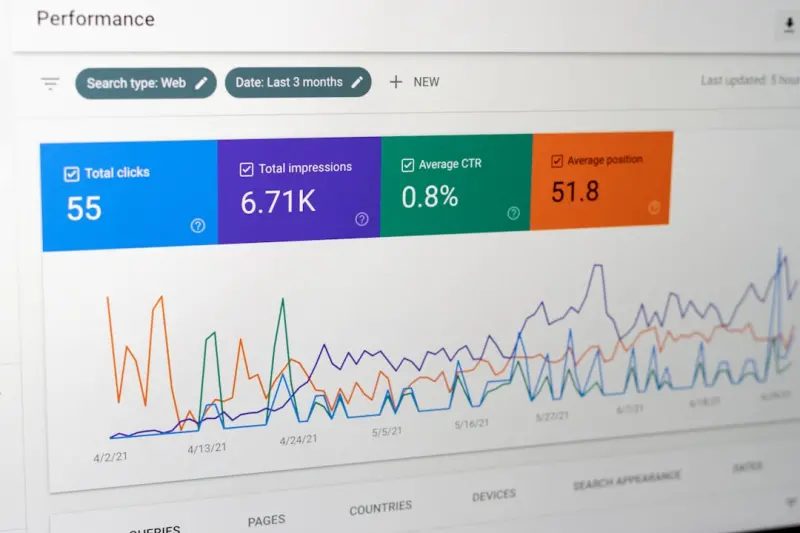
Even with robust CI checks, production can still surprise you. Implement a monitoring layer that watches Google Search Console’s Coverage and Performance reports via the API. When a new error or a sudden spike in average position appears for a core keyword, automatically create a ticket in your issue tracker. Pair this with Slack notifications that embed a snapshot of the affected pages, so the team can react in real time.
Balancing Automation with Human Insight
Automation excels at catching the low‑hanging fruit—syntax errors, missing tags, and performance regressions. However, strategic SEO decisions—like deciding when to consolidate thin content or when to prioritize a new schema type—still require a human touch. Treat the CI pipeline as the first line of defense, and schedule quarterly SEO health reviews where the data from your automated runs informs deeper, content‑focused discussions.
Getting Started: A Minimal Viable Setup
If the idea of a full‑blown SEO CI pipeline feels daunting, start small:
- Pick a Linter. Add an HTML/JSON‑LD linting step to your existing lint job.
- Write One Test. Verify that every page under
/pricinghas a unique<title>and a canonical URL. - Run Lighthouse CI. Set a single performance budget for LCP.
- Review the Results. Make the build fail on any breach and fix it before merging.
From there, iterate by adding more tests, integrating log‑file analysis, and expanding the monitoring layer. Within a few sprints, you’ll have a living technical SEO safety net that scales with your product.
Conclusion
Technical SEO is no longer a siloed, quarterly audit. In a fast‑moving SaaS environment, the only reliable way to protect your organic visibility is to bake SEO checks into the same pipelines that ship code. By treating SEO as code—linted, tested, version‑controlled, and monitored—you give developers ownership of search performance and reduce the risk of ranking regressions caused by unintended side effects.
Automation doesn’t replace strategy; it amplifies it. When every commit passes an SEO gate, you free up time to focus on higher‑level initiatives—content clusters, entity optimization, and user‑intent mapping—knowing that the technical foundation is rock solid.

Lauren Miller is a true outdoors enthusiast who has found her passion in the trades. When she's not working hard on the job, you can find her writing, camping, fishing, and exploring all that nature has to offer. A dedicated partner to her wife Beth, Lauren loves nothing more than spending quality time together and experiencing the great outdoors side by side.
Related Posts

Crawl Budget Mastery for SaaS: Boost Indexing Efficiency
A deep dive into how SaaS platforms can optimize Google’s crawl budget, prioritize critical pages,... Read More

Edge Computing and Technical SEO: Harnessing the CDN Frontier
Explore the power of edge computing for SEO, learning how CDN‑driven rendering, redirects, and str... Read More
Server‑Side Rendering & Log‑File Mastery: A Technical SEO Blueprint for SaaS
Learn how server‑side rendering, intelligent log‑file analysis, and AI‑generated schema can tr... Read More
Top Posts

Human‑First On‑Page SEO: Redesigning Content for Search and Readers
A fresh, human‑focused approach to on‑page SEO that blends content architecture, semantic HTML, multimedia optimization, and AI‑assisted writing for bette...Read More

Unlocking the Power of “People Also Ask” for Sustainable Google Rankings
Discover a fresh SEO strategy that turns Google’s People Also Ask feature into a traffic powerhouse, boosting rankings and conversions without relying on trad...Read More

Beyond the Basics: Advanced WordPress SEO Tactics for Sustainable Growth
Learn how to turn WordPress media, internal linking, and structured data into powerful SEO assets. This guide offers practical steps and a real‑world case stu...Read More

Turning Facebook Groups into SEO Powerhouses for SaaS Brands
Learn a fresh, community‑centric approach to Facebook SEO: build, optimize, and leverage Facebook Groups as searchable, authority‑driving assets that feed q...Read More
0 Comments
Post Comment
You will need to Login or Register to comment on this post!