
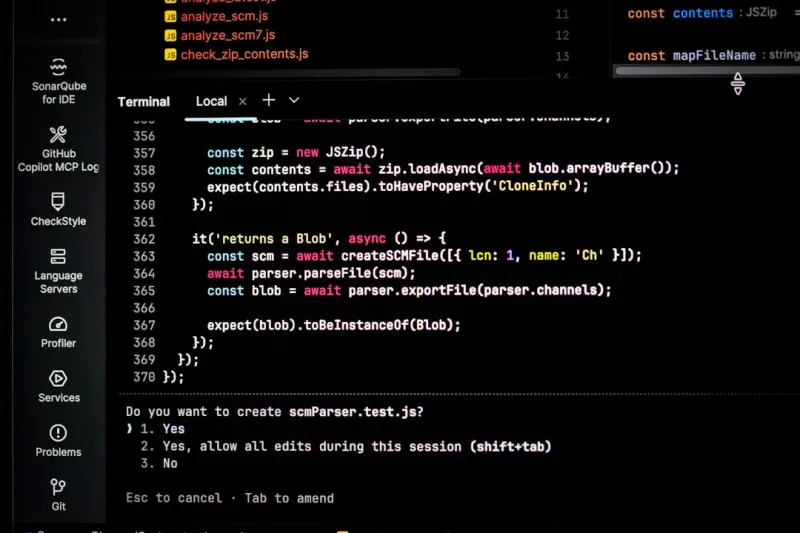
When most marketers think “technical SEO,” the mental picture is usually a sprawling blog, a product landing page, or maybe a handful of JavaScript‑heavy widgets. Rarely does the conversation drift toward the hidden treasure trove that lives behind the scenes of a SaaS platform: its API documentation.
Why API Docs Deserve a Seat at the SEO Table
Developers are searchers. In the B2B SaaS world, the decision‑making funnel often begins with a technical deep‑dive, not a glossy brochure. A prospect might type “how to integrate X with Y API” into Google, skim the first few results, and decide whether to invest time (and money) in a product. If your API reference pages are invisible to that search, you’re essentially handing the deal to a competitor.
Technical SEO for API docs isn’t a nice‑to‑have; it’s a revenue‑critical discipline. When done right, you’ll see:
- Higher organic traffic from qualified developers who are already primed to use your product.
- Reduced support load because developers find answers before they raise tickets.
- Better brand perception as a “developer‑first” company that cares about discoverability.
The Foundations: Robots.txt, X‑Robots‑Tag, and Meta Directives
Before you dive into fancy schema or performance tweaks, make sure search engines can actually reach your docs. A mis‑configured robots.txt file can silently block crawlers from your /api/ directory. Double‑check that you haven’t inadvertently disallowed /api/ or /docs/.
For API endpoints that return JSON or other non‑HTML payloads, the X-Robots-Tag header is your friend. Add X-Robots-Tag: index, follow to the HTTP response of your OpenAPI (Swagger) specifications and any static JSON reference files. This ensures Google treats them as indexable resources, even though they aren’t traditional HTML pages.
Finally, sprinkle the classic <meta name="robots" content="index,follow"> tag into any HTML wrapper you use for your docs. Consistency across these signals tells crawlers “yes, I want you here,” and avoids the dreaded “noindex” surprise that can wipe out weeks of work.
Schema That Speaks Developer Language
Structured data isn’t just for recipes and events. The semantic‑driven approach can be applied to API documentation using SoftwareApplication and TechArticle schemas. Here’s a quick starter:
<script type="application/ld+json">
{
  "@context": "https://schema.org",
  "@type": "SoftwareApplication",
  "name": "Acme Messaging API",
  "operatingSystem": "Web",
  "applicationCategory": "DeveloperApplication",
  "offers": {
    "@type": "Offer",
    "price": "0",
    "priceCurrency": "USD"
  },
  "url": "https://acme.com/api/v1/docs"
}
</script>
Pair this with a TechArticle schema for each endpoint guide, highlighting author, datePublished, and a concise description. Search engines can then surface a rich “API reference” result directly in the SERP, complete with a “View documentation” button.
Performance Signals That Search Loves
Core Web Vitals are still a core part of technical SEO, but they’re often overlooked for non‑consumer‑facing pages. API docs, especially those generated on‑the‑fly, can suffer from sluggish Time to First Byte (TTFB) and high Cumulative Layout Shift (CLS) if you’re pulling data from multiple back‑ends.
Here’s a three‑step checklist:
- Leverage HTTP/2 or HTTP/3 for multiplexed requests. This dramatically reduces round‑trip overhead for assets like JSON spec files, CSS, and JS bundles.
- Serve static assets from a CDN. Even if your docs are generated dynamically, cache the rendered HTML at the edge for 5‑10 minutes. The CDN not only speeds up delivery but also improves your First Contentful Paint (FCP) metric.
- Minimize layout shifts by reserving space for code snippets, diagrams, and interactive sandboxes before they load.
If you’re curious about how CDNs can further amplify performance, check out how CDNs can boost your API performance. The same principles that help a retail site rank faster apply perfectly to a developer portal.
Crawl Budget: Not Just for Blog Posts
Search engines allocate a finite amount of crawl effort to each domain. Historically, the focus has been on “blog crawl budget,” but the same constraints apply to your /api/ endpoints. If you have 200+ endpoints, you need to prioritize which ones get crawled more often.
Use the lastmod attribute in your XML sitemap to signal changes. For stable endpoints that rarely change, set a longer changefreq (e.g., “monthly”). For beta or versioned endpoints under active development, use “daily” or “hourly.” This signals Google to spend its budget where it matters most.
Another tip: combine multiple endpoints into a single sitemap.xml file per API version. This keeps the file size manageable and helps Google understand the logical grouping of your docs.
International & Multi‑Regional API SEO
If your SaaS operates in multiple markets, you might have localized API docs. Use hreflang annotations on each language‑specific page to tell Google which version to serve to which audience. Pair this with rel="alternate" tags in your sitemap to avoid duplicate content penalties.
Don’t forget that different regions may have varying latency expectations. Deploy edge nodes close to your target developers, and use region‑specific subdomains (e.g., eu.api.acme.com) to keep the experience snappy.
Monitoring & Continuous Improvement
Technical SEO isn’t a set‑and‑forget exercise. Set up a monitoring pipeline that checks for:
- 404 errors on API endpoints (often caused by version deprecation).
- Slow TTFB or high CLS on documentation pages.
- Indexation status via Google Search Console’s URL Inspection API.
- Schema validation errors using the Rich Results Test.
Integrate these checks into your CI/CD workflow so that a broken doc page fails the build, not the production release. This keeps your developer experience (DX) and SEO health aligned.
Bringing It All Together: A Sample Optimization Workflow
- Audit the current state. Crawl the /api/ directory with a tool like Screaming Frog, focusing on response codes and header directives.
- Implement robots and X‑Robots‑Tag signals. Ensure every JSON spec is indexable.
- Add structured data. Deploy
SoftwareApplicationandTechArticlesnippets across all doc pages. - Boost performance. Move static assets to a CDN, enable HTTP/3, and audit Core Web Vitals.
- Fine‑tune crawl budget. Create version‑aware sitemaps with accurate
lastmoddates. - Localize with hreflang. Serve region‑specific doc URLs.
- Set up continuous monitoring. Hook alerts into Slack or Teams for any regressions.
By treating your API documentation with the same rigor you apply to your product pages, you open a new acquisition channel that’s both high‑intent and low‑cost. Developers find you, evaluate you, and—because the experience is frictionless—convert faster.
Final Thought: SEO as a Developer‑First Discipline
Technical SEO for SaaS isn’t about chasing algorithmic trends; it’s about serving the people who actually build and integrate with your product. When your API docs are discoverable, fast, and richly described, you’re not just winning clicks—you’re winning developers’ trust.
If you’re already deep into the technical SEO trenches, you know the value of a well‑orchestrated strategy. If you’re just starting, remember that every line of code you write for a developer can also be a line of code for Google’s crawlers. Align the two, and you’ll see a measurable lift in organic, developer‑driven traffic.

Kelly Reynolds is a dynamic freelance writer hailing from the picturesque landscapes of Alberta. A master of the written word, she juggles her passion for storytelling with the exhilarating chaos of being a mother to five spirited children. With an impressive portfolio that spans various genres, Kelly captivates readers through her engaging blog posts and thought-provoking articles.
Related Posts
Decoding Server Log Files: A Technical SEO Blueprint
Dive into the world of server log analysis and discover how parsing raw crawl data can reveal hidden... Read More

Decoding SEO for SaaS Single‑Page Apps: A Technical Playbook
A practical guide for SaaS marketers on making single‑page applications search‑engine friendly, ... Read More

Taming the Crawl: Mastering Crawl Budget and Log Files for SaaS SEO
A deep dive into how SaaS companies can listen to their server logs, manage crawl budget, and priori... Read More
Top Posts

Turning Cart Abandonment into a Loyalty Engine
Cart abandonment isn’t a dead end. Discover a step‑by‑step framework that uses psychology, real‑time social proof, and multi‑channel follow‑ups to t...Read More

Beyond Keywords: Building Intent‑Driven Content Clusters for On‑Page SEO
Learn to transform your pages into tightly‑connected content clusters that speak directly to user intent, using smart internal linking, pillar pages, and sche...Read More

Unlocking Crawl Budget Mastery for Scalable SaaS Platforms
This article reveals how SaaS teams can harness crawl budget, server‑log insights, and edge CDN strategies to ensure new product pages get indexed quickly and...Read More

Inclusive On-Page SEO: Turning Accessibility Into Ranking Power
Discover why making your site accessible is a hidden SEO weapon and how to implement inclusive design for higher rankings....Read More
0 Comments
Post Comment
You will need to Login or Register to comment on this post!