
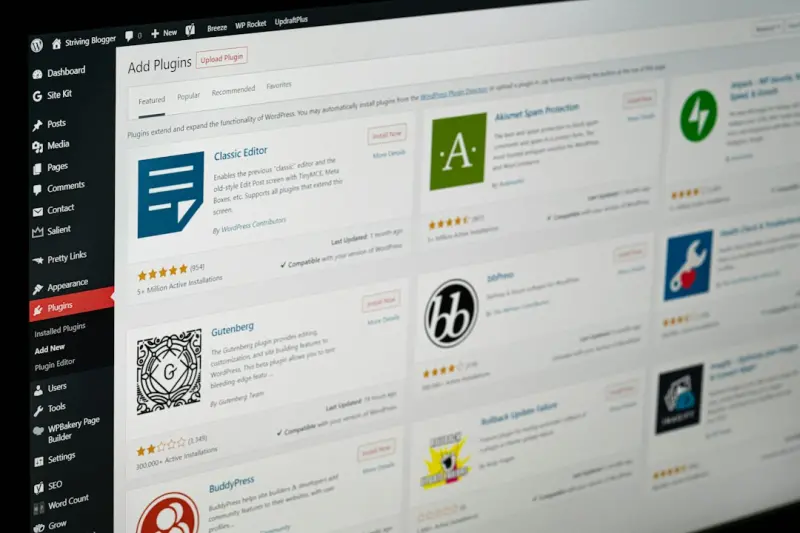
Why Content Hubs Are the Secret Sauce for WordPress SEO Success
When I first migrated a mid‑size B2B SaaS site onto WordPress, the client’s traffic was stuck in a flatline. The pages were optimized, the meta tags were tidy, and the technical health check gave us a green light. Yet the rankings refused to budge. After a few sleepless nights digging into the data, I stumbled upon a pattern that changed the game: the sites that were climbing the SERPs weren’t just sprinkling keywords—they were organizing their content into strategic hubs. That’s when I decided to double‑down on the content hub model, and the results have been nothing short of a revelation.
What Exactly Is a Content Hub?
A content hub, sometimes called a topic cluster, is a central pillar page that tackles a broad subject in depth, surrounded by a constellation of related, more specific posts. Think of it as a solar system: the pillar page is the sun, and the supporting articles are the planets orbiting around it. The hub not only offers comprehensive coverage of a theme but also creates a powerful internal linking web that signals authority to search engines.
- Pillar page: A long‑form, evergreen resource that answers the main question or outlines the core concept.
- Cluster content: Short‑form, highly focused articles that dive into sub‑topics, case studies, how‑tos, or FAQs.
- Interlinking strategy: Every cluster links back to the pillar (and vice versa), distributing link equity and reinforcing relevance.
Why WordPress Is Perfectly Suited for Hub Architecture
WordPress’s flexibility is often celebrated for themes and plugins, but its real power lies in how it handles taxonomy and content relationships. With a few smart choices, you can turn any WordPress install into a hub‑friendly ecosystem:
- Custom post types let you separate pillar pages from clusters without cluttering the main blog feed.
- Taxonomies (categories & tags) become natural ways to group related clusters, making it easier for both users and crawlers to discover the relationships.
- Internal linking plugins (e.g., Yoast SEO, Rank Math) can automate the creation of contextual links, ensuring no cluster is orphaned.
When you combine these built‑in capabilities with a disciplined editorial workflow, the content hub model becomes almost effortless to maintain.
Step‑by‑Step Blueprint to Build a WordPress Content Hub
Below is the exact process I follow for every new hub, complete with actionable tips you can copy‑paste into your own project plan.
1. Identify Core Topics That Align With Business Goals
Start by mapping out the primary problems your target audience faces. Use tools like Google Keyword Planner, Ahrefs, or even internal sales data to surface high‑intent queries. Prioritize topics that meet two criteria:
- Search volume & competition balance: Aim for keywords with decent search volume but not so competitive that you’ll be buried forever.
- Revenue relevance: The topic should directly or indirectly support a product or service you sell.
For example, a SaaS security platform might create a hub around “Zero‑Trust Architecture.” The pillar would explain the concept, while clusters could cover “Zero‑Trust network segmentation,” “Zero‑Trust identity management,” and “Zero‑Trust best practices for remote teams.”
2. Craft the Pillar Page Like a Mini‑E‑Book
A pillar page needs to be thorough enough to become the go‑to resource on the subject. Here’s the structure I love:
- Compelling introduction that promises a clear outcome.
- Table of contents with anchor links to each section (great for UX and SEO).
- Deep dive sections that answer the most common sub‑questions.
- Data and case studies to add credibility (think charts, screenshots, or client testimonials).
- Conclusion & next steps that guide readers toward a conversion point.
Don’t forget to embed relevant semantic HTML & schema markup. Structured data helps Google understand the page hierarchy, which can boost visibility in rich results.
3. Generate Cluster Content Around Long‑Tail Keywords
Each cluster should target a specific long‑tail keyword that naturally links back to the pillar. Use a simple template to keep the writing process efficient:
- Hook: Address the exact query the reader typed.
- Answer: Provide a concise solution (150‑200 words).
- Expand: Offer additional tips, tools, or examples.
- CTA: Tie back to the pillar or a related product demo.
When you publish a cluster, make sure you:
- Link back to the pillar using a keyword‑rich anchor.
- Include at least two outbound links to authoritative sources (helps E‑E‑A‑T).
- Use the same custom taxonomy (e.g., “Zero‑Trust”) so WordPress can auto‑generate related‑posts widgets.
4. Optimize the Internal Linking Web
Internal linking is the circulatory system of a hub. I follow these rules:
- Every cluster must link to the pillar with the exact match or a close variation of the pillar’s primary keyword.
- The pillar links back to each cluster, preferably within a contextual sentence, not just a “Read more” button.
- Use related‑post plugins to surface clusters on the pillar page, boosting dwell time.
5. Leverage WordPress’s Native Features for Ongoing Growth
Once your hub is live, keep the engine humming with these WordPress tricks:
- Scheduled updates: Set a recurring reminder to refresh data and examples every quarter.
- Revision history: Use WordPress’s built‑in revision log to track changes and revert if needed.
- AMP support: Enable AMP for faster mobile load times—important for Google’s Core Web Vitals.
- Multilingual plugins (like WPML) if you’re targeting global audiences, ensuring each hub can be localized efficiently.
Measuring Success: Metrics That Matter
After the hub goes live, the real test is data. Here are the KPIs I track religiously:
- Organic traffic growth to the pillar page (should outpace clusters).
- Average position for the pillar’s primary keyword in SERPs.
- Internal link equity flow: Use SEO tools to see how much link juice the pillar receives from clusters.
- Engagement signals (time on page, scroll depth) – a well‑structured hub usually sees higher dwell times.
- Conversion rate on the CTA that lives at the bottom of the pillar (e.g., demo request, whitepaper download).
If you notice a drop in any of these metrics after a content update, revisit the internal linking and schema implementation. Small tweaks can have outsized effects.
Common Pitfalls (And How to Dodge Them)
Even seasoned WordPress users can trip over these traps:
- Over‑optimizing anchor text: Using the exact same phrase for every link can look spammy. Mix in synonyms and natural language.
- Neglecting mobile UX: A pillar page packed with long sections can become a scroll nightmare on phones. Break up content with accordions or “read more” toggles.
- Forgetting to de‑duplicate: Duplicate content across clusters and pillars hurts SEO. Use canonical tags where necessary.
- Ignoring analytics: If you don’t set up goals in Google Analytics or GA4, you’ll never know which hubs are truly driving revenue.
Real‑World Example: Transforming a SaaS Blog into a Hub Powerhouse
One of my favorite success stories involved a B2B SaaS firm that offered a compliance automation platform. Their blog was a mishmash of product announcements, industry news, and occasional how‑tos. Traffic was erratic, and the bounce rate hovered around 70%.
We identified “Regulatory Compliance Automation” as a pillar topic. The pillar page covered the entire compliance lifecycle, from risk assessment to audit reporting. We then produced clusters such as:
- “How to Automate GDPR Data Mapping in 5 Steps”
- “Top 10 Compliance Reporting Dashboards for Finance Teams”
- “Case Study: Reducing Audit Prep Time by 40% with Our Platform”
Within three months, the pillar’s organic sessions rose by 185%, and the cluster pages collectively contributed a 120% lift in keyword rankings. Most importantly, the demo‑request conversion rate on the pillar’s CTA jumped from 2.3% to 5.7%.
Putting It All Together: Your First Hub Checklist
- Topic research: Choose a core subject aligned with business goals.
- Outline pillar: Draft a comprehensive structure, include schema markup.
- Write clusters: Target long‑tail keywords, keep each under 800 words.
- Implement internal links: Ensure two‑way links between pillar and each cluster.
- Optimize for speed & mobile: Leverage caching plugins, enable lazy loading.
- Launch & monitor: Track traffic, rankings, and conversions weekly.
- Iterate: Refresh data, add new clusters, and tweak internal linking as the content library grows.
Remember, a content hub is a living organism. The more you feed it with fresh, relevant clusters and keep the internal pathways clear, the stronger it becomes in the eyes of both users and search engines.
Final Thoughts: The Hub Is Your SEO Anchor in a Sea of Change
WordPress gives you the scaffolding; the content hub gives you the structure. Together they form a resilient SEO strategy that can weather algorithm updates, shifting user intent, and even the occasional Google “feature snippet” reshuffle. The next time you’re staring at a flatlining traffic chart, ask yourself: “Do I have a hub that truly owns this topic?” If the answer is no, you’ve just uncovered your next growth opportunity.

Karen Edwards is a seasoned freelance writer with a passion for all things furry, feathered, and scaled. With a dedicated focus on pets, she brings a wealth of knowledge and a keen eye for detail to her writing.
Related Posts

Unlocking the SEO Potential of WordPress Multisite: A Scalable Strategy for Growing Brands
Learn how to design, implement, and measure a WordPress Multisite SEO strategy that boosts authority... Read More
Scaling Authority with WordPress Multisite: An SEO Playbook
Unlock the SEO potential of WordPress Multisite. This guide reveals how to consolidate authority, bo... Read More
Headless WordPress: Unlocking SEO Power with Decoupled Architecture
Explore the SEO advantages of a headless WordPress architecture, from faster Core Web Vitals to dyna... Read More
Top Posts

SEO News: Rose DesRochers Decodes 2024’s Biggest Shifts
Rose DesRochers breaks down the biggest SEO trends of 2024, highlighting AI’s role, intent‑driven content, and the new authority signals shaping search rank...Read More

Cookieless Personalization: Turning Privacy into a Growth Engine
Learn how to transform the loss of third‑party cookies into a competitive advantage by building a privacy‑first marketing strategy that leverages first‑pa...Read More

Cracking Google’s Passage Indexing: A Practical Playbook
Learn to harness Google’s passage indexing by structuring content for granular ranking, leveraging SEO fundamentals, and measuring passage performance for sus...Read More

From Keywords to Context: Redefining Enterprise Search with Generative AI
AI search is shifting from static keyword matches to dynamic, context‑aware conversations. Learn how generative retrieval, vector embeddings, and RAG pipeline...Read More
0 Comments
Post Comment
You will need to Login or Register to comment on this post!