
Scaling WordPress SEO for Global Audiences: A Practical Roadmap
When I first migrated a multilingual e‑commerce brand onto WordPress, the SEO challenges felt like trying to juggle flaming torches while walking a tightrope. The platform’s flexibility is a blessing, but without a clear roadmap, you can easily drown in duplicate content, slow page loads, and a tangled internal link structure. In this post I’m sharing the step‑by‑step framework that helped me turn that chaos into a scalable, multilingual SEO machine—without sacrificing the user experience or the editorial workflow.
1. Lay the Foundation with a Clean Site Architecture
Before you even think about translating content, take a hard look at your site’s hierarchy. A logical, shallow architecture not only improves crawl efficiency but also makes it easier for search engines to understand the relationships between your language versions. Here’s what I do:
- Group by Intent, Not by Language. Create top‑level sections (e.g., Products, Resources, Support) that exist once, then nest language folders beneath them (
/en/,/fr/,/es/, etc.). This keeps the URL structure predictable and reduces the risk of orphan pages. - Limit Depth. Aim for a maximum of three clicks from the homepage to any piece of content. Deeper pages often get crawled less frequently, which can delay indexation of new translations.
- Use a Dedicated
langDirectory. WordPress handles rewrites cleanly when you keep language prefixes consistent. Avoid mixing language subdomains and subfolders; pick one and stick with it.
By mapping out the architecture in a simple spreadsheet, you can spot dangling branches before they become a crawl nightmare. It also gives your content team a clear visual of where new pages belong, which is vital when you’re publishing in multiple languages every week.
2. Choose the Right Multilingual Plugin—And Configure It Correctly
WordPress offers several multilingual plugins, each with its own philosophy. My recommendation is to pick a solution that stores translations as separate posts rather than appending language strings to the same post. This approach yields cleaner HTML, more accurate hreflang tags, and better compatibility with third‑party SEO tools.
When configuring your plugin, pay attention to these settings:
- Automatic
hreflangGeneration. Ensure the plugin outputs a full set ofhreflangannotations on every page, covering all language variants and thex-defaultversion. - Canonical Tags. Each language version should have a self‑referencing canonical URL. Avoid the temptation to point all translations to the English version; that will sabotage the SEO value of each locale.
- Sitemap Integration. Most plugins can inject language‑specific URLs into your XML sitemap. Double‑check that the sitemap reflects the structure you designed in step one.
Even the most robust plugin can create duplicate content if you forget to disable “duplicate content” warnings in the settings. A quick audit with a site‑wide site: search will reveal any lingering issues.
3. Optimize Core Web Vitals Across All Languages
Google’s ranking signals now place a heavy emphasis on Core Web Vitals. Because WordPress themes and plugins can behave differently under different language packs (think of longer strings stretching button widths), it’s essential to test each locale independently.
Here’s a quick checklist:
- Largest Contentful Paint (LCP). Use a CDN that serves localized assets (fonts, images) from edge locations nearest to the user. If you notice LCP spikes in a particular language, it’s often due to oversized hero images that haven’t been compressed for that market.
- First Input Delay (FID). Defer non‑essential JavaScript, especially third‑party widgets that may load language‑specific scripts. The
asyncattribute works wonders when combined with a lightweight theme. - Cumulative Layout Shift (CLS). Reserve space for dynamic elements like language switchers. If the switcher expands when a longer language name appears, you’ll see a CLS penalty.
Tools like PageSpeed Insights let you specify a locale for testing, so you can catch these nuances before they affect rankings.
4. Leverage Structured Data Without Overcomplicating It
While I’ve written extensively about semantic HTML and schema for generic SEO, applying it to a multilingual WordPress site requires a few extra steps. The key is to keep the JSON‑LD blocks language‑specific but consistent in format.
Implement these best practices:
- Generate a separate
Articleschema for each language version, populating theinLanguagefield accordingly. - For product pages, use the
Productschema and translate thename,description, andoffersfields. - Never duplicate the same JSON‑LD block across languages; search engines may treat it as duplicate content.
Many multilingual plugins offer hooks or filters that let you inject language‑aware JSON‑LD automatically. If your theme doesn’t support this out of the box, a small custom function in your functions.php can do the trick.
5. Build an Internal Linking Strategy That Serves All Audiences
Internal linking is the circulatory system of any SEO‑friendly site. When you have dozens of language versions, it’s easy for link equity to get trapped in a single language silo. I recommend a “mirror‑link” approach:
- Within each language, link to the most relevant articles in the same locale.
- At the bottom of each post, include a “Read this in other languages” module that points to the exact same article in every available language. This not only helps users but also signals to search engines that the pages are intentional translations of each other.
- Use internal linking mastery principles to ensure that high‑authority pages (like cornerstone content) distribute link juice evenly across all locales.
A quick audit with a tool like Screaming Frog can reveal any orphaned translations. Fixing these gaps often yields immediate ranking improvements for the affected languages.
6. Deploy Language‑Specific Keyword Research
Don’t assume that a keyword that performs well in English will have the same search volume or intent in French, Spanish, or Japanese. Conduct separate keyword research for each target market, using local search consoles (e.g., Google Search Console for each property) and native keyword tools.
When you map keywords to content, follow a two‑tier strategy:
- Global Topics. Create pillar pages that address universal concepts (e.g., “How to Choose a CRM”). Translate these comprehensively, preserving the original SEO intent.
- Local Nuances. Develop supporting articles that target region‑specific queries (e.g., “CRM pricing in France” vs. “CRM pricing in Brazil”). These pieces often capture long‑tail traffic that competitors overlook.
In my experience, aligning the keyword map with the site architecture from step one reduces the need for constant URL restructuring later on.
7. Automate Translation Workflows Without Sacrificing Quality
Manual translation for a large catalog is costly, but relying solely on machine translation can trigger thin‑content penalties. A hybrid workflow works best:
- First Pass – Machine Translation. Use a reputable API (Google Cloud Translation, DeepL) to generate a draft. Configure the plugin to store this as a “pending” version.
- Second Pass – Human Review. Assign native speakers or professional translators to polish the draft. Include a checklist that covers keyword placement, tone of voice, and compliance with local regulations.
- Third Pass – SEO Validation. Run the revised page through an SEO audit tool that checks for missing
hreflang, broken internal links, and Core Web Vitals compliance.
This three‑step process keeps time‑to‑publish low while ensuring the content meets both user and search engine expectations.
8. Monitor, Iterate, and Scale with Data‑Driven Insights
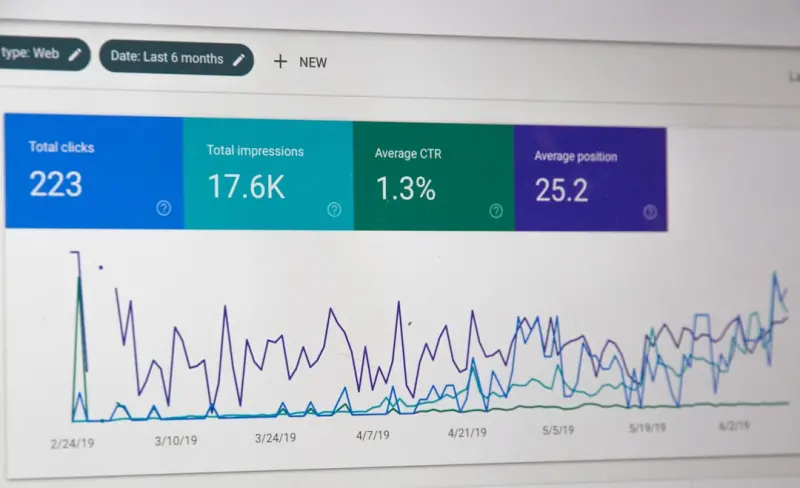
No SEO strategy survives without measurement. Set up separate Google Search Console properties for each language subfolder (or subdomain) and monitor key metrics: impressions, CTR, average position, and crawl errors.
When you notice a dip in a specific locale, dive into the data:
- Check for missing
hreflangtags using the URL Inspection tool. - Validate that the page meets Core Web Vitals thresholds for that region’s typical connection speeds.
- Cross‑reference with data‑driven link building reports to see if any external backlinks have shifted.
Iterate based on findings, then roll the fix across all languages using a bulk edit or a custom script. Over time, you’ll develop a pattern library of “quick wins” that can be applied whenever you launch a new market.
9. Future‑Proof Your Multilingual WordPress Site
SEO is a moving target, and the multilingual landscape is evolving fast. Here are a few forward‑looking considerations:
- AI‑Generated Snippets. Emerging tools can suggest localized meta titles and descriptions based on search intent. Use them as a starting point, but always vet for cultural relevance.
- Voice Search in Local Languages. As voice assistants gain market share worldwide, incorporate natural language queries into your keyword research.
- Progressive Web App (PWA) Enhancements. While PWA topics have been covered elsewhere, combining a PWA with multilingual support can boost mobile UX, which indirectly benefits SEO.
By embedding these practices into your routine, you’ll keep your WordPress site agile, scalable, and primed for international growth.
Wrapping Up
Scaling WordPress SEO for a global audience isn’t about a single magic plugin—it’s a holistic process that starts with a clean architecture, continues through precise technical implementation, and ends with a disciplined data‑driven mindset. If you follow the roadmap above, you’ll turn your multilingual WordPress installation from a maintenance headache into a high‑performing acquisition engine that fuels growth across borders.

Jessica Hall is a dynamic freelance writer based in the vibrant city of London, Ontario. As a dedicated single mom, she expertly juggles the demands of parenthood with her passion for storytelling, crafting compelling narratives that resonate with readers. With a background in retail, Jessica brings a unique perspective to her writing, infusing her work with insights drawn from her experiences.
Related Posts

Automated WordPress Internal Linking for SEO Success
Learn how to automate internal linking in WordPress, harness taxonomy clusters, and measure impact t... Read More

The WordPress SEO Upgrade You’re Missing: Speed, Blocks & Schema
Discover how to transform your WordPress site into an SEO powerhouse by optimizing Core Web Vitals, ... Read More
Unlocking Global Traffic: A WordPress SEO Blueprint for Multilingual Success
Discover a step‑by‑step WordPress SEO strategy for multilingual sites, covering hreflang, plugin... Read More
Top Posts

Local SEO Playbook: Turning Neighborhoods into High‑Intent SaaS Leads
A step‑by‑step guide shows SaaS founders how to map physical footprints, optimize business profiles, harvest reviews, create hyper‑local pages, earn commu...Read More

From Success Stories to Authority Links: A Fresh Blueprint for SaaS Link Building
Discover a new link‑building approach that leverages customer success narratives, turning real‑world results into authoritative backlinks that drive traffic...Read More
Turning Local Search into a SaaS Sales Funnel: Structured Data, Reviews, and Community Signals
Discover a data‑first, review‑centric, community‑driven approach to local SEO for SaaS, turning geographic queries into qualified sales opportunities....Read More

Voice‑First SEO: Crafting Conversational Content Hubs for the Modern Search Landscape
Learn how to pivot your SEO game for voice‑driven searches by building conversational content hubs, using schema markup, and leveraging data partnerships for ...Read More
0 Comments
Post Comment
You will need to Login or Register to comment on this post!