
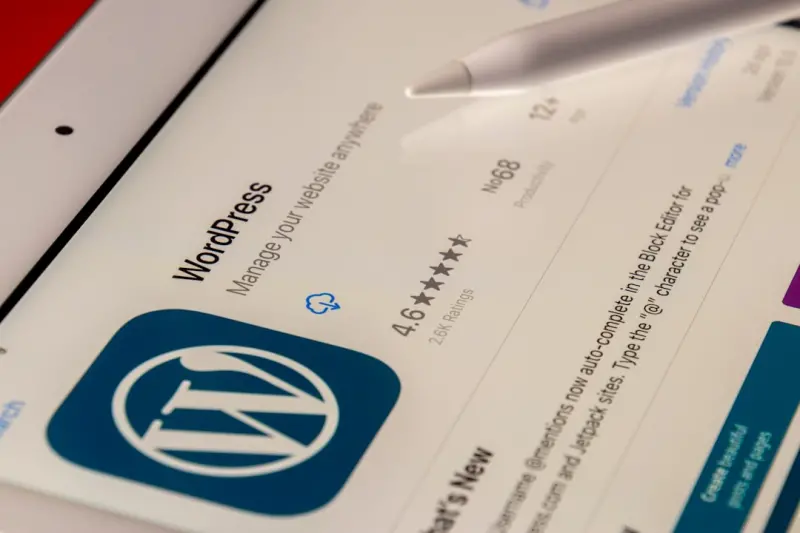
When I first cut my teeth on WordPress back in the early days of blogging, the platform felt like a limitless canvas. Fast forward to today, and the canvas is still boundless—but the rules of the game have shifted dramatically. Google no longer cares solely about keyword density; it wants speed, accessibility, and structured data baked right into the core of every page. If you’re still treating your WordPress site like a static blog, you’re leaving a huge SEO goldmine on the table.
Why “Speed” Is No Longer a Luxury
Core Web Vitals (CWV) have become the de‑facto benchmark for site performance. In plain English, Google wants three things:
- LCP (Largest Contentful Paint) – the time it takes for the main visual element to load.
- FID (First Input Delay) – how quickly the page responds to a user’s first interaction.
- CLS (Cumulative Layout Shift) – the stability of the page as it loads.
When any of these metrics slip, you’ll see a noticeable dip in rankings. The good news? WordPress, especially when paired with a solid hosting provider and modern tooling, can hit these targets without a massive overhaul.
Here’s my quick‑fire checklist for turbocharging speed on a WordPress site:
- Choose a Managed Host – Providers that specialize in WordPress (like Kinsta or WP Engine) pre‑configure servers for caching, PHP‑8, and HTTP/2.
- Leverage a Lightweight Theme – Themes built with performance in mind (e.g., GeneratePress, Astra) keep CSS and JS bloat to a minimum.
- Implement a Full‑Page Cache – Plugins such as WP Rocket or LiteSpeed Cache serve static HTML to visitors, shaving seconds off load time.
- Optimize Images – Serve WebP, enable lazy loading, and compress with tools like ShortPixel or Imagify.
- Use a CDN – A Content Delivery Network distributes your assets globally, reducing latency for distant users.
- Trim Unused Plugins – Every active plugin adds PHP execution time; audit quarterly and deactivate what you don’t need.
Once you have these basics locked down, you’ll see LCP dip below the 2.5‑second threshold, FID under 100 ms, and CLS staying under 0.1—exactly the numbers Google loves.
Gutenberg Blocks: The Unspoken SEO Powerhouse
When Gutenberg arrived, many marketers dismissed it as a “visual editor” that would distract from SEO. In reality, the block editor offers a structured, semantic foundation that, when used wisely, can boost relevance signals for Google.
Each block outputs clean HTML with appropriate heading tags, list structures, and paragraph nesting. This hierarchy helps crawlers understand the content flow without the “spaghetti code” that classic WYSIWYG editors often produced.
Here’s how to turn Gutenberg into an SEO ally:
- Start With a Proper Heading Structure – Use the
<h2>block for subheadings,<h3>for deeper sections, and avoid skipping levels. This mirrors the logical outline Google expects. - Leverage the “Cover” Block for Hero Images – Adding
alttext and a descriptivetitleattribute directly inside the block ensures the image is indexed correctly. - Use the “Table of Contents” Block – Not only does it improve user navigation, but it also creates internal anchor links that Google can crawl as additional pathways.
- Embed Structured Data via “Custom HTML” Blocks – Drop in JSON‑LD snippets for articles, FAQs, or how‑to schema without touching theme files.
- Enable “Reusable Blocks” for Repeating SEO Elements – A well‑crafted meta description block or call‑to‑action can be reused across posts, guaranteeing consistency.
By treating each block as a mini‑SEO module, you’re essentially building a page that speaks the same language Google’s algorithms use: clean, semantic, and user‑focused.
Schema Markup: From “Nice‑to‑Have” to “Must‑Have”
Schema (structured data) used to be a niche tactic reserved for eCommerce product pages. Today, it’s a baseline expectation for any content that wants visibility in the SERP “rich” features. WordPress makes schema implementation surprisingly painless—if you know where to look.
First, decide which schema type aligns with your content:
- Article – For news, blog posts, or thought leadership pieces.
- FAQ – Ideal for “how‑to” guides and support content.
- How‑To – When you’re walking readers through a step‑by‑step process.
- Review – Perfect for product round‑ups or service evaluations.
Next, choose a deployment method:
- Plugin‑Based – Tools like Schema Pro or Rank Math automatically add the appropriate JSON‑LD based on post type.
- Manual JSON‑LD in Gutenberg – Drop a “Custom HTML” block at the bottom of your article with the snippet. This gives you granular control.
- Theme‑Integrated – If you have a developer on staff, embed schema hooks in
functions.phpso every post inherits the correct markup.
When you combine schema with the block editor’s inherent structure, you create a double‑layered signal: the HTML hierarchy tells crawlers “what this page is about,” while the JSON‑LD tells Google “how to display it in search.” The synergy often leads to featured snippets, knowledge panels, or even video carousels for content‑rich posts.
Internal Linking: The Quiet Ranking Engine
Many WordPress owners obsess over backlinks and forget the power of a well‑crafted internal linking strategy. Internal links do three things:
- They distribute link equity throughout your site.
- They guide Google’s crawler to discover deeper pages faster.
- They improve dwell time by offering readers logical next steps.
Here’s a quick workflow I use after publishing a post:
- Identify Pillar Content – Choose 3‑5 cornerstone articles that cover broad topics in your niche.
- Link Back to Pillars – Within the new post, embed contextual links pointing to these pillars using descriptive anchor text.
- Update Pillars with “New Content” Sections – Add a “Related Articles” block at the end of each pillar, linking back to the fresh post.
- Run a Crawl – Use Screaming Frog or Sitebulb to verify that every new page is reachable within three clicks from the homepage.
This approach not only boosts SEO but also creates a “content hub” that users naturally gravitate toward—a win‑win for rankings and conversions.
Technical Audits: The WordPress SEO Safety Net
Even the most carefully built site can develop hidden issues over time. Regular technical audits act like a health checkup, catching problems before they impact rankings.
Key items on my audit checklist:
- Duplicate Content – Verify that pagination, category, and tag archives aren’t creating thin duplicate pages. Use
rel=canonicaltags ornoindexas needed. - Orphan Pages – Identify pages with no inbound internal links. Add them to a relevant hub or consider consolidating.
- Broken Links – Scan for 404s and set up proper 301 redirects.
- HTTPS Configuration – Ensure every resource (images, scripts) loads over HTTPS to avoid mixed‑content warnings.
- XML Sitemap Accuracy – Confirm that the sitemap includes only canonical URLs and excludes no‑index pages.
Tools like Crawl Budget Mastery are fantastic for visualizing how Google sees your site and pinpointing inefficiencies.
Content Migration: When Redesign Meets SEO
Every few years, many WordPress sites undergo a redesign—new theme, new layout, maybe even a new URL structure. It’s a perfect opportunity to embed SEO best practices, but it also carries risk. Here’s my migration playbook:
- Export a Full URL List – Use a plugin like “Export All URLs” to capture the current address map.
- Map Old URLs to New Ones – Create a spreadsheet aligning each old URL with its new counterpart. For pages that are being merged or removed, plan appropriate 301 redirects.
- Set Up Redirects Early – Implement the redirects in your
.htaccessor via a redirection plugin before the new site goes live. - Run a Pre‑Launch Crawl – Check for missing meta tags, duplicate title tags, or broken images.
- Validate Structured Data – Use Google’s Rich Results Test on key pages to ensure schema still renders.
Following this checklist minimizes traffic loss and preserves the equity you’ve built over time.
Future‑Proofing: The Role of Headless WordPress
While most WordPress sites remain “classic” (PHP rendering on the server), the headless approach—using WordPress as a content API paired with a static site generator like Gatsby or Next.js—is gaining traction. Why does this matter for SEO?
- Lightning‑Fast Delivery – Static sites pre‑render HTML, often delivering sub‑second page loads.
- Granular Control Over Markup – Developers can hand‑craft semantic HTML and inject schema exactly where needed.
- Scalable Architecture – CDNs serve static assets worldwide, eliminating server‑side bottlenecks.
That said, headless isn’t a silver bullet. You still need a solid content strategy, proper internal linking, and regular technical audits—just as you would with a traditional WordPress setup. If you’re curious about the transition, start with a pilot page and compare Core Web Vitals before committing site‑wide.
Wrapping Up: Turning WordPress Into an SEO Powerhouse
WordPress offers a rich ecosystem, but the real magic happens when you align its flexibility with Google’s ranking signals. By focusing on speed, leveraging Gutenberg’s semantic blocks, embedding schema, and maintaining a disciplined internal linking and technical audit routine, you’ll not only climb the rankings but also deliver a faster, more engaging experience for your visitors.
Remember, SEO isn’t a set‑and‑forget task. It’s an ongoing conversation between your site and the search engine. Keep iterating, keep measuring, and let WordPress be the canvas where you paint your SEO masterpiece.
For more on structuring content for search, check out Semantic On‑Page SEO. And if you’re tackling crawl‑budget concerns during a site revamp, the insights in Unlocking the Full SEO Potential of Every Product Page can save you a lot of headaches.

Steph Sanderson is a Toronto-based freelance writer and content creator with a clear passion: crafting compelling articles. With a dedication to clear, engaging prose and a knack for storytelling, Steph brings a wealth of experience to every project.
Related Posts
The Power of Content Clusters: A WordPress SEO Blueprint
Discover why content clusters are the missing link in WordPress SEO, with a detailed blueprint, adva... Read More
Gutenberg to Google: Boosting WordPress SEO Block by Block
Discover a practical framework for using Gutenberg’s block architecture to improve WordPress SEO, ... Read More
Unlocking SEO Superpowers with WordPress Custom Post Types
A deep dive into leveraging WordPress custom post types and taxonomies for SEO, with practical steps... Read More
Top Posts

Shoppable Live Streams: Turning Real‑Time Video Into a Revenue Engine
Shoppable live streams blend instant video engagement with on‑spot purchasing, offering brands a frictionless path from discovery to checkout. This guide walk...Read More

Podcast Guesting: A Fresh Link Building Playbook
Learn why podcast guesting is a powerful, underutilized link building tactic and how to turn each interview into a cascade of high‑quality backlinks, traffic,...Read More
Why On-Page Experience Beats Keywords Every Time
Learn why focusing on page speed, structured data, and user‑centric content hierarchy outperforms traditional keyword tactics, and get actionable steps to fut...Read More

Omnichannel Storytelling: Turning Every Touchpoint Into a Chapter of Your Brand
Learn to craft a seamless brand story that lives across social, email, web, and in‑store experiences, turning each customer interaction into a compelling chap...Read More
0 Comments
Post Comment
You will need to Login or Register to comment on this post!