

Why Internal Linking Is the Unsung Hero of WordPress SEO
When most site owners think about WordPress SEO, they instantly picture keyword research, schema markup, or page‑speed tweaks, yet internal linking often sits quietly in the background, shaping how search engines crawl and rank your content. Every hyperlink you place inside your own site creates a pathway for Google’s bots, passing authority from high‑performing pages to newer or deeper pieces that might otherwise languish in obscurity. Over time, a well‑structured web of internal connections can amplify topical relevance, reduce bounce rates, and even influence the emergence of featured snippets. Ignoring this network means you’re leaving valuable ranking juice on the table, especially in a WordPress environment where hundreds of posts can compete for attention without a clear hierarchy.
Manual Linking: Good Intent, Bad Execution
Most WordPress editors start with good intentions—adding a few contextual links here and there as they write new posts. However, the manual approach quickly becomes unsustainable as your content library expands. A single author can only remember a fraction of the existing articles, leading to missed opportunities and inconsistent anchor text usage that can dilute relevance signals. Moreover, manual updates are prone to human error: broken links, outdated URLs, or links that point to low‑quality pages. The cumulative effect is a fragmented site architecture that confuses both users and crawlers, causing a drop in crawl efficiency and, ultimately, organic visibility.
Automation Tools That Do the Heavy Lifting
Fortunately, WordPress offers a suite of automation options that can transform internal linking from a chore into a strategic asset. Plugin‑based solutions such as Link Whisper or Yoast SEO’s internal linking suggestions can scan your entire database, recommend contextual anchor texts, and even insert links in bulk with a single click. For developers who crave granular control, custom code snippets leveraging the wp_insert_post hook can generate dynamic links based on taxonomy terms, post meta, or keyword density. The key is to choose a method that aligns with your workflow while maintaining editorial oversight to ensure that the automated links remain relevant and natural.
Step‑by‑Step: Setting Up an Automated Linking Plugin
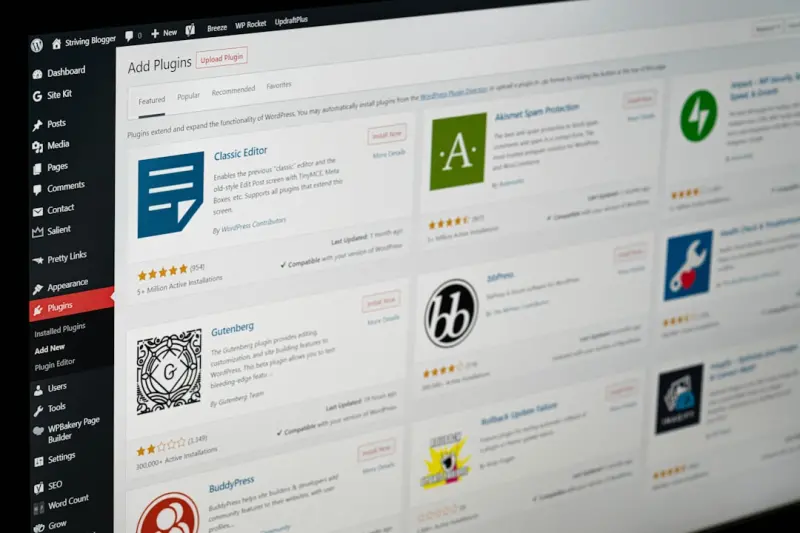
Let’s walk through the practical steps of deploying a popular internal linking plugin. After installing and activating the plugin, the first screen typically prompts you to define linking rules—choose which post types (posts, pages, custom post types) should be included, set a maximum number of links per article, and select anchor text generation preferences. Next, run the initial scan; the plugin will map existing content, surface keyword‑rich opportunities, and flag orphaned pages. Review the suggested links, tweak any anchor texts that feel forced, and confirm the bulk insertion. From that point forward, every new piece you publish will automatically inherit the same logic, ensuring a consistent and scalable internal linking structure without sacrificing quality.
Leveraging Taxonomies for Contextual Link Clusters
WordPress taxonomies—categories, tags, and custom taxonomies—provide a natural framework for building thematic link clusters. By assigning related posts to a shared taxonomy, you enable both users and search engines to navigate a logical content hub. Automation can be enhanced by configuring your plugin to prioritize links within the same taxonomy, reinforcing topical authority. For example, a “Travel Tips” custom taxonomy can automatically interlink all posts tagged under it, creating a self‑reinforcing network that signals expertise to Google. This approach not only streamlines the linking process but also supports silo architecture, a proven SEO technique that isolates topical groups to boost relevance signals.
Data‑Driven Linking: Learning from Passage Ranking
Google’s passage ranking algorithm rewards content that answers specific queries, even if the answer resides deep within a long‑form article. To capitalize on this, you can use data‑driven internal linking that surfaces high‑performing passages on related pages. Tools like Google Search Console reveal which passages attract clicks, and you can then create contextual links that point directly to those sections. For a deeper dive into passage optimization, see Cracking Google’s Passage Ranking. By aligning internal links with proven passage performance, you amplify the signal that Google uses to surface relevant snippets, driving both traffic and SERP visibility.
Measuring the Impact of Automated Links
Automation is only valuable if you can track its results. After implementing a bulk linking strategy, monitor key metrics such as average page depth, bounce rate, and crawl budget consumption in Google Search Console. An increase in pages per session or a reduction in the number of orphaned URLs signals that your internal link network is working. Additionally, use a tool like Screaming Frog to audit the link structure regularly, catching any broken or redirected URLs that the automation may have missed. By setting up a monthly reporting cadence, you can correlate link density changes with fluctuations in rankings, providing concrete evidence of the ROI from your automated internal linking efforts.
Future‑Proofing Your Internal Linking Strategy
As WordPress evolves, so do the mechanisms that search engines use to interpret site architecture. To stay ahead, adopt a flexible automation framework that can adapt to new post types, emerging taxonomies, or changes in Google’s algorithmic preferences. Periodically revisit your linking rules, especially after major site redesigns or content migrations, to ensure that the automated system respects new URL structures and canonical tags. Pair automation with occasional manual audits to preserve the human touch—after all, relevance and user experience remain the ultimate judges of a good internal link. By balancing technology with editorial insight, you create a resilient internal linking ecosystem that fuels sustained SEO growth.

Alex Moss is a digital marketing professional and SEO consultant, focusing on technical and structural SEO along with product development. With more than six years of experience in various facets of digital marketing, he has assisted brands of all sizes in establishing and enhancing their online presence, as well as fostering increased product loyalty.
Related Posts

Building SEO‑Ready WordPress Themes: A Developer’s Playbook
Discover how to design lean, performance‑focused WordPress themes that embed schema, optimize imag... Read More

Designing an SEO‑First WordPress Theme: A Developer’s Playbook
A step‑by‑step guide to crafting an SEO‑friendly WordPress theme from architecture to caching,... Read More
Supercharging WordPress SEO with Dynamic Taxonomy and Content Hubs
Learn a fresh WordPress SEO approach: use dynamic taxonomies, build content hubs, and leverage struc... Read More
Top Posts

SEO Secrets Hidden in Your SaaS Onboarding Flow
Learn to audit, repurpose, and optimize your SaaS onboarding content—turning private tutorials and release notes into searchable, high‑ranking pages that dr...Read More

Intent‑First SEO in 2026: Aligning Content with Real User Purpose
Explore the 2026 shift to Intent‑First SEO, with actionable strategies, case studies, and future‑proof tips to boost rankings by matching real user purpose....Read More

Mobile Micro‑Moments: A SaaS Playbook for Capturing the On‑The‑Go Buyer
A deep dive into mobile micro‑moments for SaaS brands, covering Core Web Vitals, structured data, deep linking, edge delivery, and a tactical audit checklist ...Read More

Decoding Google’s Hidden AI Layers: A Fresh Take on Ranking Strategy
Discover the unseen AI layers behind Google’s rankings and how to craft content that satisfies both user intent and the algorithm’s evolving expectations....Read More
0 Comments
Post Comment
You will need to Login or Register to comment on this post!