
Why Zero‑Click Searches Matter More Than Ever for SaaS
When I first started optimizing SaaS sites, the mantra was “get to the top of the page and the clicks will follow.” That worked in an era where users still scrolled, clicked, and then converted. Today, Google’s SERP is a self‑service portal: answers, calculators, pricing widgets, and reviews appear directly on the results page. For a SaaS product, that shift means you can win a qualified lead without ever opening a new tab. This is the zero‑click SEO opportunity that I’ve been chasing for the past three years, and it’s reshaping how I think about content, schema, and the user journey.
Understanding the Zero‑Click Funnel
Think of a zero‑click funnel as a three‑step loop:
- Discovery: The user types a query that aligns with a problem your SaaS solves.
- Snippet Consumption: Google surfaces a rich answer—often a table, list, or quick calculation—derived from your page.
- Action Trigger: The snippet includes a call‑to‑action (CTA) like “Start Free Trial” or “View Pricing,” prompting the user to act directly from the SERP.
If any part of this loop breaks, you lose a high‑intent prospect to a competitor’s snippet or to Google’s own knowledge panel. The key is to design each piece deliberately, using data‑driven insights and technical levers that go beyond traditional keyword targeting.
Mapping User Intent to Snippet Formats
Not all queries are created equal. In my experience, SaaS search intent falls into four buckets:
- Informational: “What is churn rate?” – best answered with a concise definition and a link to a deeper guide.
- Comparative: “Best project management tools 2024” – prime for a ranked table or a comparison chart.
- Transactional: “Buy X SaaS free trial” – ripe for a pricing widget or a direct CTA button.
- Technical: “API authentication flow example” – suitable for code snippets or a collapsible FAQ.
Each intent maps to a specific structured data type: FAQPage, HowTo, Product, or SoftwareApplication. By aligning your content with the most appropriate schema, you give Google the exact signal it needs to surface your answer in a zero‑click format.
Building a Semantic Content Graph
Traditional siloing—grouping blog posts under broad topics—still has value, but it’s not enough for zero‑click. Google now evaluates the semantic relationship between entities across your site. I recommend constructing a semantic graph that connects:
- Core product features (e.g., “real‑time analytics”)
- Common user problems (e.g., “data latency”)
- Solution pages (e.g., “how to reduce latency with our API”)
- Support resources (e.g., “API error handling guide”)
Tools like GraphQL-powered headless CMSs let you tag each piece of content with entity IDs, creating a network that search engines can crawl as a unified knowledge base. When you feed this graph into your log file analysis, you’ll spot which nodes are actually being crawled and indexed, and which are orphaned.
Optimizing for SERP Widgets: The Technical Playbook
Now let’s get hands‑on. Below is my checklist for turning a regular SaaS page into a SERP widget contender:
- Schema Accuracy: Validate JSON‑LD with Google’s Rich Results Test. Use the most specific type—SoftwareApplication for SaaS products, and add
offersto expose pricing. - Answer Length: Google prefers concise answers (40–60 words) for featured snippets. If you’re targeting a “how‑to” snippet, break steps into numbered lists.
- Table Formatting: For comparative queries, present data in HTML tables with proper
<th>tags. Avoid images; they’re not parsed for tables. - CTA Integration: Include a
callToActionproperty (if supported) or embed a visible button with clear text like “Start Free Trial”. Ensure the button’shrefis a clean, crawlable URL. - Speed & Core Web Vitals: Zero‑click users expect instant answers. A page load under 1 second dramatically improves the chance of being selected for a widget.
Leveraging Internal Linking for Snippet Authority
Internal links are the unsung heroes of zero‑click SEO. When you link from a high‑traffic blog post to a product page that contains a pricing table, you pass “link equity” directly to the snippet candidate. I follow a three‑tier linking strategy:
- Top‑Level Blog Posts: Target broad intent (“best CRM for startups”) and link down to specific feature pages.
- Feature Landing Pages: Use contextual anchor text that mirrors the query (“real‑time analytics pricing”).
- Conversion‑Ready Snippet Pages: Ensure they have minimal boilerplate and a single, laser‑focused CTA.
Running a regular crawl budget audit helps you confirm that search bots are actually reaching these deep‑link pages. If they’re not, you risk losing the snippet opportunity entirely.
Testing Zero‑Click Impact with A/B Experiments
Because zero‑click conversions happen outside your site, measuring them requires a hybrid approach:
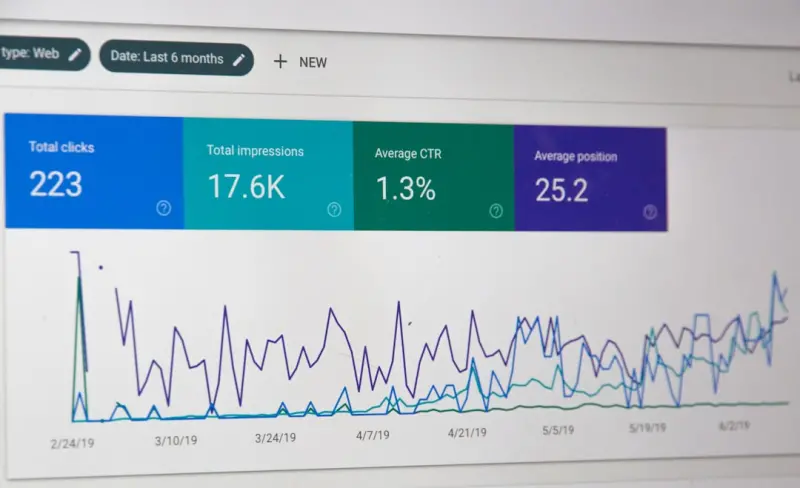
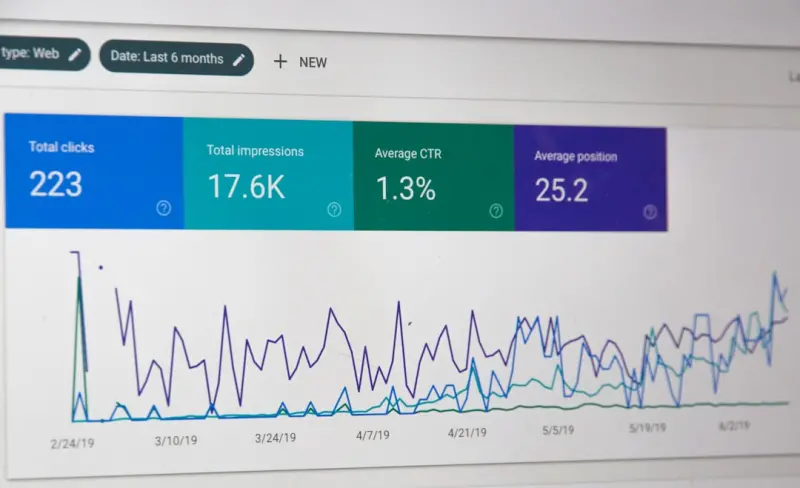
- Impression Tracking: Use Google Search Console’s
Search Analyticsto monitor clicks‑to‑impressions ratios. A drop in clicks paired with stable impressions may indicate a successful snippet. - Event Injection: Add a hidden
onClickevent to your CTA button that fires a GA4 event even when the button is clicked directly from the SERP (viagtagdeep linking). - Survey Nudges: Prompt users who land on your site after a snippet view with a short “How helpful was the Google answer?” question. This feedback loop informs future content tweaks.
When you run a controlled test—say, adding a pricing table schema to one landing page and leaving another unchanged—you can compare the CTR lift and the downstream trial sign‑up rates. The data speaks louder than any gut feeling.
Future‑Proofing: Preparing for AI‑Generated SERPs
Google’s AI layer (e.g., Gemini) is already synthesizing answers from multiple sources. To stay ahead, you need to make your content both machine‑readable and human‑authentic. That means:
- Maintaining an up‑to‑date FAQ section that directly answers the most common support tickets.
- Embedding “human‑written” confidence scores in your schema (some platforms now accept a
reviewRatingfield for content quality). - Ensuring your site’s
robots.txtdoesn’t block the very JSON‑LD snippets that AI models scrape.
In my SaaS practice, I’ve seen early adopters who publish a single source of truth for product specs and let the AI pull from that instead of from scattered blog posts. The result? A cleaner, more authoritative presence in AI‑generated answer boxes.
Putting It All Together: A 30‑Day Zero‑Click Sprint
Here’s my go‑to roadmap for any SaaS team ready to dominate zero‑click real estate:
- Audit Existing Content: Identify pages with high impressions but low clicks in Search Console.
- Map Intent to Schema: Assign the appropriate structured data type to each high‑potential page.
- Revamp HTML: Add concise answer blocks, tables, or FAQs as needed. Keep the markup clean.
- Boost Internal Links: Create at least three contextual links from top‑performing blogs to each snippet page.
- Validate & Test: Use Rich Results Test, run a crawl‑budget check, and set up event tracking for CTA clicks.
- Monitor & Iterate: Review SERP appearance weekly, adjust answer length, and refine schema based on performance.
At the end of the month, you should see a measurable uplift in impressions‑to‑clicks ratio, and—most importantly—qualified trial sign‑ups that originated from a search result without ever loading your site. That’s the power of zero‑click SEO for SaaS.

Sanji Patel has dedicated 25 years to the SEO industry. As an expert SEO consultant for news publishers, he emphasizes providing both technical and editorial SEO services to news publishers worldwide. He frequently speaks at conferences and events globally and offers annual guest lectures at local universities.
Related Posts

Intent‑First SEO: Proven Tips to Elevate Your Rankings
Learn how to master intent‑first SEO with practical steps, technical tweaks, and storytelling tech... Read More
Harnessing User‑Generated Video for SEO Success
Learn why user‑generated video is the missing SEO link, how to source and optimize authentic clips... Read More
From Support Tickets to SERP Wins: Data‑Driven SEO for SaaS
Discover fresh SEO tactics that leverage your SaaS product’s own data—support logs, pricing tabl... Read More
Top Posts

Unlocking WordPress SEO Potential with Gutenberg Blocks
Brad Hays explains why Gutenberg’s block editor is a hidden SEO powerhouse, offering practical tactics for headings, image optimization, schema markup, and pe...Read More
Scaling International eCommerce SEO: Strategies for Global Growth
Learn how to master international eCommerce SEO with actionable steps on hreflang, crawl budgets, localized content, and performance tracking for sustainable gl...Read More

Log Files Unlocked: How SaaS Teams Can Mine Server Data for SEO Gains
Server logs hold hidden SEO insights. This post shows SaaS teams how to analyze logs, spot crawl budget waste, fix bot‑specific errors, and integrate findings...Read More
Turning Shoppers Into Co‑Creators: How User‑Generated Content Supercharges eCommerce Conversions
Learn how authentic customer content can transform product pages, emails, and ads into high‑trust conversion engines—plus proven tactics for gathering, disp...Read More
0 Comments
Post Comment
You will need to Login or Register to comment on this post!