

Why WordPress Widget Areas Are Your Secret SEO Arsenal
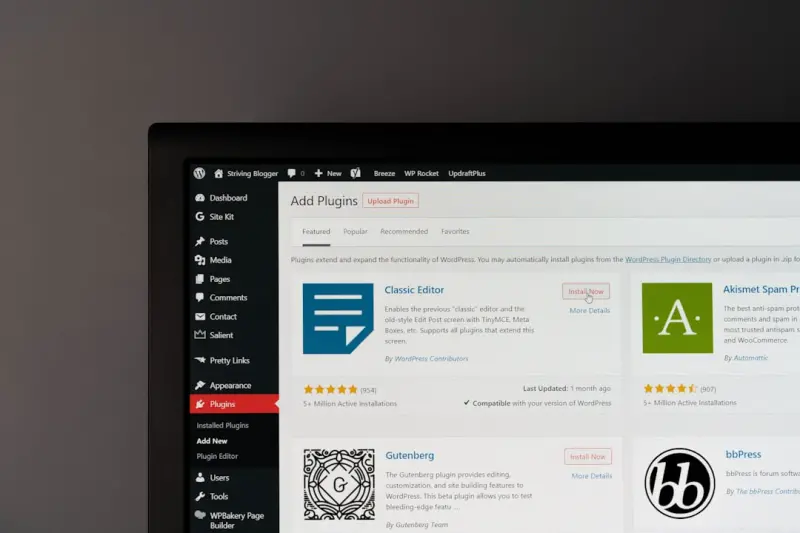
When most marketers think about WordPress SEO, they rush straight to plugins, meta tags, or content calendars. What if I told you the real, under‑the‑radar power lies in the widget areas you’ve been using for newsletters, ads, and social feeds? Those sidebar and footer sections are more than decorative real‑estate; they’re prime spots for semantic signals that search engines love. In this deep dive, I’ll walk you through how to transform every widget zone into a lightweight, indexable SEO engine without compromising design or performance.
1. The Anatomy of a Widget: From HTML to Indexable Content
At its core, a WordPress widget outputs a simple <aside> or <section> block of HTML. By default, most themes give these elements minimal semantic weight. That’s a missed opportunity. By adding structured markup, custom headings, and targeted internal links, you can signal to Google exactly what each widget represents—whether it’s a local business address, a FAQ snippet, or a call‑to‑action that supports your primary keyword strategy.
2. Layering Structured Data Without Overkill
Structured data has become a cornerstone of modern SEO, and WordPress makes it surprisingly easy to inject JSON‑LD or microdata directly from a widget’s text editor. For instance, a “Contact Us” widget can carry schema.org/Organization markup, turning a simple address into a potent local SEO signal. The key is to keep the markup lightweight—only the fields you need—so you don’t dilute the page’s overall relevance. Remember, Google values relevance over quantity.
3. Turning Your Footer Into an SEO Hub
The footer is often the most overlooked widget zone, yet it appears on every single page. This uniform presence means any keyword‑rich links or structured data you place there can ripple across your entire site. Use the footer to host a concise <nav> with “Sitemap”, “Privacy Policy”, and “About Us” links, each anchored with descriptive text that mirrors your primary keyword themes. Avoid generic “click here” anchors; instead, opt for phrases like “WordPress SEO best practices” or “site speed optimization tips”.
4. SEO‑Friendly Sidebars: Prioritize Relevance Over Clutter
Sidebars are prime real‑estate for supplemental content that supports the main article. A well‑crafted sidebar can house:
- Related posts with keyword‑rich anchor text.
- A mini FAQ that answers common user queries—perfect for featured snippets potential.
- A short author bio with schema markup for
Person, boosting author authority.
By curating these elements, you create a semantic cluster that reinforces the page’s main topic, helping Google understand context faster.
5. Leveraging Internal Links for Crawl Efficiency
Every widget you add is an opportunity to improve internal linking structure. But beware of over‑linking—too many links can dilute link equity and even confuse crawlers. Aim for a balanced link-to-content ratio of about 2‑3 contextual links per widget. When you need to prioritize high‑value pages, use rel="nofollow" sparingly and keep the rest “follow”. For a deeper dive on how internal linking affects crawl budget, check out our guide on crawl budget mastery.
6. Speed Matters: Keep Widgets Light to Protect Core Web Vitals
Google’s Core Web Vitals are non‑negotiable for ranking. Heavy widgets—especially those loading third‑party scripts—can sabotage your Largest Contentful Paint (LCP) and Cumulative Layout Shift (CLS). To stay fast, follow these best practices:
- Load external scripts asynchronously or defer them.
- Compress images and serve them in modern formats (WebP, AVIF).
- Use CSS to hide non‑essential widgets on mobile devices, reducing render‑blocking resources.
For more on how to align widgets with Core Web Vitals, see our article on mobile performance secrets.
7. The Power of Contextual Keywords in Widget Titles
Widget titles are often rendered as <h2> or <h3> tags. Treat them as mini‑headlines. Instead of “Recent Posts”, try “Latest WordPress SEO Tips”. This subtle shift adds keyword relevance without feeling forced. Pair the title with a short, descriptive paragraph that includes your target keyword naturally. Search engines treat these headings as signals for the content that follows, boosting topical authority.
8. A/B Test Your Widgets: Data‑Driven Decisions
Just because a widget looks good doesn’t mean it performs well. Use A/B testing tools (like Google Optimize or Split.io) to compare variations: one with a plain text call‑to‑action, another with a button, or a version with schema markup versus one without. Track metrics such as click‑through rate (CTR), time on page, and any impact on rankings. Over time, you’ll identify the exact widget configurations that deliver the highest SEO lift.
9. Repurposing Existing Content for Widgets
If you have high‑performing blog posts, consider extracting key takeaways and embedding them into a “Quick Tips” widget. This not only recirculates valuable content but also creates additional entry points for users and crawlers. Use bullet points and concise language to keep it scannable. Remember to add a “Read more” link that points back to the full article, preserving link equity while enhancing the user journey.
10. Accessibility and SEO: A Win‑Win
Accessible widgets—those with proper ARIA labels and semantic HTML—are favored by both users and search engines. Ensure each widget’s interactive elements (buttons, forms) are keyboard‑navigable and have descriptive aria-label attributes. This reduces bounce rates for assistive‑technology users, indirectly boosting SEO signals like dwell time and user satisfaction.
11. Future‑Proofing: Preparing for Headless WordPress
As more brands adopt a headless architecture, widgets will evolve into API‑driven components. Start thinking about how you’ll deliver structured data and internal links via JSON responses rather than hard‑coded HTML. By designing your widget logic today with a headless future in mind, you’ll avoid costly rewrites and keep your SEO foundation solid.
12. Putting It All Together: A Checklist for SEO‑Ready Widgets
Before you publish, run through this quick audit:
- Semantic markup: Use
aside,section, and proper heading tags. - Structured data: Add relevant schema (Organization, FAQ, Person).
- Keyword‑rich titles: Optimize widget headings.
- Internal links: Include 2‑3 contextual links, no more.
- Performance: Defer scripts, compress assets, test Core Web Vitals.
- Accessibility: Verify ARIA labels and keyboard navigation.
- Testing: Run A/B tests for CTR and engagement.
By treating each widget as a micro‑landing page, you unlock a scalable, low‑effort SEO boost that compounds across your entire WordPress site.

Brandy Miller is a dynamic freelance writer based in the vibrant city of Cambridge, Ontario. With a passion for storytelling that knows no bounds, she crafts compelling narratives that captivate and inspire. Brandy’s love for writing shines through in her versatile work, whether she’s penning thought-provoking articles or engaging content that resonates with readers. Her unique perspective and friendly tone make her a sought-after voice in the writing community. When she’s not weaving words together, you can find her exploring the beautiful landscapes of Ontario, always seeking new adventures and inspiration for her next piece. Brandy is not just a writer; she’s a creative force, making her mark one word at a time.
Related Posts

Unlocking SEO Superpowers with WordPress Custom Post Types
A deep dive into leveraging WordPress custom post types and taxonomies for SEO, with practical steps... Read More
Mastering E‑A‑T on WordPress: A Practical Guide for Authority‑Driven Rankings
A step‑by‑step guide shows how to embed expertise, authoritativeness, and trust into WordPressâ€... Read More

Gutenberg SEO Hacks: Turning WordPress Blocks into Ranking Powerhouses
Learn to leverage WordPress Gutenberg blocks for better semantics, schema integration, speed, and in... Read More
Top Posts

Shoppable Livestreams: Turning Real‑Time Interaction into eCommerce Gold
Explore the power of shoppable livestreams to transform real‑time video into a high‑conversion sales channel, with tips on funnel design, platform choice, a...Read More

Turning Cart Abandonment into a Loyalty Engine
Cart abandonment isn’t a dead end. Discover a step‑by‑step framework that uses psychology, real‑time social proof, and multi‑channel follow‑ups to t...Read More

Mastering On-Page SEO for Visual Search: A Practical Guide
Discover actionable strategies to optimize images for AI‑driven visual search, from naming conventions and alt text to structured data and sitemaps. Elevate y...Read More
Prompt Engineering: Turning Users into Search Engineers
Learn how mastering prompt engineering transforms AI search from static queries into dynamic, conversational experiences, giving brands a powerful new way to en...Read More
0 Comments
Post Comment
You will need to Login or Register to comment on this post!