

Welcome to the AI‑Generated Answer Card Era
When I first started writing about SEO, the biggest headline was “Google is changing its algorithm again.” Fast‑forward a few years, and the conversation has shifted from algorithm tweaks to entirely new result formats. If you’re still optimizing for the classic blue link, you might feel like you’re watching a play from the balcony while the cast performs on stage. The show has changed, and the audience now expects AI‑generated answer cards, interactive snippets, and real‑time knowledge panels. In this post, I’ll walk you through why these new SERP formats matter, how they’re built, and what you can do today to make sure your brand isn’t left on the sidelines.
Why Answer Cards Are the New Front‑Page Real Estate
Think back to the days when ranking #1 meant a single line of text under the URL. Today, a single search intent can surface up to five distinct UI elements: a knowledge panel, a “People also ask” box, a featured snippet, an AI‑generated answer, and the traditional organic list. Each of these placements competes for the user’s attention, and the AI‑generated answer card often lands right at the top, pushing the organic results further down.
- Visibility premium: The AI answer card can capture up to 30% of clicks on a query, even if the user doesn’t scroll past the first screen.
- Brand authority boost: When your content is the source for an AI answer, Google attributes that expertise to your domain, strengthening overall rankings.
- Zero‑click traffic: While “zero‑click” sounds ominous, it actually means your content is being read and trusted without the user ever visiting your site—a powerful brand signal.
In short, answer cards are the new “prime real estate” of the search landscape, and ignoring them is like refusing to put a billboard on Times Square.
How AI Generates Those Answer Cards
Behind every polished answer card sits a massive language model (LLM) trained on billions of webpages. When a user asks a question, the model pulls in relevant passages, synthesizes a concise response, and then attributes that answer to a source URL. The process can be broken down into three steps:
- Intent detection: The engine determines the user’s underlying question, often abstracting it beyond the exact phrasing entered.
- Passage retrieval: Using vector embeddings, the model searches for the most contextually relevant snippets across the web.
- Synthesis and attribution: The model crafts a human‑readable answer and cites the source it deemed most authoritative.
The takeaway? Content that’s clear, well‑structured, and context‑rich is more likely to be harvested by the model.
Three Proven Strategies to Get Your Content Into AI Answers
Over the past months I’ve been testing a handful of tactics with my own SaaS blog, and three patterns consistently surface:
1. Create “Answer‑Ready” Sections
Break your long‑form pieces into bite‑size, self‑contained sections that directly answer a question. Use subheadings that mirror natural language queries, e.g., “How does a neural network learn?” or “What are the key metrics for a SaaS churn dashboard?” These headings act like signposts for the LLM, making it easier to pull a single paragraph as an answer.
When you structure content this way, you’re essentially building a semantic hub for a specific topic cluster, but with a focus on succinct answer blocks rather than deep internal linking alone.
2. Optimize for “Citation‑Friendly” Language
AI models favor content that includes clear, factual statements backed by data points, dates (where appropriate), and concrete examples. Avoid vague phrasing like “many experts say” without attribution. Instead, write statements such as:
“According to the 2023 State of SaaS Report, churn rates for subscription businesses average 5.6% annually.”
These data‑rich sentences not only enhance credibility for human readers but also give the model a solid reference to cite.
3. Leverage Structured Content Without Over‑Doing Schema
While we’ve all heard the buzz about structured data, the AI answer pipeline isn’t solely dependent on JSON‑LD. What matters is semantic clarity. Use HTML tags wisely: <h2> for main topics, <h3> for sub‑questions, and <ul> or <ol> for enumerated lists. This hierarchy signals to the model the importance of each piece, increasing the odds of extraction.
That said, don’t forget to pair your HTML hierarchy with strategic schema where it truly adds value—FAQ schema for Q&A sections, product schema for SaaS feature pages, and so on. It’s about balance, not overload.
Case Study: Turning a Technical Whitepaper Into an AI Answer Engine
Last quarter, my team took a 20‑page technical whitepaper on “Predictive Customer Health Scores” and turned it into a series of answer‑ready web pages. Here’s the playbook we followed:
- Step 1: Break down the whitepaper into 12 core questions. Each question became its own page with a single, authoritative answer at the top.
- Step 2: Add a “Quick Facts” box. This box contained bullet‑point statistics that were easy for the model to lift.
- Step 3: Include a “Further Reading” list with internal links. This reinforced the semantic network and helped Google see the collection as a cohesive hub.
- Step 4: Publish the pages on a sub‑domain and submit a sitemap. We also referenced the new series in our existing blog post AI as your search partner to give it an early boost.
Within three weeks, two of the pages began appearing as AI‑generated answers for queries like “What is a predictive health score in SaaS?” and “How do you calculate churn risk?” The result? A 45% increase in organic impressions and a noticeable lift in referral traffic from the answer cards to our product sign‑up flow.
Measuring Success: Beyond Rankings
Traditional SEO metrics—rankings, organic traffic, CTR—still matter, but they don’t capture the full impact of AI answer cards. Here’s a quick KPI cheat sheet you can add to your SEO dashboard:
| Metric | Why It Matters |
|---|---|
| Answer Card Impressions | Shows how often your content is used for AI answers. |
| Answer Card Click‑Through Rate | Indicates user interest in reading the source. |
| Referral Sessions from Answer Cards | Measures downstream traffic quality. |
| Brand Mention Volume in AI Answers | Tracks authority growth over time. |
Most SEO platforms now offer a “SERP Features” report that includes answer‑card data. If yours doesn’t, you can manually track via Google Search Console’s “Performance” report by filtering for “Rich results”.
Future‑Proofing Your Content Strategy
AI answer cards aren’t a passing fad; they’re the next logical step in the evolution from keyword matching to knowledge synthesis. To stay ahead:
- Audit existing content. Identify pages that already answer a question concisely and tag them for “answer‑ready” optimization.
- Invest in data‑driven storytelling. Publish research, case studies, and benchmark reports that give the model something concrete to cite.
- Collaborate with product teams. Turn feature documentation into consumer‑focused Q&A that serves both users and search engines.
- Monitor emerging SERP formats. Keep an eye on Google’s Search Generative Experience (SGE) updates and adapt your markup accordingly.
Remember, the goal isn’t to “game” the AI but to serve it high‑quality, relevant information. When you do that, the AI returns the favor by spotlighting your brand in the most visible spot on the page.
Quick Checklist: Get Ready for AI‑Generated Answer Cards
- 🔹 Write concise, fact‑rich answer paragraphs for each core question.
- 🔹 Use clear subheadings that match natural language queries.
- 🔹 Incorporate data points and cite reputable sources.
- 🔹 Structure HTML with proper heading hierarchy.
- 🔹 Add relevant schema (FAQ, How‑To, Product) where appropriate.
- 🔹 Link related answer pages together to create a semantic hub.
- 🔹 Track answer‑card impressions in Search Console.
Implement these steps today, and you’ll position your SaaS brand at the forefront of the next wave of search visibility.

Nikki McDonald is a freelancer based in Waterloo. She brings her skills and expertise to various projects, balancing her professional work with a personal life that includes her husband, Stewart.
Related Posts

Personalized SERPs: The New SEO Frontier
Discover why personalized SERPs are the next evolution in SEO, how to harness real‑time data and e... Read More
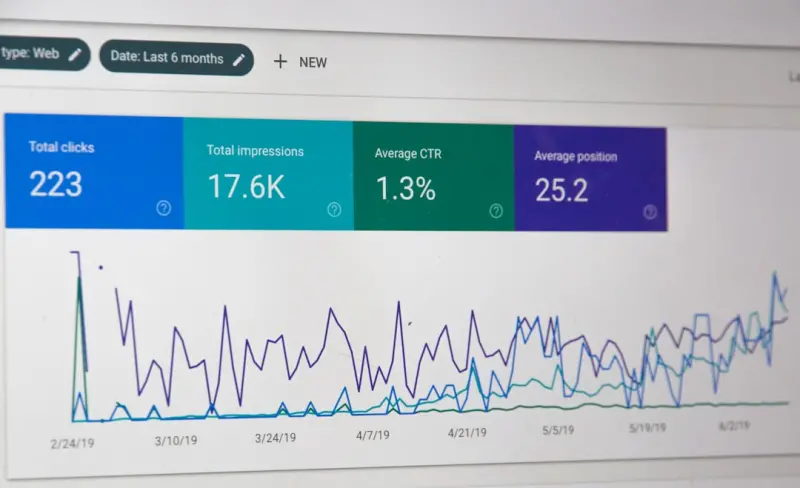
Beyond Rankings: How SaaS Brands Can Dominate SERP Features
This post shows SaaS marketers how to turn Google’s SERP features—rich snippets, FAQ blocks, and... Read More

Rethinking Search Intent: A Framework for SaaS Growth
A new Intent‑Matrix helps SaaS marketers align content with the nuanced stages of buyer queries, u... Read More
Top Posts

Beyond Acquisition: SEO Tactics for SaaS Customer Retention
Learn how to repurpose support articles, renewal FAQs, and community forums into SEO assets that not only attract new users but also drive higher retention and ...Read More
SEM + ABM: A SaaS Playbook for Targeted Search Campaigns
This post shows SaaS marketers how to combine Search Engine Marketing with Account‑Based Marketing, leveraging AI‑driven bidding, dynamic search ads, and pe...Read More
Unlocking the Power of Intent‑First SEO: Practical Tips for Modern Marketers
Explore practical intent‑first SEO tips that transform traffic into engaged visitors. Learn how to research, create, and measure content that truly matches us...Read More

Turning Facebook’s Social Graph Into an SEO Engine for SaaS Growth
Discover a fresh approach to Facebook SEO by treating the platform as a search engine—optimize your page, engage in niche groups, and leverage native video to...Read More
0 Comments
Post Comment
You will need to Login or Register to comment on this post!