
Why SERP Features Matter More Than Ever for SaaS
When I first started optimizing SaaS sites, the mantra was simple: climb the rankings, get clicks. Today, the real battle is for the real estate that lives above the organic list. Rich snippets, FAQs, People Also Ask (PAA), and other SERP features have become the front door to your product, and they’re the new conversion funnel. If your SaaS brand isn’t deliberately engineering those placements, you’re handing qualified prospects to the competition—often with zero effort on their part.
The Economics of SERP Real Estate
Google reports that over 70% of searches now result in a “zero‑click” experience, meaning users find what they need directly on the results page. For SaaS, that translates to two powerful outcomes:
- Brand Authority Boost: Owning a featured snippet or a PAA block signals expertise, which shortens the trust‑building cycle.
- Qualified Traffic Funnel: Even when the user doesn’t click, the snippet often includes a price, a CTA, or a direct answer that aligns with the buying intent.
In other words, the SERP itself can become a lead‑generation channel—no landing page required.
Mapping Your SaaS Content to SERP Features
The first step is an audit: match each piece of your product or knowledge base to a specific SERP format.
- Feature Highlights → Rich Snippets: Use schema markup to surface key product attributes (price, rating, compatibility).
- Common Support Questions → FAQ Blocks: Turn help‑center articles into concise Q&A pairs that Google can surface.
- Complex Use‑Cases → People Also Ask: Identify multi‑step queries that prospects ask after an initial search.
- Thought‑Leadership → Top Stories or Video Snippets: Publish data‑driven insights and embed them as video or carousel assets.
This mapping isn’t a one‑off exercise. SaaS products evolve fast, and your SERP strategy must evolve with them.
Building a FAQ Schema That Google Loves
FAQ schema is the most underutilized tool in the SaaS SEO toolbox. Here’s a practical workflow that I use with every new feature rollout:
- Harvest Real Questions: Pull queries from your internal support tickets, live‑chat logs, and the customer success stories you already showcase.
- Prioritize by Intent: Separate “how‑to” questions (e.g., “How do I integrate X with Y?”) from “comparison” questions (e.g., “X vs. Y pricing”). The former fuels rich snippets, the latter fuels PAA.
- Write Concise Answers: Aim for 40‑50 words per answer, using the exact phrasing of the question. Google extracts the answer verbatim.
- Mark Up with JSON‑LD: Implement the official FAQ schema on the same page where the answer lives. If the answer lives in a help article, place the markup at the top of that article.
- Validate & Iterate: Use Google’s Rich Results Test and monitor impressions in Search Console. If a question isn’t surfacing, refine the wording or add more context.
Leveraging People Also Ask for Layered Intent Capture
PAA is essentially Google’s built‑in, dynamic FAQ. The key to winning PAA is anticipation—you need to surface the exact sub‑questions users ask after their initial query.
My approach is to treat PAA as a semantic tree:
- Root Query: “Project management software”
- First‑Level PAA: “What is the difference between Kanban and Scrum?”
- Second‑Level PAA: “How does Kanban integrate with Slack?”
Each node in that tree becomes a dedicated, SEO‑optimized page or section. By AI‑driven topic clustering, you can automatically surface the most common sub‑questions and create content clusters around them. When Google sees that you’ve answered the entire chain, it’s far more likely to surface your content in the expanding PAA widget.
Rich Snippets: From Feature Lists to Purchase‑Ready Tiles
Rich snippets aren’t just for recipes or movies. For SaaS, they can display:
- Product Name & Logo
- Price Tier or Free‑Trial Indicator
- Star Rating from Verified Users
- Key Benefits (e.g., “No‑code workflow automation”)
Implementation steps:
- Identify the highest‑value pages—pricing, feature comparison, and key product pages.
- Add
ProductandOfferschema, ensuring you includepriceCurrency,price, andavailability. - If you have a free tier, mark it with
price = 0andpriceSpecificationfor transparency. - Push structured data through Google Search Console’s “Test Rich Results” tool to catch errors early.
When done correctly, these snippets appear at the top of the SERP, often with a “Buy” or “Start Free Trial” button that directly links to your onboarding flow.
Measuring the Impact of SERP Features
Traditional SEO metrics—rankings, organic clicks—still matter, but you need a richer KPI set for SERP feature success:
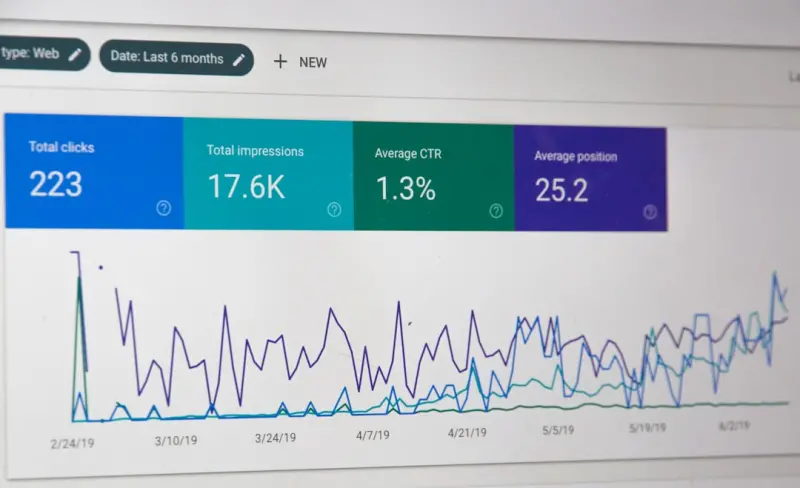
- Impression Share for Specific Rich Results: Search Console now breaks down impressions by rich result type.
- Zero‑Click Conversion Rate: Track how many users engage with the snippet (e.g., click a phone number, start a chat) using Google Analytics events.
- Engagement Time on Page After Click: A higher dwell time indicates that the snippet set the right expectation.
- Feature Retention: Monitor if a snippet drops off after a Google algorithm update—quickly revert or refresh markup.
By layering these metrics, you’ll know whether a new FAQ block is merely “visible” or actually moving the needle on qualified leads.
Avoiding Common Pitfalls
Even seasoned SEO teams stumble on a few traps when chasing SERP features:
- Over‑Optimizing Answers: Google penalizes “spammy” or overly‑generic answers. Keep language natural and reference credible sources.
- Duplicate Schema Across Pages: Each page should have unique markup. Duplicates cause Google to ignore all of them.
- Neglecting Mobile‑First Rendering: Rich snippets are displayed on mobile first. Ensure your structured data loads without JavaScript delays.
- Forgetting Content Refresh: A feature that changes its pricing or capabilities needs its FAQ and schema updated immediately—otherwise you’ll mislead users and risk a manual penalty.
Future‑Proofing: The Rise of Generative SERP Elements
Google’s AI‑driven “answer engine” is already pulling in content from large language models to populate new SERP blocks. In the near term, you’ll see:
- AI‑Generated Summaries: Instead of a single FAQ answer, Google may display a multi‑sentence AI‑crafted summary that pulls from several of your pages.
- Interactive Demos: “Try it now” buttons embedded directly in the SERP for SaaS tools.
- Real‑Time Pricing Updates: Dynamic schema that reflects price changes within minutes of a backend update.
To stay ahead, integrate your product’s API with your SEO workflow. When a price tier changes, a webhook can automatically regenerate the relevant Offer schema and push it to your CDN—no manual edit required. This synergy of product engineering and SEO is where the competitive advantage will live.
Putting It All Together: A 6‑Week Action Plan
Below is a pragmatic, repeatable roadmap you can roll out on any SaaS site, regardless of size:
- Week 1 – Content Gap Analysis: Use search console and a topic‑clustering tool to map existing pages to potential SERP features.
- Week 2 – FAQ Harvest & Schema Draft: Pull top‑10 support questions per product line, write concise answers, and embed FAQ JSON‑LD.
- Week 3 – Rich Snippet Implementation: Apply
ProductandOfferschema to pricing and feature pages. - Week 4 – PAA Content Expansion: Create dedicated, SEO‑optimized pages for the most common “People Also Ask” sub‑questions.
- Week 5 – Technical Validation: Run Rich Results Test, fix errors, and submit a sitemap update.
- Week 6 – Measurement & Iteration: Set up custom dashboards in GA4 and Search Console, monitor impressions, and schedule bi‑weekly content refreshes.
Follow this loop every quarter, and you’ll see a steady climb not just in rankings, but in the quality of traffic that lands directly on the SERP.
Conclusion: SERP Features Are Your New Landing Pages
If you still think SEO is only about moving up a list, you’re leaving massive, zero‑click conversion potential on the table. By treating rich snippets, FAQs, and People Also Ask as first‑touch points, SaaS marketers can capture intent before the user ever clicks “Visit Site.” The result? Higher brand authority, better qualified leads, and a measurable lift in revenue—all without a single extra paid click.

Kelly Reynolds is a dynamic freelance writer hailing from the picturesque landscapes of Alberta. A master of the written word, she juggles her passion for storytelling with the exhilarating chaos of being a mother to five spirited children. With an impressive portfolio that spans various genres, Kelly captivates readers through her engaging blog posts and thought-provoking articles.
Related Posts

AI‑Powered Search Intent: How Retrieval Models Are Redefining SEO
AI is reshaping how search engines understand intent. In this deep dive, I explore retrieval‑augme... Read More

Conversational Search is Here: Re‑thinking SaaS SEO for AI Assistants
A deep dive into conversational SEO for SaaS, offering a step‑by‑step framework, schema markup g... Read More

Real‑Time SEO: Turning Live User Data Into Ranking Power
Discover a step‑by‑step framework for integrating live user signals into your SEO workflow, enab... Read More
Top Posts

Capture Every Mobile Micro‑Moment: A SaaS SEO Blueprint
A step‑by‑step guide shows SaaS marketers how to map product features to the four micro‑moment types, leverage schema markup, and create ultra‑light ans...Read More

How SaaS Community Content Can Supercharge Your SEO
Learn why user‑generated forums, reviews, and community hubs are the secret weapon for SaaS SEO, and get a step‑by‑step checklist to turn your users into ...Read More

The Rise of Contextual AI Search: Turning Intent Into Action
Explore how contextual AI search transforms enterprise knowledge discovery by moving beyond keyword matching to intent‑driven, personalized answers powered by...Read More

Turning SaaS Toolkits into Magnetized Link Assets
Learn a new link‑building approach that leverages data‑driven SaaS toolkits—like calculators and benchmarks—to earn high‑quality backlinks, boost rank...Read More
0 Comments
Post Comment
You will need to Login or Register to comment on this post!