

Why WordPress Isn’t Just a Publishing Platform—It’s Your SEO Engine
When most marketers think about WordPress, the first thing that comes to mind is a nice blog interface. What they miss is that WordPress, at its core, is a fully‑fledged content management system that can be tweaked, extended, and optimized to the same degree as any custom‑coded site. If you’ve ever spent hours wrestling with page speed tools or sprinkling schema snippets into raw HTML, you’ll be surprised how many of those same levers exist right inside the WordPress dashboard—if you know where to look.
The Hidden SEO Levers Inside the Gutenberg Editor
Gutenberg isn’t just a pretty block builder; it’s a semantic powerhouse. Every block you drop—heading, paragraph, image, embed—creates a clean HTML structure that search engines love. Here’s how to make those blocks work for you:
- Use proper heading hierarchy. Start with an H2 for the first section, then H3, H4, etc. Avoid jumping straight to H4 or H5; it dilutes the hierarchy and confuses crawlers.
- Leverage the “Cover” block for visual relevance. Adding a descriptive
altattribute to the background image tells Google what the image is about, which can surface your page in image search. - Embed rich media wisely. Embedding a YouTube video automatically generates an
iframewith atitleattribute, but you should also add a transcript underneath. That transcript becomes indexable text, boosting topical depth.
These tweaks take seconds, yet they signal to Google that your content is thoughtfully organized—a signal that can lift rankings without any extra backlinks.
Taxonomies: Turning Categories & Tags into Semantic Signals
WordPress ships with categories and tags, but most sites treat them as afterthoughts. In reality, they’re a built‑in taxonomy system that can be harnessed for semantic SEO. Here’s a step‑by‑step plan:
- Audit your existing taxonomy. Pull a list of all categories and tags. Remove duplicates, merge synonyms, and delete anything that appears only once.
- Map each taxonomy to a keyword theme. For example, a “WordPress Security” category could target
wordpress security best practicesand related long‑tails. - Enable hierarchical tags. Plugins like “Tag Groups” let you nest tags, turning a flat list into a tree that mirrors search intent.
- Add schema to taxonomy archives. Use a
ItemListschema on category pages to tell Google these are curated collections of related articles.
When done right, taxonomies become internal “topic hubs” that Google can crawl like a well‑structured knowledge base.
Internal Linking: The WordPress Way
Internal linking is the low‑hanging fruit of SEO, but WordPress offers features that make it effortless:
- Automatic “Related Posts” blocks. Many themes include a block that pulls in posts sharing the same tags or categories. Turn this on, and you instantly create contextual links.
- Breadcrumbs in the block editor. Adding a breadcrumb block not only improves UX but also gives Google a clear path hierarchy.
- Link suggestions via plugins. Plugins like “Yoast SEO” or “Rank Math” will suggest internal link targets as you write, ensuring you never miss an opportunity.
Remember, every internal link passes link equity. By strategically linking pillar pages to supporting articles, you amplify the authority of your most important content.
Schema Made Simple—Without a Plugin Overload
WordPress sites often rely on a dozen plugins to add schema markup, which can bloat the site and cause conflicts. Instead, use the built‑in functions.php file or a lightweight custom plugin to inject JSON‑LD where it matters most. Here’s a starter snippet for an article page:
<script type="application/ld+json">
{
  "@context": "https://schema.org",
  "@type": "Article",
  "headline": "<?php the_title(); ?>",
  "author": {
    "@type": "Person",
    "name": "Jimmy Anand"
  },
  "datePublished": "<?php echo get_the_date('c'); ?>",
  "image": "<?php echo get_the_post_thumbnail_url(); ?>"
}
</script>
This code runs once per page, eliminating the need for a separate plugin for each schema type. Keep it lean, keep it fast.
Speed & Core Web Vitals: WordPress-Specific Hacks
While the broader Core Web Vitals conversation appears on many blogs (including our own), WordPress has its own set of performance tricks that are often overlooked:
- Serve images in next‑gen formats. Use the
srcsetattribute generated by WordPress 5.8+ to deliver WebP automatically where supported. - Enable lazy loading for iframes. Add
loading="lazy"to embedded YouTube or Vimeo iframes via a simple filter. - Utilize object caching. If you’re on managed WordPress hosting, enable Redis or Memcached to store query results, cutting down database load.
- Prune unnecessary block assets. Plugins like “Asset CleanUp” let you dequeue Gutenberg block styles on pages that don’t need them, shaving off kilobytes.
These tweaks directly improve metrics that Google uses for ranking, without sacrificing the flexibility that makes WordPress popular.
Leveraging the WordPress REST API for SEO Intelligence
Most SEO teams scrape Google Search Console or rely on third‑party dashboards. But the WordPress REST API gives you raw data you can turn into actionable insights:
- Pull post performance metrics. Using the
/wp/v2/postsendpoint, combine view counts (from a plugin) with taxonomy data to spot high‑performing topics. - Detect orphan pages. Cross‑reference the list of all post IDs with your internal link graph (exported from a tool like Screaming Frog) to find pages that never receive a link.
- Automate meta tag updates. Write a script that fetches the top‑ranking keyword for a post via an external API, then updates the
meta_titleandmeta_descriptionfields through the REST API.
By treating your WordPress site as a data source, you can close the loop between content creation and SEO performance in near real‑time.
Content Hubs: Building Pillar Pages Directly in WordPress
Think of a pillar page as the skyscraper of your content strategy; the supporting articles are the floors. WordPress makes building this structure intuitive:
- Create a custom post type for pillars. This isolates pillar pages from regular posts, allowing you to apply unique templates and schema.
- Use the “Table of Contents” block. Auto‑generate a TOC that links to each supporting article, reinforcing internal linking.
- Leverage “Reusable Blocks” for calls‑to‑action. Keep your conversion prompts consistent across all pillar pages.
When a user lands on a pillar page, they get a comprehensive overview plus clear pathways to deeper content—a win for both user experience and SEO.
Real‑World Example: Turning a WordPress Knowledge Base into an SEO Magnet
If you’ve ever wondered how to transform a bland FAQ into a traffic‑generating asset, look at the strategy we outlined in turning your SaaS knowledge base into an SEO magnet. The same principles apply to a WordPress knowledge base:
- Structure articles around user intent. Group them under logical categories (e.g., “Installation”, “Troubleshooting”).
- Implement schema for FAQs. Use
FAQPageJSON‑LD to get rich results in SERPs. - Cross‑link related articles. A “troubleshooting” article should link to “common error messages” and vice versa.
When done correctly, a knowledge base becomes a self‑sustaining SEO engine, feeding both users and search crawlers.
Technical Audits: Reading Your Server Logs the WordPress Way
Most site owners never look at raw server logs, missing out on insights like crawl frequency, error spikes, and resource bottlenecks. Our deep dive in Server Log Secrets for Technical SEO shows how to parse these logs. For WordPress, focus on:
- Bot activity on admin‑ajax.php. Excessive calls can indicate a misconfigured plugin or a malicious scraper.
- 404 patterns on permalinks. Identify broken URLs caused by changed slugs and set up proper redirects.
- Response times for wp‑cron. Slow cron jobs can delay scheduled tasks like sitemap generation, affecting SEO.
Regularly reviewing these logs helps you stay ahead of technical issues before they hurt rankings.
Future‑Proofing Your WordPress SEO
The SEO landscape evolves quickly, but a well‑architected WordPress site can adapt with minimal friction. Here’s a checklist to keep you ready for the next algorithm shift:
- Keep core, themes, and plugins updated. Security patches often include performance improvements.
- Maintain a clean permalink structure. Avoid date‑based URLs if they’re not needed; they add unnecessary hierarchy.
- Adopt headless WordPress when needed. If you anticipate a shift toward decoupled front‑ends, the REST API makes the transition smoother.
- Monitor schema validation. Use Google’s Rich Results Test after any schema change.
- Regularly audit internal linking. Tools like Ahrefs can highlight orphaned pages you might have missed.
By treating WordPress as a dynamic, data‑driven platform rather than a static blog, you unlock a level of SEO sophistication that rivals custom‑built sites—without the overhead.
Wrapping Up: Your WordPress SEO Playbook
WordPress offers a toolbox that, when used strategically, can turn any website into an SEO powerhouse. From Gutenberg blocks to the REST API, from taxonomy to schema, each component can be fine‑tuned to serve search engines and users alike. The key is to think beyond “publish a post” and start building a cohesive, data‑rich ecosystem that Google can crawl, understand, and reward.

Jimmy Anand is a content creator that gets inspired by many aspects of life, internet or whatever inspires him at that moment. When he's not online he's gaming and when he is not gaming he is online trolling discussion boards.
Related Posts

Unlocking the SEO Potential of WordPress Multisite: A Scalable Strategy for Growing Brands
Learn how to design, implement, and measure a WordPress Multisite SEO strategy that boosts authority... Read More
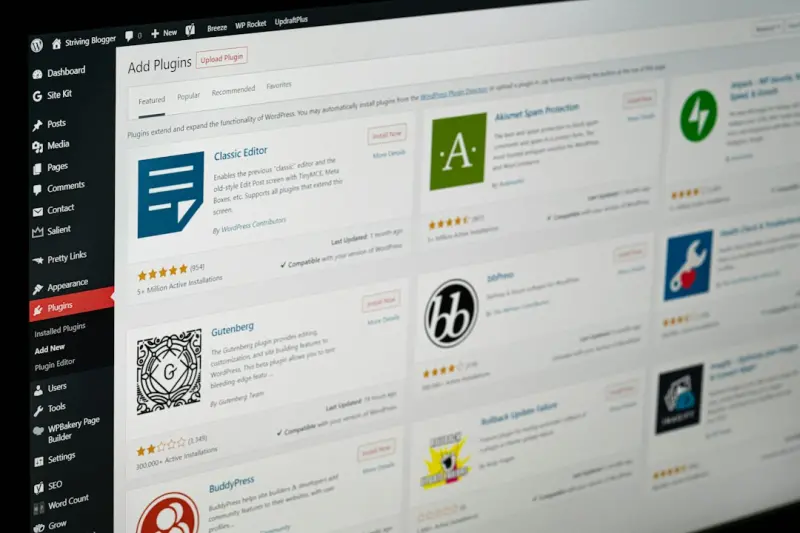
Content Hubs: The WordPress Blueprint for Sustainable SEO Authority
Discover a practical, WordPress‑centric strategy for creating content hubs that organize topics, s... Read More
Unlocking WordPress FAQ Schema: A Hands‑On Guide to Structured SEO Success
Discover a practical, hands‑on approach to adding FAQ schema in WordPress, turning everyday questi... Read More
Top Posts

Deep Linking & Mobile App Indexing: A SaaS Playbook
Learn how SaaS marketers can turn deep linking and mobile app indexing into powerful SEO tools, improving mobile SERP visibility, click‑through rates, and con...Read More
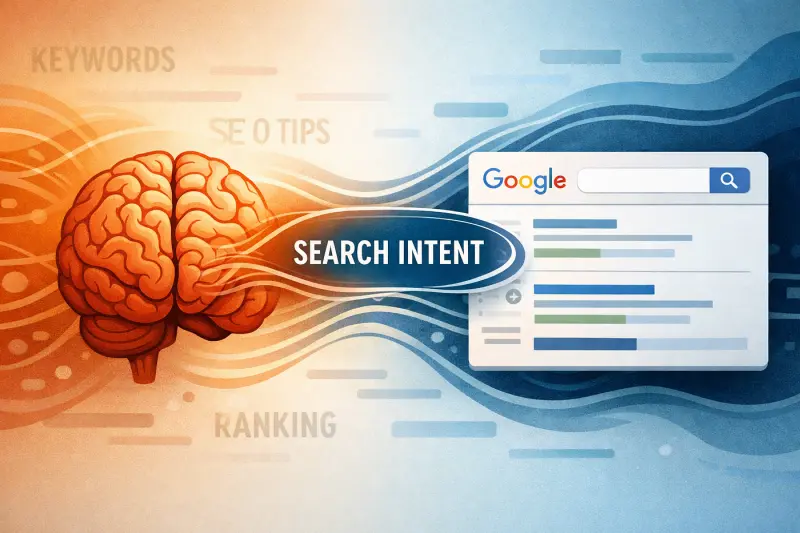
The Intent‑First Wave Is Redefining SEO Strategy
Discover why Intent‑First SEO is the hottest trend, how it changes content creation and link building, and practical steps to future‑proof your rankings....Read More

Riding the 2024 Google SEO Wave: Rose DesRochers’ Insider Playbook for Intent, AI, and Authority
Rose DesRochers breaks down the hottest 2024 Google SEO trends, showing how intent, AI, and authority combine to boost visibility and outrank the competition....Read More

Voice‑First SEM: Capturing Conversational Demand in the Age of Smart Assistants
Voice assistants are reshaping search engine marketing. This guide shows how to build voice‑optimized keywords, ad copy, bidding strategies, and measurement f...Read More
0 Comments
Post Comment
You will need to Login or Register to comment on this post!