

Why Gutenberg Is Your Secret SEO Weapon
When I first started building sites on WordPress, the classic editor felt like a blank canvas—great for design, but a nightmare for consistency. Fast‑forward to today, and Gutenberg’s block‑based workflow has become the backbone of modern WordPress development. Yet, most marketers still treat Gutenberg as a purely visual tool, overlooking its hidden SEO superpowers.
The SEO Mindset Behind Every Block
Think of each block as a semantic building unit. Search engines love structure. When you stack a heading block, a paragraph block, and an image block in a logical order, you’re essentially handing Google a clean, machine‑readable outline of your content. This is the same principle that powers Content Hubs: a well‑organized hierarchy that signals authority.
Here’s how to embed an SEO‑first mindset into every block you create:
- Heading hierarchy matters. Use H2 for primary sections, H3 for sub‑sections, and avoid skipping levels. Gutenberg makes this easy—just select the appropriate heading level from the block toolbar.
- Paragraph blocks for readability. Break up long text into bite‑sized paragraphs. Aim for 2–3 sentences per paragraph to keep dwell time high.
- Image blocks with optimized alt text. The alt attribute is still a ranking factor. Write concise, descriptive alt text that includes a target keyword where natural.
- Embed video or audio blocks wisely. Media can boost engagement, but ensure you provide a transcript or summary to give crawlers context.
Structured Data Without Plugins: The Block Way
One of the biggest pain points for WordPress owners is adding schema markup. While there are plugins that sprinkle JSON‑LD on every page, they can bloat your site. Gutenberg lets you embed structured data directly in the block editor using custom HTML or the new Schema block (available in Gutenberg 13+).
Here’s a quick walkthrough:
- Insert a Custom HTML block where you want the markup.
- Paste your JSON‑LD script. For a blog post, a basic schema looks like this:
{
  "@context": "https://schema.org",
  "@type": "BlogPosting",
  "headline": "Your Post Title",
  "author": "Jessica Gills",
  "datePublished": "2024-01-01",
  "image": "https://example.com/featured.jpg",
  "keywords": "WordPress, SEO, Gutenberg"
}
Because the block lives in the content area, the markup stays tied to the specific post, reducing the risk of duplicate or orphaned schema.
Speed is the New Ranking Signal: Optimizing Block Load
Google’s Core Web Vitals have turned page speed into a decisive factor. Gutenberg, by default, loads a lot of JavaScript to power its drag‑and‑drop interface. To keep your site fast:
- Enable Block Rendering on the server side using the
render_blockfilter. This pre‑renders critical blocks as HTML, cutting down on client‑side processing. - Use the Lazy Load attribute on image blocks. Gutenberg’s image block now includes a toggle for native lazy loading—turn it on for any image not above the fold.
- Consolidate CSS by disabling unused block styles via
remove_block_cssin your theme’sfunctions.php.
By trimming the block‑related bloat, you’ll see improvements in Largest Contentful Paint (LCP) and Cumulative Layout Shift (CLS), both crucial for SEO.
International SEO Meets Gutenberg
If you’re scaling your WordPress presence across borders, Gutenberg can help you stay organized. The Reusable Blocks feature is perfect for translating common sections—like call‑to‑action banners or product overviews—without duplicating content.
Combine reusable blocks with Scaling WordPress SEO for Global Audiences tactics:
- Maintain one master block for each language version. Update the master, and all linked pages inherit the change.
- Use the Language Switcher block (available via multilingual plugins) to embed a clean, crawlable language selector directly in the page layout.
- Apply hreflang tags automatically by adding a hidden
HTMLblock with the appropriate markup for each language page.
Leveraging User‑Generated Content (UGC) in Gutenberg
UGC—comments, reviews, forum posts—adds fresh, keyword‑rich content that search engines adore. Gutenberg’s Comment Form block and Latest Comments block let you display user contributions without third‑party plugins.
Best practices for UGC SEO:
- Enable rel=”nofollow” on comment links only when necessary; otherwise, let Google discover internal references.
- Moderate for spam, but avoid over‑moderation that strips natural language signals.
- Encourage reviewers to include location or product details—these naturally generate long‑tail keywords.
Advanced Tactics: Dynamic Block Templates for SEO A/B Testing
Testing different layouts is essential for conversion optimization, but you can also use it to discover which block structures rank better. Here’s a low‑code workflow:
- Create two Block Templates in your theme—
template-seo‑variant‑a.phpandtemplate-seo‑variant‑b.php. - Assign each template to a subset of pages using a conditional rule in
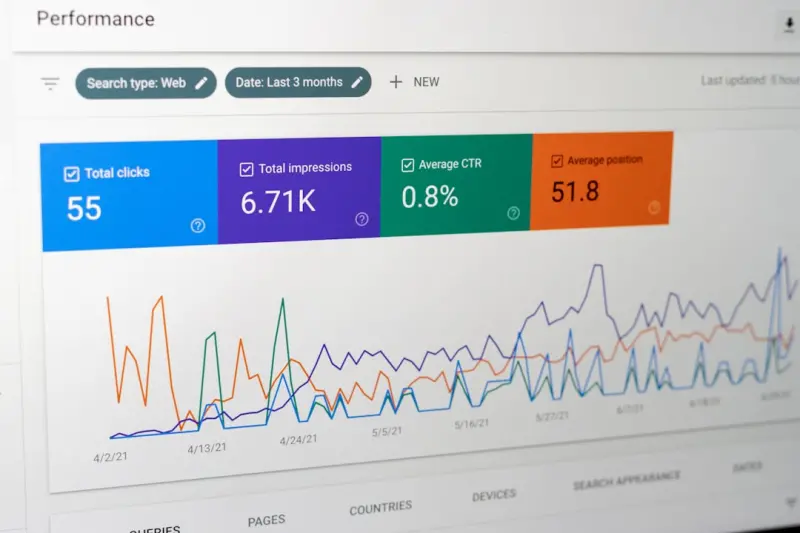
functions.php(e.g., based on post ID or category). - Monitor performance in Google Search Console and Google Analytics. Look for differences in CTR, impressions, and bounce rate.
- Iterate. Once one variant consistently outperforms the other, make it your default.
This method keeps your A/B tests within WordPress’s native ecosystem, avoiding external scripts that could slow page load.
Accessibility = SEO: Making Blocks Inclusive
Google’s algorithms reward sites that are accessible to all users. Gutenberg already adds ARIA attributes to many blocks, but you can go the extra mile:
- Use the HTML Anchor field in heading blocks to create explicit skip‑links.
- Provide Caption and Alt Text for every media block.
- Test your pages with Lighthouse’s accessibility audit; address any violations before publishing.
Beyond compliance, an inclusive site reduces bounce rates and boosts dwell time—signals that help your rankings.
Future‑Proofing: Preparing for the Next Generation of Search
Search is moving toward AI‑driven, intent‑first results. By building semantic, well‑structured content with Gutenberg, you’re already laying the groundwork for better performance in generative search. Pair your block strategy with a robust internal linking plan—link from related posts using contextual anchor text—to reinforce topical relevance.
Remember, every block you add is a chance to signal to search engines what your page is about. Treat Gutenberg not just as a design tool, but as an SEO engine you can fine‑tune.
Actionable Checklist for Gutenberg‑Powered SEO
- Set up heading hierarchy. H2, H3, H4 in logical order.
- Optimize images. Alt text + native lazy load.
- Add schema. Use Custom HTML or built‑in Schema block.
- Trim block scripts. Server‑side rendering and CSS cleanup.
- Leverage reusable blocks. For multilingual or seasonal content.
- Integrate UGC. Comment and Review blocks with moderation.
- Run block‑template A/B tests. Measure SEO impact.
- Ensure accessibility. ARIA, captions, skip‑links.
- Monitor Core Web Vitals. LCP, FID, CLS.
Apply this checklist to your next WordPress project and watch how search rankings, click‑through rates, and user engagement climb together.

Jessica Gills is a freelance writer carving a niche for herself by empowering others through her words. With a focus on careers, self-development, and business, she helps readers navigate the complexities of the modern professional landscape.
Related Posts

The WordPress SEO Lab: Data‑Driven Tactics for Sustainable Rankings
Learn how to turn your WordPress site into an SEO laboratory, using REST API audits, advanced schema... Read More

Mastering Gutenberg: SEO‑Ready WordPress Blocks for Maximum Visibility
Learn to build SEO‑optimized Gutenberg blocks that combine semantic markup, structured data, and p... Read More

Unlocking the SEO Potential of WordPress Multisite: A Scalable Strategy for Growing Brands
Learn how to design, implement, and measure a WordPress Multisite SEO strategy that boosts authority... Read More
Top Posts

Cultivating High‑Quality Links Through Story‑Driven Outreach and Community Trust
Learn how to transform link building into a story‑driven, community‑centric process that earns high‑quality backlinks, boosts rankings, and builds lasting...Read More

Micro‑Moment Mastery: Building Adaptive Content Hubs That Capture Real‑Time User Intent
Learn to map micro‑moments into intent clusters, create flexible content hubs, and use data‑driven insights to stay ahead in the fast‑moving SEO landscape...Read More

The Intent‑First SEO Playbook: Winning Google’s Evolving Algorithms
Discover how an intent‑first approach—combining search intent mapping, E‑E‑A‑T, technical foundations, and data‑driven link building—can future‑...Read More
Seeing is Ranking: How Visual Search is Redefining SaaS SEO
Visual search is reshaping how prospects discover SaaS solutions. This post shows how to optimize images, add schema, and integrate visual assets into your SEO ...Read More
0 Comments
Post Comment
You will need to Login or Register to comment on this post!