
Why Semantic HTML Is the Unsung Hero of On‑Page SEO
When most marketers talk on‑page SEO, they immediately reach for keyword density charts, title‑tag formulas, or the latest schema checklist. Those tools are valuable, but they’re only the tip of the iceberg. Beneath the surface lies a more foundational layer—semantic HTML and accessibility markup—that can turn a good page into a great one, both for users and for search engines.
Think of semantic HTML as the lingua franca between your content and the crawlers that index it. By using the right tags, ARIA attributes, and structured markup, you’re essentially giving search engines a clear, unambiguous map of what each piece of content means. The result? Faster indexing, better relevance signals, and—most importantly—an experience that respects every visitor, regardless of device or ability.
From H1 to H6: Crafting a Hierarchical Narrative
It’s tempting to cram a single <h1> with a load of keywords and then sprinkle <h2> and <h3> tags wherever convenient. That approach creates a chaotic outline that both users and bots struggle to parse. Instead, treat headings as a story arc:
- H1 – The main theme of the page. It should answer the primary query in a concise, compelling way.
- H2 – Major sections that support the H1. Each H2 should introduce a distinct sub‑topic.
- H3‑H6 – Sub‑sections, lists, or FAQs that dive deeper into the H2 topics.
When you map this hierarchy, you’re not just feeding keywords to Google; you’re guiding users through a logical progression. This structure also aligns with Google’s passage ranking algorithm, which rewards pages that clearly demarcate answerable snippets.
ARIA: Bridging the Gap Between Accessibility and SEO
ARIA (Accessible Rich Internet Applications) attributes were born to help screen readers interpret dynamic content. Yet, they double as powerful SEO signals when used correctly. Here’s why:
- Explicit Role Definition—Attributes like
role="navigation"orrole="main"tell crawlers the purpose of a section, reinforcing the semantic intent of your<nav>or<main>elements. - State Management—ARIA states (e.g.,
aria-expanded) help search engines understand interactive components, ensuring that hidden content isn’t mistakenly indexed as duplicate. - Improved Crawl Efficiency—When bots see that a modal dialog is properly labeled with
aria-label, they can decide whether to index its content immediately or wait for user interaction, reducing crawl waste.
In practice, this means adding a few lines of markup can simultaneously boost your site’s compliance with WCAG standards and provide clearer signals to Google’s rendering engine.
Schema Isn’t Just For Products: Leveraging Structured Data for Every Page Type
Many SaaS marketers associate schema with product listings or reviews, but the reality is far broader. You can embed structured data on blog posts, help center articles, and even landing pages. Here are three underutilized types that fit naturally into an on‑page SEO strategy:
- Article—Mark up your blog content with
Articleschema to help Google pull out headline, author, and publication date for rich results. - FAQPage—Even if you don’t have a dedicated FAQ, consider turning a “Common Questions” section into
FAQPagemarkup. It fuels those coveted accordion‑style SERP features. - HowTo—If your post walks users through a process (e.g., “Set up your onboarding flow”), the
HowToschema can generate step‑by‑step snippets directly in search.
Don’t forget to validate your JSON‑LD with Google’s Rich Results Test; a single syntax error can nullify the effort.
Image Optimization: Beyond Alt Text
Images are still a massive traffic source—especially with visual search on the rise. While alt attributes remain a baseline requirement, you can go deeper:
- Descriptive Filenames—Replace generic names like
IMG_1234.jpgwith keyword‑rich, human‑readable filenames such ason-page-seo-semantic-html.png. - Responsive
srcset—Serve the appropriate resolution for each device, improving Core Web Vitals and sending a signal that you care about performance. - Structured Data for Images—Use
ImageObjectschema to provide details like caption, author, and licensing information, which can surface your images in Google Images with richer context.
For a deeper dive on turning your visuals into search‑engine allies, check out How to Turn Your Images Into Search Engines' Best Friends.
Core Web Vitals Meet Semantic Markup
Google’s Page Experience update put LCP, CLS, and FID front and center. While performance optimizations often focus on server‑side tweaks, semantic HTML can indirectly improve these metrics:
- Reduced Layout Shift—Using proper heading hierarchy and container elements prevents unexpected content jumps when JavaScript loads.
- Faster Paint—Native HTML elements (e.g.,
<button>vs. a styled<div>) are rendered more efficiently by browsers, shaving milliseconds off First Contentful Paint. - Better Accessibility—ARIA roles help assistive technologies bypass unnecessary DOM traversal, indirectly lowering Interaction to Next Paint (INP).
Think of it as a virtuous loop: cleaner markup boosts performance, which in turn reinforces your SEO signals.
Content Pruning and Cannibalization: A Semantic Approach
Most content audits focus on traffic numbers, but a truly semantic audit asks: Do these pages convey distinct meanings? If two blog posts both target “on‑page SEO checklist,” you risk cannibalization. Here’s a systematic method:
- Map Intent—Create a spreadsheet of target keywords and assign a primary intent label (informational, transactional, navigational).
- Identify Overlaps—Look for multiple URLs sharing the same intent and overlapping semantic markup (identical
h1, similarArticleschema). - Consolidate or Differentiate—Either merge the content into a comprehensive pillar page or rewrite one to target a nuanced sub‑intent, adding unique schema or ARIA roles to differentiate.
This process not only cleans up your index but also creates clearer semantic signals for crawlers, leading to stronger rankings for the surviving pages.
WordPress Users: Advanced Semantic Plugins & Practices
If you’re on WordPress, you’re already in a good position to leverage plugins that automate semantic markup. However, the default settings often leave gaps. Here’s a quick checklist to level up:
- Enable Full Schema Support—Plugins like Schema Pro let you assign
Article,FAQPage, andHowTotypes on a per‑post basis. - Use Gutenberg’s Block Settings—Each block now offers ARIA label fields; populate them with concise descriptions.
- Audit Theme Output—Some themes misuse heading tags (e.g., multiple
h1in the same page). Use a tool like Screaming Frog to detect and correct.
For a deeper dive into WordPress‑specific tactics, see Beyond the Basics: Advanced WordPress SEO Tactics for Sustainable Growth.
Measuring Success: The Semantic SEO Dashboard
Finally, you need a way to prove that semantic markup is delivering ROI. Build a lightweight dashboard that tracks:
| Metric | Tool | Why It Matters |
|---|---|---|
| Schema Coverage Rate | Google Search Console > Enhancements | Shows how many pages have valid structured data. |
| Core Web Vitals (LCP, CLS, FID) | PageSpeed Insights | Performance signals tied to user experience and rankings. |
| Accessibility Score | axe DevTools or WAVE | Higher scores often correlate with better crawl efficiency. |
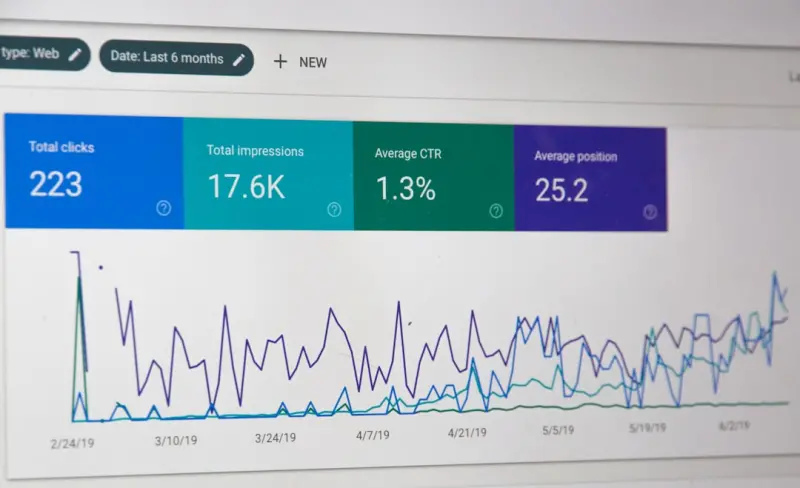
| Passage Ranking Click‑Through Rate | Search Console > Performance (filter by "Passage") | Validates that your content hierarchy is being understood. |
Regularly review these KPIs, and adjust your markup strategy accordingly. Over time you’ll see a measurable lift in organic impressions and a lower bounce rate—proof that you’re delivering both relevance and accessibility.
Putting It All Together: A Sample Checklist
Before you hit “publish,” run through this final list:
- ✔️ One, clear
<h1>that answers the primary query. - ✔️ Logical
<h2>-<h3>hierarchy reflecting content flow. - ✔️ Relevant
Article,FAQPage, orHowToJSON‑LD markup. - ✔️ Descriptive image filenames, optimized
alt, andImageObjectschema. - ✔️ ARIA roles for navigation, main content, and interactive widgets.
- ✔️ Responsive
srcsetand lazy‑loading for media assets. - ✔️ No duplicate
h1tags or misused heading levels. - ✔️ Accessibility audit passed (WCAG AA minimum).
- ✔️ Core Web Vitals within Google’s recommended thresholds.
- ✔️ Internal links point to related semantic pages (avoid orphan content).
Crossing off each box not only future‑proofs your page but also builds a robust semantic foundation that scales as search evolves.
Conclusion: Semantic SEO Is the Quiet Engine Behind Sustainable Growth
While the SEO world dazzles with AI‑generated content and zero‑click SERP tricks, the real engine that powers lasting visibility is the clean, accessible, and semantically rich HTML you serve to users and crawlers alike. By embracing proper heading structures, ARIA attributes, and thoughtful schema, you’re not just ticking boxes—you’re speaking the language of the web in a way that benefits everyone.
Take a moment today to audit a single page using the checklist above. You’ll likely discover quick wins that improve rankings, reduce bounce, and enhance accessibility—all without writing another line of copy. That’s the power of semantic on‑page SEO: it’s quiet, it’s technical, and it’s profoundly effective.

Jimmy Anand is a content creator that gets inspired by many aspects of life, internet or whatever inspires him at that moment. When he's not online he's gaming and when he is not gaming he is online trolling discussion boards.
Related Posts

The Untapped Power of SaaS Pricing Page SEO: Rank, Convert, and Grow
Optimizing a SaaS pricing page for on‑page SEO can drive high‑intent organic traffic straight to... Read More
Why On-Page Experience Beats Keywords Every Time
Learn why focusing on page speed, structured data, and user‑centric content hierarchy outperforms ... Read More
Microcopy Mastery: Tiny Text That Drives Big SEO Wins
Learn why microcopy matters, how to audit and rewrite it for SEO, and see a real‑world case study ... Read More
Top Posts
Rethinking Search Intent: From Keywords to Behavior Signals
Explore the shift from simple queries to rich behavior signals, and learn actionable steps to align your SEO with the evolving intent landscape....Read More

How to Turn Your Podcast Into a Search Engine Magnet
Learn how to transform each podcast episode into a powerful SEO asset with actionable strategies for transcripts, metadata, show notes, and more....Read More
Zero‑Click Optimization: How to Own the SERP Snippet and Still Drive Business
Zero‑click results are no longer a nightmare for marketers; they’re a prime real‑estate opportunity. This post outlines a step‑by‑step playbook to cap...Read More

Why Privacy‑First AI Search Is the New SEO Game‑Changer
Explore the rise of privacy‑first AI search, learn why zero‑party data matters, and get a step‑by‑step checklist to future‑proof your SEO strategy....Read More
0 Comments
Post Comment
You will need to Login or Register to comment on this post!