
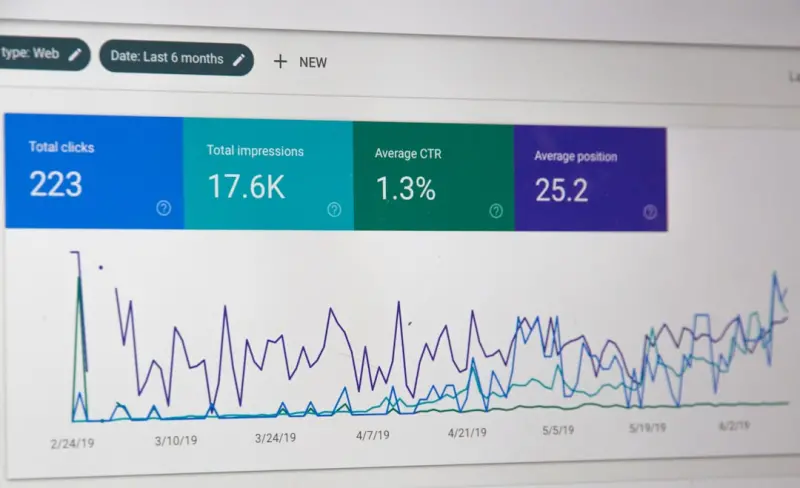
Why Crawl Budget Matters for Growing SaaS Platforms
When a SaaS product scales from a handful of landing pages to a sprawling ecosystem of documentation, feature demos, API references, and customer portals, the sheer volume of URLs can overwhelm even the most diligent SEO efforts. Search engines allocate a finite amount of crawl budget to each domain—a combination of the number of requests Googlebot can make and the time it spends on your site each day. If that budget is spent on low‑value or duplicate pages, your most important content may never be indexed, delaying feature releases, harming rankings, and ultimately costing revenue.
Understanding Crawl Budget Mechanics
Google’s crawl budget is driven by two core metrics:
- Crawl Rate Limit: The maximum number of requests Googlebot can make per second without overloading your server.
- Crawl Demand: The perceived importance of your pages, based on freshness, backlinks, and user signals.
Both factors are dynamic. A sudden spike in new documentation URLs can trigger a temporary increase in demand, but if your server response times degrade, Googlebot will throttle the crawl rate to protect site performance. The net result is a “budget bottleneck” where high‑priority pages sit in a queue behind a flood of low‑value pages.
Common Crawl Budget Killers in SaaS Environments
Large SaaS sites often inadvertently sabotage themselves. Here are the most frequent offenders:
- Infinite Pagination – Auto‑generated paginated lists of changelogs, release notes, or forum threads that create thousands of near‑duplicate URLs.
- Session‑ID Parameters – URLs that append tracking IDs, auth tokens, or language codes, causing the same content to be reachable via dozens of distinct URLs.
- Orphaned Help Articles – Documentation pages not linked from the main navigation or sitemap, leaving crawlers to discover them only via internal search.
- Staging or Sub‑domain Leaks – Accidentally exposing staging environments to search engines, diluting crawl signals across multiple domains.
- Heavy JavaScript Rendering – Single‑page applications that require full client‑side rendering for core content, increasing the time each crawl takes.
Strategic Foundations for Crawl Budget Optimization
Before diving into technical fixes, adopt a strategic mindset:
- Prioritize Business‑Critical Pages. Identify the top 5‑10% of URLs that drive conversions—pricing, trial sign‑ups, and high‑traffic feature pages.
- Audit Crawl Waste. Use Google Search Console to surface URLs with high crawl frequency but low value.
- Align Teams. Involve product, engineering, and content teams to ensure new pages are purpose‑built and not merely “nice to have”.
Technical Tactics to Preserve Crawl Budget
1. Consolidate Pagination with rel="next" and rel="prev"
For long lists—e.g., a changelog spanning hundreds of entries—use the rel="next" and rel="prev" link attributes to signal that the series is a single logical entity. This allows Google to treat the collection as one piece of content, reducing the number of individual URLs it needs to process.
2. Parameter Handling via URL‑Parameters Tool
In Search Console, configure the URL‑Parameters tool to tell Google which query strings are harmless (e.g., utm_ tracking codes) and which should be ignored. For SaaS platforms that embed session IDs or feature flags, mark those parameters as “no effect” on page content, preventing duplicate crawls.
3. Implement a Robust Robots.txt Strategy
Block crawlers from non‑essential paths:
User-agent: *
Disallow: /admin/
Disallow: /staging/
Disallow: /api/v1/internal/
But be careful—over‑blocking can hide valuable pages. Test changes with the Robots.txt Tester before deployment.
4. Leverage XML Sitemaps for Prioritization
Generate separate sitemaps for high‑value pages and low‑value archives. Use the <priority> tag to hint at importance, and set <changefreq> appropriately. For SaaS documentation that updates rarely, a monthly change frequency conserves budget.
5. Optimize Server Response Times
Googlebot respects site speed. Deploy edge caching (CDNs), enable HTTP/2, and compress assets. A Time to First Byte (TTFB) under 200 ms can double the number of pages crawled per hour.
6. Use Structured Data to Signal Content Value
Schema markup such as FAQPage or SoftwareApplication helps Google understand the relevance of your pages. When the search engine recognizes a page as a “rich result” candidate, it tends to allocate more crawl budget to it. For deeper insights, check out this AI-powered SERP features guide.
7. Prune Low‑Value Pages with “noindex, follow”
Instead of outright blocking pages, apply a noindex, follow meta tag to low‑value content (e.g., autogenerated release notes). This tells Google not to index the page but still follow its links, preserving link equity while freeing budget.
8. Adopt Incremental Rendering for Heavy JavaScript
If your SaaS dashboard relies on React or Vue, serve a server‑side rendered (SSR) shell that contains the primary content. Googlebot can then index the HTML quickly without waiting for full client‑side hydration.
Measuring Success: KPIs to Track
After implementing the above tactics, monitor these metrics:
- Average Crawl Frequency per Page – Should rise for priority URLs.
- Crawl Errors (5xx, 4xx) – Must trend downward.
- Index Coverage of Target Pages – Aim for >95% of high‑value URLs indexed.
- Page Load Time (Core Web Vitals) – Faster times correlate with higher crawl rates.
Automation: Scaling Crawl Budget Management
For SaaS products that continuously spin up new sub‑domains for beta programs or customer‑specific portals, manual oversight becomes untenable. Consider these automation strategies:
- CI/CD Integration – Embed sitemap generation and robots.txt updates into your deployment pipeline.
- API‑Driven URL‑Parameters Configuration – Use Google Search Console’s API to programmatically update parameter handling as new features roll out.
- Log‑Based Crawl Budget Alerts – Parse server logs for 403/404 spikes and trigger Slack alerts for rapid remediation.
Case Study: Reducing Crawl Waste for a Multi‑Tenant SaaS
A mid‑size SaaS provider with 150,000 distinct URLs across tenant portals faced a 30‑day indexing lag for new feature pages. By consolidating pagination, applying noindex, follow to tenant‑specific dashboards, and moving static assets to a CDN, they cut average crawl time per page from 3.2 seconds to 1.1 seconds. Within two weeks, the crawl budget allocation to core product pages increased by 45%, and organic traffic for new features rose by 22%.
Future‑Proofing Crawl Budget in an AI‑Driven SERP Landscape
As search evolves toward AI‑generated summaries and conversational answers, the importance of clear, crawl‑efficient content will only grow. Google’s upcoming generative models will prioritize pages that can be parsed quickly and provide structured data. Aligning your technical SEO with crawl budget best practices now positions your SaaS site to be a prime source for those AI answers.
For a deeper dive into aligning technical SEO with broader strategy, explore our technical SEO playbook, which outlines how to harmonize content intent, site architecture, and crawl efficiency.
Quick Checklist: Crawl Budget Optimization for SaaS
- Audit and prune low‑value URLs.
- Consolidate pagination with
rel="next/prev". - Configure URL‑parameters in Search Console.
- Block non‑essential paths via robots.txt.
- Segment XML sitemaps by priority.
- Improve server response times and enable edge caching.
- Implement structured data for high‑value pages.
- Use
noindex, followon expendable content. - Adopt SSR or incremental rendering for JS‑heavy sections.
- Set up automated monitoring and alerts.
By treating crawl budget as a finite resource and allocating it with surgical precision, you ensure that the most valuable parts of your SaaS platform receive the visibility they deserve—fueling growth, improving user acquisition, and staying ahead in a competitive digital marketplace.

Lifan Chen is a freelancer based in Toronto specializing in marketing. With expertise in crafting effective marketing strategies and campaigns, Lifan helps businesses grow their brand presence and reach target audiences. As a Toronto-based freelancer, Lifan combines local market insights with creative marketing skills to deliver tailored solutions for clients.
Related Posts

Crawl Budget Mastery: A Technical SEO Blueprint for SaaS Platforms
A deep dive into crawl budget management for SaaS sites, covering log file analysis, URL prioritizat... Read More

Headless CMS Meets Technical SEO: Strategies for SaaS Success
A practical guide for SaaS marketers on merging headless CMS flexibility with technical SEO fundamen... Read More

Why Jamstack Is the New Frontier for Technical SEO
Jamstack’s static, edge‑first approach offers a powerful boost to technical SEO. Learn how preâ€... Read More
Top Posts

Intent‑First SEO: Practical Tips to Boost Rankings and Conversions
A deep dive into intent‑first SEO, offering practical steps to align content with user goals, boost rankings, and turn traffic into real conversions....Read More

Content Repurposing: The Underrated SEO Power Play
Learn why turning a single article into videos, podcasts, and infographics multiplies SEO impact, boosts internal link equity, and keeps your site resilient aga...Read More

The Secret Power of Buying Guides in eCommerce SEO
Learn why buying guides are the hidden engine for eCommerce SEO success, and how to create guide clusters that capture intent, earn links, and skyrocket organic...Read More

Technical SEO for Headless SaaS: Indexability, Performance, and Structured Data
A deep dive into technical SEO for headless SaaS platforms, covering rendering strategies, edge caching, log file analysis, structured data, and future‑proof ...Read More
0 Comments
Post Comment
You will need to Login or Register to comment on this post!