
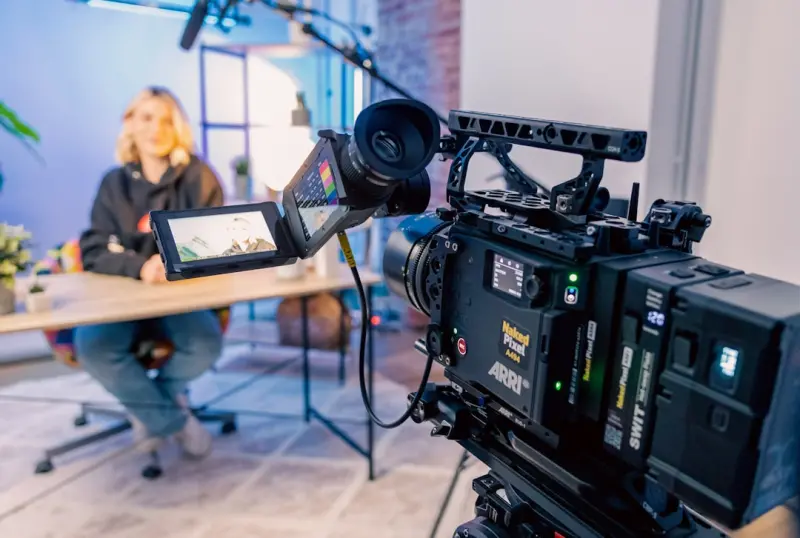
Why SaaS Demo Videos Deserve a Spot in Your SEO Playbook
When I first started building SEO strategies for SaaS products, the conversation revolved around blog posts, landing pages, and technical schema. Video was an after‑thought, a nice‑to‑have that lived on a separate “Resources” tab. Over time I realized that demo videos are high‑intent assets that Google loves—especially when they answer the exact questions a prospective customer is typing into the search bar. In this post I’ll walk you through a systematic approach to turning every SaaS demo video into a searchable, indexable, and lead‑generating powerhouse.
The SEO Fundamentals That Apply to Video
Before diving into tactics, let’s align on the three pillars that make any content rank:
- Relevance: Does the content satisfy the user’s query?
- Authority: Does the page signal expertise, trust, and credibility?
- Technical Accessibility: Can Google crawl, render, and understand the asset?
Demo videos check the relevance box automatically—prospects are looking for “how to set up X”, “X SaaS demo”, or “X platform walkthrough”. The challenge is to surface that relevance to Google, prove authority, and make the video technically accessible.
Step 1: Choose the Right Video Hosting Strategy
Not all video hosts are created equal from an SEO standpoint. Here’s a quick decision matrix:
- YouTube: Massive reach, built‑in video SEO, but limited control over metadata and schema.
- Vimeo Pro/Business: Cleaner UI, better privacy controls, and a modest SEO boost.
- Self‑Hosted (HTML5 player): Full control over markup, schema, and page load speed, but you must handle transcoding and CDN delivery.
My recommendation for SaaS is a hybrid approach: host the master file on a reliable CDN (e.g., CloudFront or Cloudflare), embed it with a lightweight HTML5 player on your site, and simultaneously publish a trimmed version to YouTube for brand exposure. This gives you the best of both worlds—organic video traffic from YouTube and full SEO control on your domain.
Step 2: Build a Video‑Centric Landing Page
Every demo video should live on its own, purpose‑built landing page. Treat this page as you would a traditional blog post, but with video‑first architecture:
- Title Tag & H1: Include the primary keyword and a benefit statement (e.g., “Live Demo: How to Automate Invoicing with Acme SaaS”).
- Meta Description: Summarize the demo’s outcome in 150 characters, enticing clicks.
- Video Placement: Place the
<video>tag or embed code above the fold, ensuring it loads quickly. - Supporting Text: Add a concise 150‑word intro, a bullet‑point feature list, and a call‑to‑action (CTA) that drives trial sign‑ups.
- Transcripts & Time‑Stamped Chapters: Below the video, embed the full transcript with
<h3>tags for each chapter (e.g., “00:45 – Setting up your account”). This gives Google a textual representation of the video content.
Google’s algorithm can now index the transcript, treat the page as a long‑form answer, and surface it in both traditional SERPs and video carousels.
Step 3: Leverage Video Schema for Rich Results
Structured data is the bridge between your video and Google’s rich result ecosystem. The VideoObject schema lets you annotate:
- Thumbnail URL
- Upload date
- Duration
- Video description (mirroring the meta description)
- Transcript URL (if you host a separate .txt file)
- Interaction count (views, likes – if you can retrieve via API)
Implement the schema directly in JSON‑LD on the landing page. If you’re already optimizing SaaS features with schema, you’ll find the syntax familiar. Here’s a minimal example:
{
  "@context": "https://schema.org",
  "@type": "VideoObject",
  "name": "Live Demo: Automate Invoicing with Acme SaaS",
  "description": "Watch how Acme SaaS streamlines invoicing in 3 minutes.",
  "thumbnailUrl": "https://cdn.example.com/thumbs/invoice-demo.jpg",
  "uploadDate": "2024-03-10",
  "duration": "PT3M12S",
  "transcript": "https://example.com/transcripts/invoice-demo.txt"
}
Validate your markup with Google’s Rich Results Test to avoid silent failures.
Step 4: Create and Submit a Video Sitemap
Just like you’d submit a regular sitemap for pages, a video sitemap tells Google where to find every video on your domain. The XML entry includes:
- Location of the page hosting the video
- Video title and description
- Thumbnail URL
- Content location (direct video URL on your CDN)
- Publication date and expiration (if applicable)
Once generated, upload the sitemap to www.example.com/sitemap-video.xml and reference it in your robots.txt. This step can shave weeks off the time it takes Google to discover new demos after a product launch.
Step 5: Optimize for Zero‑Click Search and Video Carousels
Even if a user never clicks through to your site, you can still capture value. Google frequently displays video results directly in the SERP as a carousel or as a rich snippet. To increase the chances of appearing there:
- Keep the video title under 60 characters and embed the primary keyword.
- Write a compelling description that includes the keyword naturally.
- Use a high‑contrast, brand‑consistent thumbnail—Google often picks the first frame if none is supplied.
- Ensure the page loads in under two seconds (Core Web Vitals). A slow landing page can downgrade the video’s ranking in the carousel.
These tactics echo the principles behind Zero‑Click Search, but with a video‑centric twist.
Step 6: Repurpose Video Content Across the Funnel
One demo video can fuel multiple SEO assets:
- Blog Post: Write a “How‑to” guide that mirrors the video’s steps, embed the video, and link back to the landing page.
- FAQ Entry: Extract common questions from the transcript and create schema‑rich
FAQPageentries. - Slide Deck: Convert key screenshots into a SlideShare presentation, linking back to the video page.
- Podcast Snippet: Record an audio‑only version for platforms like Spotify, again cross‑linking to the original page.
Each repurposed piece creates additional inbound links, dwell time, and signals of authority, amplifying the original video’s SEO impact.
Step 7: Track Video Performance with the Right Metrics
Traditional SEO metrics (organic traffic, CTR, conversion rate) still apply, but add these video‑specific KPIs:
- Play‑through Rate: Percentage of viewers who watch beyond the first 30 seconds.
- Engagement Time: Average watch time per session.
- Scroll Depth on Landing Page: Indicates whether users are reading the transcript after the video.
- Conversion Attribution: Use Google Analytics’
eventtracking to tie a “Demo Completed” event to downstream sign‑ups.
Combine these data points in a dashboard and run A/B tests on thumbnail images, CTAs, and transcript length to continuously improve performance.
Step 8: Future‑Proof Your Video SEO with Emerging Trends
While the core tactics above are solid today, keep an eye on these upcoming shifts:
- AI‑Generated Video Summaries: Tools that auto‑create short, keyword‑rich clips could become new carousel assets.
- Interactive Video Chapters: Embedding clickable timestamps that feed data back to Google may boost dwell time.
- Live‑Streaming Demos: As live video gains prominence, integrating live‑stream metadata (e.g.,
LiveBlogPosting) will become essential.
Staying ahead of the curve ensures your demo videos remain a competitive SEO lever for years to come.
Putting It All Together: A Checklist
Use the checklist below before publishing any new SaaS demo video:
- ✅ Choose hosting strategy (CDN + YouTube).
- ✅ Build a dedicated landing page with optimized title, meta, and CTA.
- ✅ Add a full transcript with timestamped headings.
- ✅ Implement
VideoObjectschema in JSON‑LD. - ✅ Submit a video sitemap and reference it in
robots.txt. - ✅ Optimize thumbnail, title, and description for zero‑click SERPs.
- ✅ Repurpose content into blog posts, FAQs, and slide decks.
- ✅ Set up tracking for play‑through, engagement, and conversions.
- ✅ Review performance weekly and iterate on thumbnails/CTAs.
Following this workflow transforms a simple screen‑capture into a strategic SEO asset that drives qualified traffic, nurtures leads, and ultimately fuels SaaS growth.

Lifan Chen is a freelancer based in Toronto specializing in marketing. With expertise in crafting effective marketing strategies and campaigns, Lifan helps businesses grow their brand presence and reach target audiences. As a Toronto-based freelancer, Lifan combines local market insights with creative marketing skills to deliver tailored solutions for clients.
Related Posts

The SEO Lab: Turning Small Tests into Big Rankings
Discover how treating SEO like a laboratory—designing hypotheses, measuring results, and iterating... Read More

SEO Strategies to Supercharge SaaS Onboarding
A practical guide that shows SaaS teams how to weave SEO into every stage of the onboarding journey,... Read More

How to Turn SaaS Release Notes into SEO Powerhouses
Release notes aren’t just for existing customers—they’re a fresh content goldmine. This guide ... Read More
Top Posts

Privacy‑First SEM: Winning in a Cookieless Landscape
A privacy‑first approach to SEM turns cookie restrictions into a competitive edge. Discover how to leverage first‑party intent signals, contextual relevance...Read More

Semantic SEO for SaaS: Harnessing Entities, Passages, and Topic Clusters
Semantic SEO transforms how SaaS content ranks by focusing on entities, passage-level relevance, and topic clusters, delivering richer organic visibility and hi...Read More

Headless & Jamstack: A Technical SEO Survival Guide for SaaS Brands
A practical guide for SaaS marketers and engineers on making headless and Jamstack sites SEO‑friendly, covering crawl budget, server‑side rendering, structu...Read More

Unlocking SEO Success Through Accessibility and Inclusive Design
Accessibility isn’t just a legal checkbox—it’s a powerful on‑page SEO lever. Explore how inclusive design, semantic markup, and ARIA can lift rankings w...Read More
0 Comments
Post Comment
You will need to Login or Register to comment on this post!