

Why Structured Data Is the Secret Weapon Your WordPress Site Needs
When I first started tinkering with WordPress sites, I chased the usual suspects: keyword research, backlink acquisition, and speed tweaks. All of those are essential, but there’s one piece of the puzzle that most site owners overlook until Google calls them out in a Search Console warning: structured data. In plain English, structured data (or schema markup) tells search engines exactly what your content means, not just what the words say. The result? Rich snippets, enhanced cards, and a better chance of standing out in the SERP crowd.
Understanding the Basics: Schema, JSON‑LD, and Microdata
Google supports three formats for delivering structured data: Microdata, RDFa, and JSON‑LD. Of these, JSON‑LD is the easiest to implement on WordPress because it lives in the page header and doesn’t interfere with your theme’s HTML. Think of it as a tidy data envelope you slip into the <head> element, describing everything from articles and products to FAQs and how‑to steps.
Here’s a quick illustration of a JSON‑LD block for a blog post:
{
  "@context": "https://schema.org",
  "@type": "Article",
  "headline": "How Structured Data Turns Your WordPress Site into a SERP Magnet",
  "author": {
    "@type": "Person",
    "name": "Tracie Higgins"
  },
  "datePublished": "2024-09-19",
  "image": "https://example.com/featured-image.jpg",
  "publisher": {
    "@type": "Organization",
    "name": "Your Company",
    "logo": {
      "@type": "ImageObject",
      "url": "https://example.com/logo.png"
    }
  }
}
Notice the clear, machine‑readable description. When Google crawls your page, it can instantly recognize the content type, author, publication date, and even the featured image—information that fuels rich results.
Choosing the Right Types for Your WordPress Niche
Not every schema type fits every site. Below is a quick guide to the most common WordPress use cases and the schema that brings them to life:
- Blogging & News Sites:
Article,NewsArticle, andBlogPosting. These enable “top story” cards and date‑rich snippets. - E‑commerce Stores (WooCommerce):
Product,Offer, andReview. Perfect for price, availability, and rating stars in the SERP. - Service‑Based Businesses:
LocalBusiness,Service, andFAQPage. Great for showing operating hours, phone numbers, and quick answers. - Educational Platforms:
Course,HowTo, andVideoObject. These give you step‑by‑step cards and video thumbnails.
Pick the schema that mirrors the primary purpose of each page. Over‑loading a page with irrelevant markup can confuse Google and actually hurt performance.
Step‑by‑Step: Adding JSON‑LD to a WordPress Site Without a Plugin
If you love clean code and want to avoid the bloat of some SEO plugins, you can inject schema directly via your theme’s functions.php file or a custom site‑specific plugin. Here’s how I do it:
- Create a reusable function. Wrap your JSON‑LD in a PHP function that builds the array based on post type.
- Hook into
wp_head. Useadd_action('wp_head', 'my_schema_output');to print the markup. - Conditionally load schema. Use
is_singular('post')oris_product()to target the right pages.
Example code snippet:
function my_schema_output() {
    if ( is_singular('post') ) {
        $schema = [
            '@context' => 'https://schema.org',
            '@type'    => 'Article',
            'headline' => get_the_title(),
            'author'   => [
                '@type' => 'Person',
                'name'  => get_the_author()
            ],
            'datePublished' => get_the_date('c'),
            'image' => get_the_post_thumbnail_url()
        ];
        echo '<script type="application/ld+json">' . json_encode($schema, JSON_UNESCAPED_SLASHES|JSON_UNESCAPED_UNICODE) . '</script>';
    }
}
add_action('wp_head', 'my_schema_output');
This approach gives you full control, reduces reliance on third‑party plugins, and ensures the markup stays up‑to‑date as your content evolves.
When Plugins Make Sense: Leveraging Schema Powerhouses
That said, not everyone wants to touch code. For most marketers, a well‑maintained plugin can save hours. I frequently recommend two that play nicely with other SEO tools:
- Schema Pro – Offers a visual interface for mapping fields to schema types, and it automatically generates JSON‑LD for posts, pages, and custom post types.
- Yoast SEO – While primarily an on‑page SEO suite, Yoast now adds basic schema for articles, breadcrumbs, and FAQs.
Whichever route you choose, remember to validate your markup with Google’s Rich Results Test before publishing.
Boosting Click‑Through Rate with Rich Snippets
Rich snippets do more than just look pretty. Studies show that adding star ratings, price tags, or event dates can lift click‑through rates (CTR) by up to 30%. In practice, that means more eyes on your content, higher dwell time, and a positive feedback loop for rankings.
Here are the most impactful snippet types for WordPress sites:
- FAQ Schema: Turns a simple Q&A list into a collapsible accordion directly in Google’s results.
- How‑To Schema: Breaks down step‑by‑step guides into a visual flowchart.
- Review & Rating Schema: Showcases star ratings for products, services, or even blog posts.
- Event Schema: Perfect for webinars, workshops, or live streams hosted on WordPress.
Integrating Structured Data with Semantic Topic Clusters
One of the most powerful ways to amplify your schema impact is to pair it with a well‑structured content architecture. Semantic topic clusters group a pillar page with related sub‑pages, creating a topical map that search engines love. When each sub‑page carries its own schema—say, a HowTo for a tutorial and a FAQPage for common questions—Google can piece together a comprehensive answer box that pulls from multiple pages on your domain.
In practice, I start by mapping out the primary keyword theme, then I assign a schema type to each supporting article. The result is a cohesive, machine‑readable narrative that boosts both authority and SERP visibility.
Monitoring Impact: How Crawl Budget Plays a Role
Adding schema isn’t a set‑and‑forget tactic. Search engines need to re‑crawl your pages to discover the new markup, and that’s where crawl budget matters. If Google only scans a fraction of your site each month, your fresh snippets may sit hidden for weeks.
Here’s a quick checklist to keep your crawl budget healthy:
- Reduce unnecessary redirects. Each redirect adds a tiny cost to the crawl.
- Fix 404 errors. Broken pages waste budget that could be spent on your new schema pages.
- Update your XML sitemap. Ensure it reflects the latest URLs and includes a
<lastmod>tag for faster discovery. - Leverage
Changefreqwisely. Over‑stating “always” can mislead crawlers.
By keeping the crawl pipeline smooth, you give Google the best chance to index your structured data promptly, leading to faster appearance of rich results.
Advanced Tactics: Combining Schema with AI‑Generated Content
AI tools are now capable of drafting blog posts, product descriptions, and even FAQ sections in minutes. When you pair AI‑generated content with schema, you can scale rich snippets at a pace previously unimaginable. Here’s how I do it:
- Use an AI writer to produce a concise
FAQlist around a target keyword. - Automatically map each Q&A pair to
FAQPageschema via a custom WordPress block. - Push the JSON‑LD to the page header using the function from the “No‑Plugin” section.
The result? A fresh batch of FAQ snippets every week, all indexed and ready to boost CTR.
Common Mistakes to Avoid
Even with the best intentions, many WordPress owners trip up on structured data. Here are the pitfalls I see most often:
- Duplicate markup. Adding both JSON‑LD and Microdata for the same content confuses crawlers.
- Missing required properties. For
Productschema, forgetting thepriceoravailabilityfields invalidates the markup. - Outdated schema versions. Google updates its supported types regularly; always check the official schema.org reference.
- Hard‑coding URLs. If you change your site’s domain, hard‑coded URLs in schema become broken. Use WordPress functions like
home_url()to keep them dynamic.
Address these early, and you’ll see smoother acceptance of your markup.
Measuring Success: From Impressions to Conversions
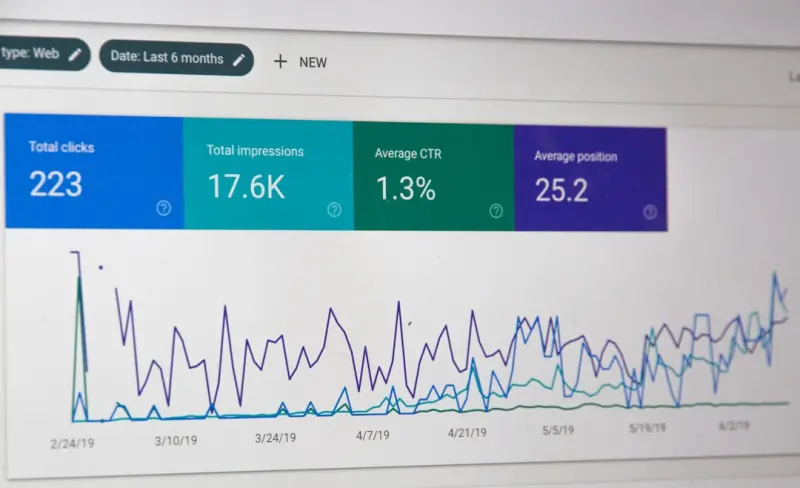
Google Search Console’s Performance report now surfaces “Rich results” metrics, letting you track impressions, clicks, and average position for each schema type. Set up a custom segment for “FAQ” or “Product” results, then compare against baseline organic traffic. If you notice a spike in CTR but a dip in conversion, it might be a signal to refine the landing page content to align with the promise of the rich snippet.
Remember, schema is a bridge between search intent and on‑page experience. The better you align the two, the more likely visitors will stay, engage, and convert.
Wrapping It Up: Structured Data as a Growth Engine
WordPress gives you a robust, flexible platform, but without clear, machine‑readable signals, even the best content can get lost in the noise. By thoughtfully implementing schema, integrating it with semantic topic clusters, and keeping an eye on crawl budget, you turn every piece of content into a potential SERP magnet.
If you’re still on the fence, start small: add FAQPage schema to one high‑traffic article, validate it, and watch the clicks roll in. From there, scale to products, reviews, and events. The payoff is measurable, the effort is incremental, and the long‑term SEO health of your WordPress site will thank you.

Tracie Higgins, a professional content writer, produces captivating content. In her leisure time, away from work and travel, she loves to spend time with her grandson.
Related Posts

Building SEO Content Clusters in WordPress: A SaaS Marketer’s Playbook
Discover a step‑by‑step guide to building SEO content clusters on WordPress, using custom taxono... Read More

Unlocking WordPress SEO: How Gutenberg’s Block Editor Supercharges Rankings
Learn to leverage Gutenberg’s block editor to boost WordPress SEO, improve site speed, and impleme... Read More
Boost Your WordPress Rankings with Smart Taxonomy Strategies
Learn to transform default categories and tags into powerful SEO assets with custom taxonomies, smar... Read More
Top Posts
Decoding the Hottest SEO News of 2024: Rose DesRochers’ Insider Perspective
Rose DesRochers offers an insider’s take on 2024’s SEO landscape, highlighting intent, AI, and authority trends with practical tips to stay ahead of Googleâ...Read More

Harnessing Community‑Driven Content for WordPress SEO Success
Learn to turn comments, reviews, and community forums into powerful SEO assets that drive traffic, authority, and engagement on your WordPress site....Read More

SEO for the Multi-Modal SERP Era
The SERP is no longer just text; it’s a blend of AI answers, videos, images, and rich snippets. This post outlines actionable strategies—AI‑driven content...Read More

Supercharging WordPress SEO with Core Web Vitals, AI, and Structured Data
A practical guide shows how performance, AI‑generated topics, and schema markup can transform a sluggish WordPress site into a high‑ranking traffic engine....Read More
0 Comments
Post Comment
You will need to Login or Register to comment on this post!