
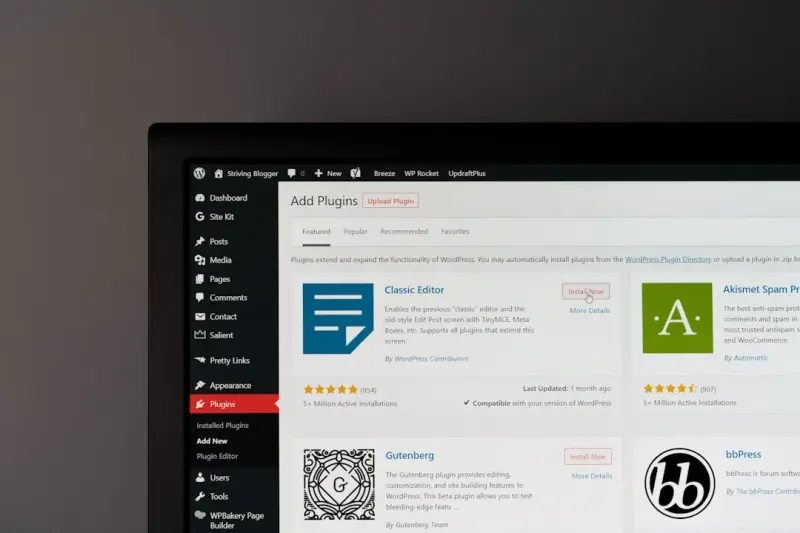
Why Gutenberg Blocks Are Your Secret Weapon for WordPress SEO
When most WordPress owners think about SEO, the first things that come to mind are Yoast, Rank Math, or a handful of classic plugins. Those tools are undeniably powerful, but they’re only half the story. The real breakthrough lies in the way you structure content at the block level. Gutenberg, WordPress’s block editor, is more than a visual canvas—it’s a semantic engine that can tell search crawlers exactly what your page is about, how it’s organized, and how users will engage with it.
From Visual Layout to Semantic Signal
Every block you add—whether it’s a heading, paragraph, image, or custom HTML—creates a distinct HTML element on the page. Search engines have grown smarter at interpreting these signals. A well‑crafted <h2> block followed by a <ul> of <li> items is a clear hierarchy that helps crawlers map out topics and subtopics. In the past, you’d need to manually edit the source code or rely on plugins to inject schema. With Gutenberg, you’re essentially building that structure as you type.
Strategic Use of Core Blocks for SEO Impact
Here’s a quick cheat sheet of core blocks that can give your SEO a measurable lift:
- Heading blocks: Use them to reflect your keyword hierarchy. H1 for the page title, H2 for major sections, H3 for sub‑sections. Avoid skipping levels; the hierarchy should be logical.
- Paragraph blocks: Keep sentences concise and sprinkle LSI keywords naturally. Search engines love readability.
- Image blocks: Always add
alttext that describes the image and, when appropriate, includes a keyword. - List blocks: Bulleted or numbered lists are favored in featured snippets. Structure your answers in list form when possible.
- Table blocks: Great for data‑rich content. Use
summaryattributes to give context. - Cover blocks: Combine a striking visual with a headline. The overlay text is indexed, so make it keyword‑rich.
Beyond Core: Leveraging Reusable Blocks for Consistency
One of Gutenberg’s hidden gems is the Reusable Block. Create a “SEO Header” block that contains a H2 with your primary keyword, a short introductory paragraph, and a call‑to‑action. Insert it across multiple pages, and you’ve ensured consistent semantic signals without copy‑pasting. If you need to tweak the wording later, you update the reusable block once and the change propagates site‑wide—an effortless way to maintain on‑page SEO hygiene.
Dynamic Content with Block Patterns
WordPress now ships with Block Patterns that can be saved and reused. Think of a pattern that combines a heading, a short paragraph, a two‑column layout with an image on one side and bullet points on the other. When you drop this pattern into a new post, you instantly have a layout that’s proven to keep readers engaged—lower bounce rates, higher dwell time, and better rankings.
Integrating Schema without Plugins
While many marketers reach for schema plugins, Gutenberg lets you embed <script type="application/ld+json"> directly via the Custom HTML block. This approach reduces the overhead of another plugin and gives you granular control. For instance, if you’re publishing a tutorial, drop a JSON‑LD HowTo schema block at the end of your article. The code will be cleanly rendered, and Google will recognize your content as a potential rich result.
SEO‑Friendly Navigation with Block-Based Menus
WordPress’s Block Navigation feature replaces the traditional menu manager. By building navigation with blocks, you can add descriptive link text, embed icons, and even include aria-label attributes for accessibility—all of which are signals that search engines use to assess site structure. A well‑structured menu improves internal linking equity, distributing page authority throughout your site.
Performance Matters: Core Web Vitals and Blocks
Search rankings now factor in Core Web Vitals. Gutenberg’s block architecture, when used wisely, can keep your page lightweight. Avoid over‑loading a page with unnecessary blocks—each block adds HTML, CSS, and sometimes JavaScript. Here’s how to stay nimble:
- Lazy‑load images using the native image block settings.
- Limit nested columns—deep nesting creates extra wrappers that bloat the DOM.
- Turn off block styles you don’t need via your theme’s
functions.phpor a simple plugin that dequeues unused CSS.
By trimming the code, you improve LCP (Largest Contentful Paint) and CLS (Cumulative Layout Shift), both critical for SEO.
Headless WordPress: Future‑Proofing Your SEO Strategy
For brands that need ultra‑fast front‑ends, a headless setup—WordPress as a CMS, React or Next.js as the presentation layer—offers unparalleled performance. The catch? You must ensure the generated HTML still contains the semantic markup Gutenberg provides. Use the REST API to pull block data and render it server‑side. This hybrid approach gives you the speed of a static site with the SEO richness of Gutenberg blocks.
Case Study: Turning a Stagnant Blog Into a Traffic Magnet
One of our clients, a niche B2B SaaS provider, struggled with low organic visibility despite publishing weekly. We performed a Gutenberg audit:
- Identified posts that used plain text editors—no block hierarchy.
- Converted them to Gutenberg, inserting proper heading blocks, list blocks for FAQs, and image blocks with optimized
altattributes. - Created a reusable “FAQ Block” that automatically added schema for
FAQPage. - Implemented lazy‑load on all images via the image block settings.
Within three months, the blog’s organic sessions grew by 68%, and three articles earned featured snippet placements. The transformation was purely structural—no extra plugins, just smarter block usage.
Best Practices Checklist for Gutenberg‑First SEO
- Plan your heading hierarchy before you start writing.
- Use reusable blocks for recurring SEO elements (intro, call‑to‑action, schema).
- Leverage block patterns to maintain consistent, high‑performing layouts.
- Embed JSON‑LD via Custom HTML blocks for rich results.
- Audit block usage to eliminate unnecessary code and improve Core Web Vitals.
- Consider a headless approach if performance is a top priority, but retain Gutenberg’s semantic output.
Wrapping Up: Embrace the Block Mindset
SEO isn’t just about keywords; it’s about how you present information to both users and machines. Gutenberg gives you a toolbox that blends visual design with semantic precision. By thinking of each block as an SEO signal, you turn your WordPress site into a well‑orchestrated symphony—one that search engines can easily read, understand, and rank.

Laura Wilson is a freelance writer specializing in the dynamic and ever-evolving field of health. With a passion for translating complex medical information into accessible and engaging content, Laura brings a wealth of knowledge and a fresh perspective to topics ranging from preventative care and nutrition to cutting-edge research and innovative treatments.
Related Posts

WordPress Taxonomies & Custom Post Types: An SEO Blueprint
Discover how to audit, structure, and optimize WordPress taxonomies and custom post types for SEO, f... Read More
Gutenberg to Google: Boosting WordPress SEO Block by Block
Discover a practical framework for using Gutenberg’s block architecture to improve WordPress SEO, ... Read More

Supercharging WordPress SEO with Core Web Vitals, AI, and Structured Data
A practical guide shows how performance, AI‑generated topics, and schema markup can transform a sl... Read More
Top Posts

Data‑Driven Partnerships: Rethinking Link Building for Sustainable Authority
A modern take on link building: use data, collaborations, and high‑value assets to earn sustainable, high‑quality backlinks and boost SEO performance....Read More

Semantic Clustering: The Hidden Engine Behind Scalable SaaS On-Page SEO
Learn a proven framework for grouping SaaS pages into thematic clusters that reduces cannibalization, optimizes crawl budget, and drives sustainable organic gro...Read More

Unlocking Facebook’s Untapped SEO Real Estate: A Tactical Playbook for SaaS Brands
Facebook is more than a social feed; it’s a sophisticated search engine. This playbook shows SaaS marketers how to leverage Open Graph, structured data, group...Read More

Privacy‑First SEO: The Competitive Edge SaaS Can't Ignore
Discover why privacy‑first SEO is now a competitive advantage for SaaS businesses, featuring first‑party data foundations, contextual relevance, and transpa...Read More
0 Comments
Post Comment
You will need to Login or Register to comment on this post!