

The Quiet Revolution: Optimizing Non‑HTML Assets for SEO
When most marketers think about SEO, the mental image is usually a tidy HTML page, a tidy <title> tag, and a well‑structured heading hierarchy. That mental model has served us well for a decade, but Google’s index is evolving faster than our content calendars. The search engine is now chewing through PDFs, PowerPoints, spreadsheets, and even raw text from video captions with the same gusto it once reserved for HTML. If you’re still ignoring those assets, you’re leaving a massive, low‑competition treasure chest on the table.
Why Non‑HTML Assets Matter More Than Ever
There are three forces converging that make non‑HTML assets a strategic SEO priority:
- Search Engine Capability – Google’s crawlers have been upgraded with better OCR (optical character recognition) and natural language processing that can read and understand the content inside PDFs, DOCX files, and even scanned images.
- User Expectations – Professionals increasingly download whitepapers, data sheets, and slide decks directly from SERPs. When a user types “SaaS churn benchmark PDF,” they expect a PDF result, not a blog post.
- Competitive Landscape – Most SaaS competitors are still optimizing primarily HTML. That creates a gap you can exploit by making your non‑HTML content discoverable.
The result? An untapped ranking surface that can drive high‑intent traffic, generate leads, and improve brand authority without fighting for the same keywords that dominate the SERP top.
Getting Started: An SEO Audit of Your Existing Assets
Before you build a new content machine, take stock of what you already have. Follow this three‑step audit:
- Inventory – Pull a list of every PDF, DOCX, PPT, and XLSX file hosted on your domain. Tools like Screaming Frog, Sitebulb, or even a simple
site:yourdomain.com filetype:pdfquery can surface the full set. - Performance Review – For each asset, check its current index status in Google Search Console (Coverage report). Note any “Crawled – currently not indexed” warnings and the crawl budget consumption.
- Content Gap Analysis – Cross‑reference the asset titles with your keyword research. Identify high‑search, low‑competition queries that align with the content you already own.
Once you have a clear picture, you can prioritize which assets need a quick win (metadata fixes) versus a full overhaul (content enrichment).
Metadata: The First Line of Defense
Just like an HTML page, every non‑HTML file should have a clear, keyword‑rich title and description. Unfortunately, many PDFs ship with generic filenames like document1.pdf and no internal metadata at all. Here’s how to fix that:
- Filename – Rename the file to include primary keywords. Example:
saas‑churn‑benchmark‑2024.pdf. - Title Property – Most PDF editors (Adobe Acrobat, Nitro) let you set a “Title” property. Use a concise, descriptive phrase that mirrors the file’s headline.
- Subject & Keywords – Populate the “Subject” field with a brief summary and the “Keywords” field with a comma‑separated list of target terms.
When Google indexes the file, it pulls this metadata into the SERP snippet, giving you control over the headline and description that appear under the link.
Content Structure Inside the File
Search engines still value a clear hierarchy inside PDFs and Slides. Use the following tactics to make the internal structure readable:
- Heading Tags – In a PDF, use actual
Heading 1,Heading 2styles rather than just larger fonts. Google’s parser can recognize these as structural signals. - Table of Contents – Include a clickable TOC with internal links. This not only improves user experience but also gives Google anchor points for relevance.
- Alt Text for Images – Even though the asset is not an HTML page, you can embed alt text in the image metadata. This helps Google understand the visual content, an aspect covered in Beyond Text: How SaaS Companies Can Win With Visual and AI-Powered Google Search.
Enriching PDFs with Structured Data
While structured data is often associated with HTML, you can embed JSON‑LD directly into PDF files. The syntax is the same, but you place the script in a hidden text layer. This approach is still experimental, yet early adopters have reported increased visibility for “FAQ” and “How‑To” rich snippets from PDF results.
Start simple: add a FAQPage schema that mirrors the top questions answered in the document. If you have a product data sheet, consider a Product schema with price, availability, and SKU attributes. The effort is modest, and the payoff can be a bright, eye‑catching SERP feature.
Leveraging the Power of Captions and Transcripts
Video is the fastest‑growing content type, and YouTube’s captions are already indexed. But what about the videos you host on your own site? Export the auto‑generated captions, clean them up, and embed them as a downloadable .vtt or .txt file alongside the video. Then, create a companion PDF that contains the full transcript, key takeaways, and a table of timestamps.
This two‑pronged approach does two things:
- It gives Google a text version to crawl, boosting the video’s relevance for long‑tail queries.
- It provides an additional asset for link‑building—people love to embed a “Transcript PDF” when they reference your video in their own content.
Link‑Building for Non‑HTML Assets
Because these assets are less saturated, they’re ripe for targeted outreach:
- Resource Pages – Reach out to industry blogs that maintain “Best PDF Guides” lists. Offer your newly optimized whitepaper as a fresh entry.
- Academic Citations – If you have research‑heavy PDFs, promote them to university repositories or citation platforms like ResearchGate.
- Internal Linking – Within your own site, link to the PDF from relevant blog posts and landing pages. Use descriptive anchor text that includes the target keyword.
Remember to serve the PDF from a clean URL (no query strings) and to set proper Cache‑Control headers so that the file loads quickly—a factor that indirectly influences rankings.
Measuring Success: Metrics That Matter
Traditional SEO metrics (organic traffic, rankings) still apply, but you’ll want to add a few non‑HTML specific KPIs:
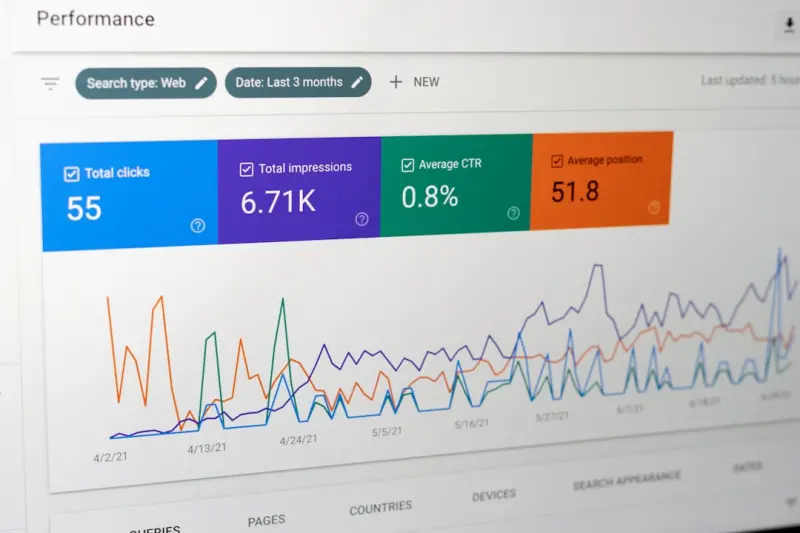
- PDF Impressions & Click‑Through Rate – Google Search Console now shows impressions for PDFs under the “Performance” report when you filter by “File Type.”
- Download Conversions – Track the number of file downloads and tie them to lead generation forms or marketing automation triggers.
- Backlink Profile – Use a backlink tool to see how many external sites are linking directly to your PDFs or Slides.
By monitoring these data points, you can iterate on titles, metadata, and content depth just as you would with a blog post.
Future‑Proofing: Preparing for AI‑Generated Search Summaries
Google’s AI‑driven answer boxes are beginning to pull information from non‑HTML sources, especially PDFs that contain dense, factual data. To position yourself for that shift, make sure each asset answers a specific question concisely within the first 300 words. Use bold or italics sparingly to highlight key facts—Google’s summarizer often picks up on typographic emphasis.
Think of your PDF as a mini‑FAQ. If you can anticipate the exact phrasing a user might type—e.g., “What is the average SaaS churn rate in 2024?”—and embed that question and answer early in the document, you increase the odds that Google will surface a snippet sourced directly from your file.
Case Study: Turning an Old Product Data Sheet Into a Lead Magnet
One of our SaaS clients had a 5‑year‑old product data sheet sitting on a hidden URL. It was never indexed, and the file name was datasheet.pdf. We applied the process outlined above:
- Renamed it to
saas‑analytics‑platform‑feature‑overview‑2024.pdf. - Added a title tag, subject, and relevant keywords in the PDF properties.
- Inserted a clear H1 heading, a table of contents, and alt text for every diagram.
- Embedded a
Productschema JSON‑LD block. - Created a short, keyword‑rich landing page that linked to the PDF and added a CTA for a demo request.
Within six weeks, the PDF began appearing in “People also ask” boxes for queries like “SaaS analytics platform features.” Impressions jumped by 320 %, clicks rose 45 %, and the associated demo request form saw a 28 % increase in conversions. The client now treats every data sheet, whitepaper, and slide deck as a primary SEO asset.
Putting It All Together: A 10‑Step Playbook
Here’s a concise checklist you can hand to your content and engineering teams:
- Run a comprehensive inventory of all non‑HTML assets.
- Rename files to include target keywords.
- Populate PDF/Doc metadata (title, subject, keywords).
- Apply proper heading styles inside the file.
- Add a clickable table of contents.
- Include alt text for every embedded image.
- Consider embedding JSON‑LD schema where relevant.
- Publish accompanying transcript or summary PDFs for videos.
- Promote the assets via targeted outreach and internal linking.
- Monitor impressions, clicks, downloads, and backlinks in Search Console and your analytics platform.
By treating PDFs, Slides, and Spreadsheets as first‑class citizens in your SEO strategy, you unlock a new growth channel that most competitors are still overlooking. The key is consistency: audit, optimize, and measure. When you do, you’ll watch those “quiet” assets start to sing in the SERPs.
Next Steps for SaaS Marketers
If you’re ready to experiment, start with one high‑value asset—perhaps your most‑downloaded whitepaper. Apply the checklist, publish the changes, and set up a monitoring dashboard. After a month, you’ll have real data to prove the concept and the confidence to scale the process across your entire knowledge base.
In the fast‑moving world of search, the biggest wins often come from the places nobody else is looking. Non‑HTML assets are that hidden garden. Water them, prune them, and watch your organic growth blossom.

Ryan Paterson is known for his dedication, innovative mindset, and unique skills that set him apart from the crowd. . From his early years, he displayed a natural talent for thinking outside the box and approaching challenges with a fresh perspective.
Related Posts
Visual Search Is Redefining Rankings: What SEOs Must Do
Explore the rise of visual search and learn practical strategies to optimize images, leverage AR, an... Read More

SEO News: Rose DesRochers Decodes 2024’s Biggest Shifts
Rose DesRochers shares insider insights on 2024 SEO shifts—AI integration, intent granularity, and... Read More

Why Intent‑First SEO Is the Hottest News Shaping Search Today
Intent‑first SEO is reshaping search strategy; learn the latest trends, practical steps, and futur... Read More
Top Posts

Voice‑First Mobile SEO: Turning Conversational Queries into SaaS Leads
Mobile users now rely on voice assistants to find solutions on the go. This post reveals a step‑by‑step, voice‑first mobile SEO strategy that helps SaaS b...Read More

Headless CMS Meets Technical SEO: Strategies for SaaS Success
A practical guide for SaaS marketers on merging headless CMS flexibility with technical SEO fundamentals, covering rendering, indexing, and performance optimiza...Read More

Winning the Zero‑Click SERP: Strategies for Modern SEO
Learn actionable tactics to win featured snippets, leverage structured data, and measure success in a world where most searches end without a click....Read More

How 5G and Edge Computing Are Redefining Mobile SEO
Explore the impact of 5G and edge computing on mobile SEO, with practical tips on performance, visual search, structured data, PWAs, and mobile‑centric linkin...Read More
0 Comments
Post Comment
You will need to Login or Register to comment on this post!