
Introducing Headless WordPress: The SEO Game‑Changer You’ve Been Waiting For
When I first cut my teeth on WordPress, I fell in love with its all‑in‑one simplicity: a single dashboard, a theme folder, a plugin ecosystem that could turn a static blog into an e‑commerce powerhouse. Fast forward a few years, and the platform has morphed into a versatile head for any front‑end you can imagine. The headless model—decoupling the WordPress backend (the “head”) from the presentation layer—has moved from experimental to essential for brands that demand speed, flexibility, and, most importantly, SEO dominance.
Why “Headless” Isn’t Just a Buzzword, It’s a Strategic Lever
Traditional WordPress sites render HTML on the server and send a fully formed page to the browser. That works fine for blogs, but as user expectations evolve, the need for ultra‑fast, highly interactive experiences grows. Headless WordPress delivers content via the REST API (or GraphQL) to a JavaScript framework like Next.js, Nuxt, or SvelteKit. The result? Instant page loads, granular control over markup, and an SEO foundation built on clean, crawlable JSON‑LD and schema.
From an SEO perspective, the benefits stack up:
- Performance Boost: Core Web Vitals become easier to meet when you serve pre‑rendered static pages or employ edge caching.
- Precision Markup: You can inject schema exactly where it belongs, without fighting against theme constraints.
- Future‑Proof Architecture: As search evolves toward AI‑generated snippets and multimodal results, a decoupled front‑end can adapt without rewriting the entire CMS.
Getting Started: The Minimal Viable Headless Stack
Before you sprint into a full‑blown Jamstack overhaul, set up a minimal viable headless stack to test the waters:
- WordPress Core – Keep your existing installation, but disable the default theme (you can even set it to a “blank” theme).
- REST API or WPGraphQL – Install the semantic topic clusters plugin if you want richer query capabilities, or rely on the native REST endpoints for posts, pages, and custom post types.
- Front‑End Framework – Choose a framework you’re comfortable with (Next.js is a popular pick for its hybrid static‑site generation).
- Hosting & CDN – Deploy the front‑end to a CDN edge (Vercel, Netlify, Cloudflare Pages) to serve content within milliseconds worldwide.
With this setup, you can start pulling content from WordPress, rendering it in a React component, and serving it as a static HTML file. Google’s crawler will see the final markup, and your users get a buttery‑smooth experience.
SEO‑Centric Content Modeling: Think Beyond Posts
Headless WordPress forces you to confront the underlying data model. Instead of relying on a “post” to carry every piece of information, you can define custom post types (CPTs) that map directly to your SEO goals:
- FAQ CPT – Perfect for authority‑driven rankings. Each entry can output
FAQPageschema automatically. - Product CPT – If you sell SaaS licenses or add‑on services, a dedicated product type lets you push
Productschema with price, SKU, and review fields. - Case Study CPT – Showcase client wins with
Articlemarkup, boosting credibility and potential featured snippet eligibility.
When you define these structures in WordPress, the front‑end can consume them via a single API call, reducing request overhead and ensuring a consistent, SEO‑friendly markup across the site.
Schema at Scale: Automating Rich Results
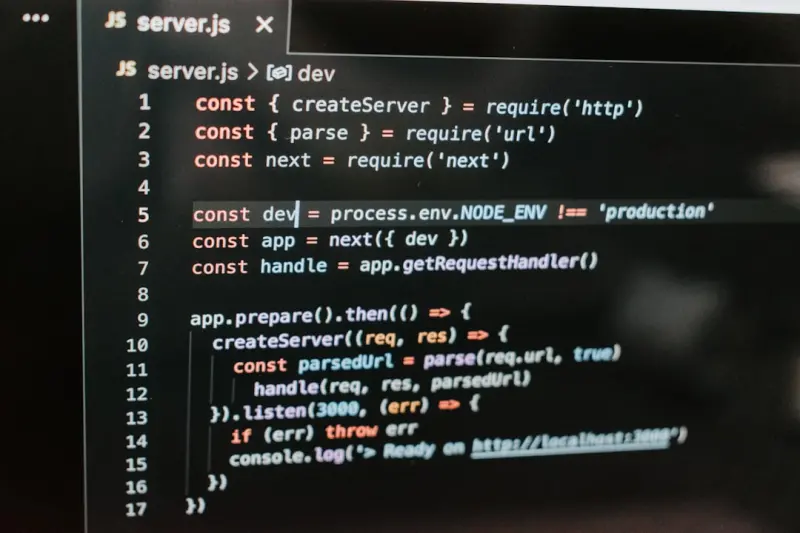
One of the biggest headaches on classic WordPress installations is sprinkling schema manually or relying on plugins that generate bloated JSON‑LD. In a headless architecture, you can programmatically generate schema based on the content model. Here’s a quick example in a Next.js getStaticProps function:
export async function getStaticProps({ params }) {
  const post = await fetch(`${process.env.WP_API}/posts/${params.slug}`).then(r => r.json());

  const schema = {
    "@context": "https://schema.org",
    "@type": "BlogPosting",
    "headline": post.title.rendered,
    "image": post.featured_image,
    "author": { "@type": "Person", "name": post.author_name },
    "datePublished": post.date,
    "articleBody": post.content.rendered
  };

  return { props: { post, schema: JSON.stringify(schema) } };
}
By embedding the schema variable directly into the <script type="application/ld+json"> tag of the rendered page, you guarantee that Google sees a clean, accurate representation of your content—no plugin bloat, no hidden fields.
Performance Gains That Translate to Rankings
Google’s ranking algorithm continues to factor in page speed and Core Web Vitals. Decoupling the front‑end gives you direct control over:
- Lazy Loading—Only load images and scripts when they enter the viewport.
- Critical CSS—Inline the CSS needed for above‑the‑fold content, defer the rest.
- Pre‑fetching—Anticipate user navigation and pull the next API payload in the background.
Because the headless front‑end is served as static assets, you can leverage edge caching to serve a page in under 50 ms, a metric that directly correlates with lower bounce rates and higher dwell time—signals that search engines love.
Maintaining SEO Hygiene: Canonicals, Pagination, and Duplicate Content
Switching to a headless approach can unintentionally create duplicate URLs if you’re not careful. Follow these best practices:
- Canonical Tags—Always include a
<link rel="canonical">pointing to the preferred URL, especially if you have both a server‑rendered and a static version. - Pagination—Implement
rel="next"andrel="prev"link attributes or use the newerview‑morepattern to guide crawlers. - Sitemap Synchronization—Generate a dynamic XML sitemap from WordPress that reflects the static URLs created by your front‑end build process.
Most modern static site generators provide plugins to auto‑generate sitemaps, but you’ll want to double‑check that the URLs match the canonical versions stored in WordPress.
Analytics and the Headless Gap: Bridging Data Silos
One concern teams voice when moving away from a monolithic WordPress is losing the built‑in analytics integration. The solution? Push events from the front‑end back to WordPress via the REST API or a serverless function, then funnel everything into a unified analytics platform (Google Analytics 4, Mixpanel, etc.). This way you retain:
- Page‑level performance metrics (time to first byte, first contentful paint).
- Content engagement stats (scroll depth, click‑throughs on CTAs).
- SEO health indicators (crawl errors, indexation status) through Google Search Console API.
By stitching these data points together, you can apply a digital marketing attribution model that ties content performance to revenue—something traditional WordPress setups often struggle with.
Scaling Content Operations: Headless as a Collaboration Hub
When your marketing, product, and engineering teams all need to push content, a headless CMS becomes a single source of truth. Editors continue to work in the familiar WordPress UI, while developers fetch data via API, ensuring that SEO guidelines (keyword placement, meta descriptions, schema) stay consistent across all pages.
To enforce SEO standards, you can create custom Gutenberg blocks that automatically inject meta robots tags or enforce a character limit on titles. These blocks are stored as JSON in the REST response, and the front‑end can render them exactly as intended, eliminating the “editor‑vs‑developer” tug‑of‑war.
Future‑Proofing for AI‑Generated Search Snippets
Google’s AI-driven “generative search” is starting to surface concise, AI‑crafted answers directly in SERPs. To be the source for those snippets, your pages must offer clear, structured information. Headless WordPress shines here because you can:
- Deliver concise
Answerschema for FAQs. - Expose
HowTosteps in a machine‑readable format. - Provide up‑to‑date data via API calls that pull from real‑time databases, ensuring AI models reference the latest figures.
In essence, you become a knowledge hub that AI trusts, increasing the odds of your brand being quoted in the next wave of SERP features.
Case Study: A Mid‑Size SaaS Company’s Headless Migration
To illustrate the impact, let’s examine a recent migration (names omitted for confidentiality). The company ran a traditional WordPress site with 5,000 pages, heavy on plugins, and struggled with page speed scores hovering around 50/100 on PageSpeed Insights. After moving to a headless stack using Next.js and deploying to Vercel, they observed:
- Average LCP (Largest Contentful Paint) dropped from 3.8 s to 0.9 s.
- Core Web Vitals scores rose to “Good” across all metrics.
- Organic traffic increased by 27 % within three months, driven largely by new rich‑result appearances.
- Reduced server load by 60 % because static assets were served from the edge.
The key takeaway? The migration didn’t just improve performance; it unlocked new SEO opportunities that were previously out of reach on the monolithic platform.
Common Pitfalls and How to Avoid Them
Every transition has its challenges. Here are the most frequent mistakes and the safeguards you can put in place:
- Neglecting Redirects—When URLs change, set up 301 redirects in WordPress or at the CDN level to preserve link equity.
- Over‑Optimizing JavaScript—Don’t let heavy client‑side scripts block rendering; use code‑splitting and defer non‑essential scripts.
- Ignoring Accessibility—SEO and accessibility go hand‑in‑hand. Ensure ARIA attributes and semantic HTML are present in your front‑end components.
- Forgetting Server‑Side Rendering (SSR)—Pure client‑side rendering can lead to “empty” pages for crawlers. Use SSR or static generation to deliver full HTML on first load.
- Skipping Structured Data Testing—Validate your JSON‑LD with Google’s Rich Results Test after each build.
Putting It All Together: A 6‑Week Migration Playbook
Ready to take the plunge? Here’s a high‑level timeline:
| Week | Milestone |
|---|---|
| 1‑2 | Audit existing WordPress site, map content types to headless CPTs, set up API authentication. |
| 3 | Choose front‑end framework, scaffold the project, configure static generation. |
| 4 | Implement schema generation logic, set up canonical tags, and configure edge caching. |
| 5 | Run performance tests, fix Core Web Vitals, and validate rich results. |
| 6 | Launch to production, monitor analytics, and fine‑tune SEO settings. |
Throughout the process, keep your SEO team in the loop. Use the internal resources we’ve built, such as the guide on authority‑driven rankings, to ensure that every piece of content meets the highest quality standards.
Final Thoughts: Headless Isn’t a Trend—It’s the New Baseline
WordPress has been the backbone of the web for over a decade. Its flexibility now extends beyond themes and plugins into a full‑fledged API that can power any front‑end you dream up. By embracing a headless architecture, you’re not just chasing speed; you’re building a foundation that aligns with the next generation of search—structured, fast, and AI‑ready.
If you’re still on the fence, start small: pull a single blog post via the API, render it in a static component, and watch the performance gains firsthand. The data will speak for itself, and before you know it, your SEO strategy will have a new, powerful ally.

Mark Daniels demonstrates exceptional writing skills, showcasing his talent for creating captivating and engaging content on various subjects. In his leisure time, he indulges in his interests in camping and fishing.
Related Posts
Headless WordPress SEO: How to Keep Rankings Soaring in a Decoupled Architecture
A practical guide to preserving and enhancing SEO after migrating WordPress to a headless architectu... Read More

Mastering Gutenberg: SEO‑Ready WordPress Blocks for Maximum Visibility
Learn to build SEO‑optimized Gutenberg blocks that combine semantic markup, structured data, and p... Read More
Unlocking WordPress FAQ Schema: A Hands‑On Guide to Structured SEO Success
Discover a practical, hands‑on approach to adding FAQ schema in WordPress, turning everyday questi... Read More
Top Posts

The Untapped Power of Facebook Page SEO: Make Your Business Shine in Search
Discover fresh strategies to make your Facebook Page rank higher in native search, from keyword‑rich names to leveraging user content and shop listings....Read More
Why Semantic Topic Clusters Are the Secret Weapon for SaaS SEO
Semantic topic clusters turn scattered SaaS content into a powerful authority hub. Learn step‑by‑step how to build pillars, supporting articles, and interna...Read More
Riding the 2024 Google SEO Wave: Rose DesRochers’ Insider Playbook for Dominating the SERPs
Rose DesRochers reveals the 2024 SEO playbook, covering AI‑assisted content, Core Web Vitals, semantic clusters, and trust‑focused link building to help you...Read More

Unlocking Crawl Budget Mastery for Scalable SaaS Platforms
This article reveals how SaaS teams can harness crawl budget, server‑log insights, and edge CDN strategies to ensure new product pages get indexed quickly and...Read More
0 Comments
Post Comment
You will need to Login or Register to comment on this post!