
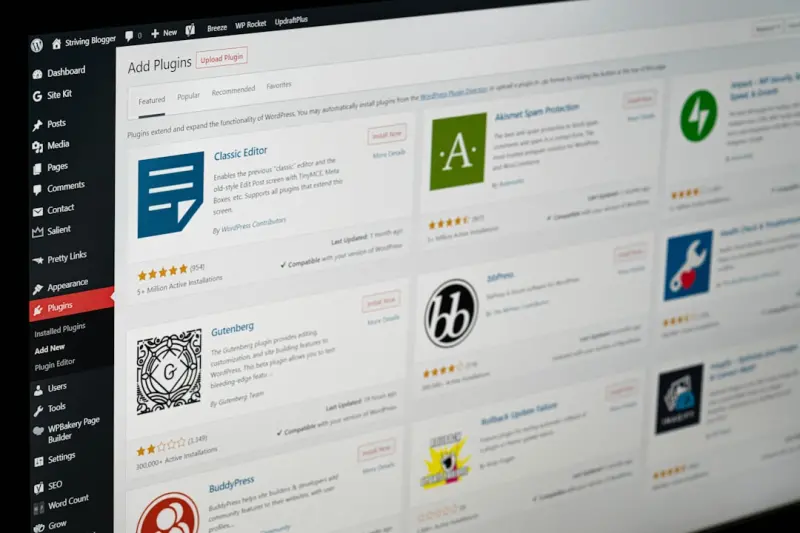
When most WordPress owners think about SEO, the first things that come to mind are plugins, keyword research, and backlink building. While those elements are undeniably important, there’s a hidden layer of WordPress architecture that can dramatically amplify your search visibility—taxonomies and custom post types (CPTs). By treating these structures as strategic SEO assets rather than mere content containers, you unlock a new dimension of relevance, crawl efficiency, and topical authority.
Why Taxonomies Matter More Than You Think
WordPress ships with a built‑in taxonomy system (categories, tags, and the occasional custom taxonomy). These taxonomies are more than just ways to organize content; they are signals to search engines about the semantic relationships between pages. When you correctly map a hierarchy of terms, you essentially give Google a blueprint of your site’s topical map.
- Semantic Clarity: A well‑structured taxonomy reduces ambiguity, helping crawlers understand the context of each article.
- Internal Link Equity: Taxonomy archives naturally generate internal links to related posts, distributing link juice without extra effort.
- Long‑Tail Keyword Capture: Archive pages often rank for broader, intent‑rich queries that single posts might miss.
Think of taxonomy pages as “mini‑landing pages” that can dominate niche SERP segments when optimized correctly.
Custom Post Types: Turning Function into SEO Fuel
Custom post types let you break free from the default “post” and “page” molds. Whether you’re running a real‑estate portal, a recipe site, or a SaaS blog, CPTs let you tailor the content model to your business needs. This structural specificity yields three powerful SEO benefits:
- Schema Alignment: Each CPT can be paired with the most relevant schema markup (e.g.,
Product,Recipe,Event), increasing the chances of rich results. - Focused Crawl Budgets: Search engines can prioritize crawling CPT archives that contain high‑value data, rather than getting lost in a sea of generic posts.
- Keyword Segmentation: By separating content types, you can target distinct keyword groups without cannibalization.
Implementing CPTs is not just a developer’s convenience—it’s an SEO strategy that can reshape how search engines perceive the depth and breadth of your site.
Designing an SEO‑Friendly Taxonomy Hierarchy
A taxonomy hierarchy should reflect both user intent and logical categorization. Follow these guiding principles:
- Keep it shallow: Aim for no more than three levels deep. Deep nesting can dilute link equity and confuse crawlers.
- Use descriptive slugs: Instead of
/category/123/, opt for/category/digital-marketing/. Clean URLs improve click‑through rates and keyword relevance. - Limit the number of terms per post: Over‑tagging leads to thin content on archive pages, which can trigger a “low‑value” signal.
- Leverage parent‑child relationships: Use parent categories for broad topics and child terms for sub‑niches, mirroring the way users think.
Once your hierarchy is set, enhance each archive page with a concise, keyword‑rich introduction, structured data, and a curated list of top posts. This transforms what might be a thin “index” page into a valuable resource for both users and search engines.
Mapping CPTs to User Journeys
Every piece of content on your site should align with a stage in the buyer’s journey. CPTs give you the granularity to map content precisely:
| Journey Stage | Typical CPT | SEO Focus |
|---|---|---|
| Awareness | Article | Target broad informational queries. |
| Consideration | Case Study | Use schema for CreativeWork and embed testimonials. |
| Decision | Product Comparison | Implement FAQ schema and comparative tables. |
| Retention | How‑to Guide | Optimize for “how to” long‑tail keywords. |
By aligning CPTs with these stages, you create a natural funnel that search engines can recognize, potentially boosting rankings for conversion‑oriented queries.
Technical Foundations: Registering Taxonomies and CPTs the Right Way
While plugins like “Custom Post Type UI” make registration easy, hand‑coding ensures optimal performance and SEO compliance.
function mysite_register_cpt() {
    $args = array(
        'label'         => __( 'Whitepapers', 'mysite' ),
        'public'        => true,
        'has_archive'   => true,
        'rewrite'       => array( 'slug' => 'whitepapers' ),
        'supports'      => array( 'title', 'editor', 'excerpt', 'thumbnail' ),
        'show_in_rest'  => true,
    );
    register_post_type( 'whitepaper', $args );
}
add_action( 'init', 'mysite_register_cpt' );

function mysite_register_taxonomy() {
    $args = array(
        'label'        => __( 'Industry', 'mysite' ),
        'hierarchical' => true,
        'rewrite'      => array( 'slug' => 'industry' ),
        'show_in_rest' => true,
    );
    register_taxonomy( 'industry', array( 'whitepaper' ), $args );
}
add_action( 'init', 'mysite_register_taxonomy' );
Key takeaways from the snippet above:
- Set
has_archivetotrueto generate an SEO‑friendly archive page. - Use clean slugs that match your keyword strategy.
- Enable
show_in_restfor Gutenberg compatibility and future‑proofing.
Once registered, flush rewrite rules (visit Settings → Permalinks) to avoid 404 errors that could waste crawl budget.
Optimizing CPT Archive Pages for Search Engines
Archive pages often suffer from thin content. Turn them into SEO assets by:
- Adding a unique, keyword‑rich description: This is the first text Google sees in the snippet.
- Embedding structured data: Use
ItemListschema to list the most recent items, increasing the chance of appearance in rich snippets. - Featuring top‑performing entries: Highlight the three most popular posts with thumbnails and brief excerpts.
- Implementing pagination with
rel="next"/rel="prev"tags: Helps Google understand the relationship between pages.
Here’s a quick example of ItemList markup for a whitepaper archive:
<script type="application/ld+json">
{
  "@context": "https://schema.org",
  "@type": "ItemList",
  "itemListElement": [
    {
      "@type": "ListItem",
      "position": 1,
      "url": "https://example.com/whitepapers/2023-marketing-trends"
    },
    {
      "@type": "ListItem",
      "position": 2,
      "url": "https://example.com/whitepapers/seo-future-proof"
    }
  ]
}
</script>
Driving Internal Linking Power Through Taxonomies
One of the most underrated SEO levers on WordPress is the automatic internal linking that taxonomies provide. Every time you assign a term, WordPress creates a backlink from the term archive to the post. To amplify this:
- Use descriptive anchor text: Instead of “click here,” link using the term itself (e.g., “digital marketing strategies”).
- Limit the number of terms per post: Over‑linking can dilute the relevance of each link.
- Implement related‑posts widgets that pull from the same taxonomy: This keeps users on your site longer and signals topical depth.
For a deeper dive into how internal linking can boost authority, check out this guide on essential on‑page techniques that work across any platform.
Leveraging WordPress REST API for SEO Automation
While many focus on the front‑end benefits of the REST API, it’s also a goldmine for SEO workflows. You can programmatically generate XML sitemaps, push updated content to Google Search Console, or even create dynamic robots.txt files based on CPT status.
If you’re curious about how exposing data can improve visibility, our post on expose your data to Google walks through the fundamentals of indexing API endpoints—principles that translate directly to WordPress APIs.
Measuring Success: KPIs Specific to Taxonomies and CPTs
Traditional SEO metrics (organic traffic, keyword rankings) still apply, but you should also monitor:
- Archive page impressions: Track via Google Search Console to see which taxonomy pages are gaining traction.
- CTR on CPT listings: A high click‑through rate indicates that your titles and schema are compelling.
- Crawl frequency of archive URLs: If Google isn’t revisiting your archives, consider adding fresh content or internal links.
- Conversion rates per CPT: For SaaS sites, a “whitepaper” CPT might correlate directly with lead generation.
Regularly audit these metrics to fine‑tune your taxonomy structure and content strategy.
Common Pitfalls and How to Avoid Them
Even seasoned WordPress developers can stumble:
- Duplicate content across taxonomies: Ensure that a single piece of content isn’t published under multiple terms that generate near‑identical archive pages.
- Orphaned CPT archives: If a CPT has no assigned terms, its archive may never be crawled. Always assign at least one taxonomy.
- Neglecting pagination: Without proper pagination markup, Google might see each page as a separate entity, causing duplicate content issues.
- Over‑optimizing slug names: Stuffing keywords into slugs can look spammy. Keep them concise and human‑readable.
Future‑Proofing Your WordPress SEO with Headless Architecture
As more brands adopt headless WordPress, the separation of front‑end and back‑end raises new SEO considerations. When serving content via a JavaScript framework, you must ensure that taxonomies and CPTs render server‑side or are pre‑rendered for crawlers. Strategies include:
- Using
Next.jsorNuxt.jswithgetStaticPropsto generate static pages for each taxonomy term. - Implementing
Dynamic Rendering(e.g., Rendertron) for bots that struggle with client‑side rendering. - Maintaining a traditional WordPress theme as a fallback for search engines that ignore JavaScript.
Even in a headless setup, the core principles of well‑structured taxonomies and CPTs remain the same—they’re the scaffolding upon which search engines build their understanding of your site.
Action Plan: Turn Your WordPress Site into a Taxonomy‑Driven SEO Engine
Ready to put theory into practice? Follow this 5‑step roadmap:
- Audit existing content: Identify opportunities to group posts into logical taxonomies.
- Define a taxonomy hierarchy: Sketch a shallow tree that mirrors user intent.
- Register CPTs for distinct content types: Align each CPT with appropriate schema markup.
- Optimize archive pages: Add unique meta descriptions, structured data, and curated content lists.
- Monitor performance: Use Search Console and analytics to track impressions, CTR, and crawl behavior, adjusting as needed.
By treating taxonomies and custom post types as core SEO assets, you turn a standard WordPress installation into a powerful, scalable engine for niche authority and organic growth.

Lifan Chen is a freelancer based in Toronto specializing in marketing. With expertise in crafting effective marketing strategies and campaigns, Lifan helps businesses grow their brand presence and reach target audiences. As a Toronto-based freelancer, Lifan combines local market insights with creative marketing skills to deliver tailored solutions for clients.
Related Posts

Boost WordPress Rankings with Strategic Site Architecture
Learn the step‑by‑step tactics to build a powerful WordPress site architecture that boosts SEO, ... Read More
The Power of Content Clusters: A WordPress SEO Blueprint
Discover why content clusters are the missing link in WordPress SEO, with a detailed blueprint, adva... Read More

Gutenberg‑First SEO: Boost WordPress Rankings with Blocks
Discover why Gutenberg is more than a visual editor—its block-level semantics, lazy‑loading, and... Read More
Top Posts

AI‑Powered Gutenberg: Turning WordPress Into an SEO Powerhouse
Learn how to blend AI content assistants with WordPress’s Gutenberg editor to create fast, structured, and authentic pages that win rankings, improve Core Web...Read More

SEO News 2026: Rose DesRochers Decodes the Intent‑First Revolution
In 2026, SEO pivots to an intent‑first mindset. Rose DesRochers breaks down AI, authority, and multimodal search changes, offering actionable tips for staying...Read More

Unlock the Secret Sauce of Modern SEO
Explore why focusing on user purpose, not just keywords, is the key to modern SEO success and how to implement intent‑first tactics for lasting rankings....Read More

Dynamic Pricing Powered by Real‑Time Data: A Game‑Changer for eCommerce
Learn why static prices limit growth and how real‑time dynamic pricing, backed by data and AI, can boost margins, improve inventory flow, and keep shoppers lo...Read More
0 Comments
Post Comment
You will need to Login or Register to comment on this post!