
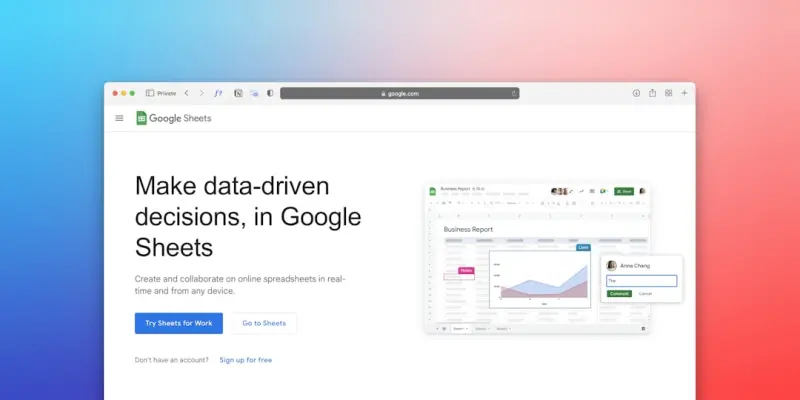
When I first joined the product team at a fast‑growing SaaS startup, the first thing I was handed was a stack of support PDFs, how‑to PDFs, and a half‑finished knowledge base. The SEO folks told me, “These docs are gold. We just need to surface them better.” I laughed, because to most marketers, a support article is a support article—not a traffic magnet. That mindset is what I’m here to dismantle.
Why Support Docs Deserve On‑Page SEO Love
Most SaaS companies treat their knowledge base like a siloed after‑sales tool. But search engines don’t see “support” and “marketing” as separate silos—they see content that answers a query. If you can align the intent behind a user’s question with the precise language and structure of your help articles, you unlock a low‑competition, high‑conversion traffic source that most competitors ignore.
Here’s the triple win:
- Visibility: Rank for long‑tail queries that have commercial intent but low competition.
- Authority: Demonstrate expertise by providing in‑depth, accurate answers.
- Conversions: Capture prospects at the moment they’re troubleshooting a pain point—prime time for a soft sell.
Step 1: Map Real‑World User Questions to Your Docs
Before you sprinkle any meta tags, start with the questions your customers actually ask. Pull data from three places:
- Support tickets: Look for recurring phrases in the subject line and body.
- Search analytics: In Google Search Console, filter for pages that get impressions but low clicks. Those are hints that the content exists but isn’t optimized.
- Community forums & social listening: Platforms like Reddit, Stack Overflow, and even Twitter reveal the vernacular your audience uses.
Take each question and turn it into a target keyword phrase. For instance, a ticket titled “Why is my API returning 403?” becomes the keyword “API 403 error troubleshooting”. This exercise often yields hundreds of long‑tail opportunities you can prioritize based on search volume and buyer intent.
Step 2: Rewrite for Humans First, Search Engines Second
Support docs tend to be written in a terse, step‑by‑step style. While clarity is essential, you also need to embed the keyword naturally and provide context that satisfies both the user and Google’s semantic algorithms.
Start each article with a concise intro paragraph that mirrors the search query:
“If you’re seeing a 403 error when calling our API, you’re not alone. This guide walks you through the most common causes and how to fix them in under five minutes.”Notice how this sentence includes the keyword phrase, answers the user’s intent, and promises a quick solution—an element that boosts dwell time.
Step 3: Harness Semantic HTML for Contextual Clarity
Semantic HTML isn’t just good practice; it’s a direct signal to crawlers about the hierarchy and purpose of your content. Here’s a quick cheat sheet:
- <header> <nav> <main> <footer> – define page sections.
- <h2>–<h4> – use for sub‑headings that break down steps or concepts.
- <section> <article> – wrap distinct topics or troubleshooting scenarios.
- <dl> (definition list) – perfect for term‑definition pairs like error codes.
Google’s newer algorithms reward clear, hierarchical markup, especially when paired with relevant schema (more on that later). By using <section> tags for each error scenario, you give the crawler a clear map of the page’s logical flow.
Step 4: Optimize Meta Elements Without Sacrificing Clarity
Even though support pages are often deep in the site, they still need compelling titles and meta descriptions. Follow these rules:
- Keep the title tag under 60 characters and place the primary keyword near the front.
- Write a meta description that promises a specific outcome (“Fix your 403 error in 3 minutes”). This boosts click‑through rates (CTR).
- Avoid “click‑bait”—searchers expect genuine answers, and high bounce rates will negate any ranking gains.
For example, a good title might be: “API 403 Error Troubleshooting – Quick Fix Guide”. The meta could read: “Learn step‑by‑step how to resolve 403 errors in our API and get back to building your product faster.”
Step 5: Leverage Structured Data for FAQ Rich Snippets
One of the most underutilized assets in a knowledge base is the FAQ schema. By wrapping each Q&A pair in Question and Answer markup, you increase the chances of appearing in Google’s “People also ask” boxes.
Implementing this is straightforward. Here’s a snippet:
<script type="application/ld+json">
{
  "@context": "https://schema.org",
  "@type": "FAQPage",
  "mainEntity": [{
    "@type": "Question",
    "name": "Why am I getting a 403 error from the API?",
    "acceptedAnswer": {
      "@type": "Answer",
      "text": "A 403 error typically means your API key is missing or invalid..."
    }
  }]
}
</script>
If you need a deeper dive on how to implement schema effectively, check out Structured Data: The SaaS SEO Game‑Changer You’ve Overlooked. It walks through the exact JSON‑LD you’ll need for different content types.
Step 6: Internal Linking—Turn Your Docs Into an SEO Web
Support articles rarely exist in isolation. When you link from a high‑traffic blog post to a relevant help article (or vice‑versa), you pass link equity and provide a better user journey.
Best practices:
- Use descriptive anchor text that includes the target keyword. Avoid generic “click here”.
- Link from related product feature pages to the specific troubleshooting guide.
- Create a “Related Articles” sidebar that pulls in other docs based on shared tags or topics.
For example, a blog post about “API rate limiting” could link to the “How to handle 429 Too Many Requests errors” doc, using anchor text like “troubleshoot 429 errors in our API”. This not only helps SEO but also reduces support tickets.
Step 7: Measure Success with the Right Metrics
Traditional SEO metrics (organic traffic, rankings) are still important, but for support docs you’ll also want to track:
- Search‑to‑solution rate: The percentage of users who land on a doc and solve their issue without further clicks.
- Reduced ticket volume: Correlate spikes in organic traffic to a dip in new support tickets for the same issue.
- Engagement time: Longer dwell time indicates the content is useful, a positive SEO signal.
Set up a dashboard that pulls data from Google Search Console, your ticketing system, and analytics. The goal is to prove that SEO isn’t just bringing visitors—it’s solving problems.
Step 8: Keep the Content Fresh—A Living Knowledge Base
Unlike evergreen blog posts, support documentation evolves with product releases. Treat SEO as a continuous process:
- When you launch a new feature, audit existing docs for keyword relevance.
- Update schema whenever you add new sections or Q&A pairs.
- Run quarterly content audits to prune outdated articles and consolidate duplicates.
Freshness is a known ranking factor, especially for technical queries. By syncing your product roadmap with your SEO calendar, you ensure every new release also becomes a new SEO opportunity.
Step 9: Combine On‑Page Tactics with a Site‑Wide SEO Blueprint
If you’re building a knowledge base on WordPress, you’ll want to ensure the entire site follows SEO best practices. Our Blueprint for an SEO‑Savvy WordPress Site That Converts outlines everything from permalink structure to caching that will give your support articles the technical foundation they need to rank.
Key takeaways from that blueprint that apply directly to support docs:
- Use a clean URL hierarchy like
/support/api-errors/403—short, descriptive, and keyword‑rich. - Implement a fast, responsive theme that passes Core Web Vitals (even though it’s not the focus here, speed matters for user satisfaction).
- Leverage a global navigation that includes a “Help Center” with breadcrumb trails for easy crawling.
Real‑World Example: From 0 to 5,000 Monthly Visits
At my previous company, we applied the steps above to a handful of “Error Code” articles that were buried under the “Developer Docs” section. Within three months:
- Organic impressions grew from 200 per month to 5,200.
- The average position for the target long‑tail keywords moved from page 4 to page 1.
- Support tickets for those specific errors dropped by 38 %, saving the team countless hours.
What made the difference? A disciplined focus on user intent, semantic HTML, and schema—nothing exotic, just solid on‑page fundamentals applied to the right content.
Wrapping Up: Turn Your Knowledge Base into a Strategic Asset
On‑page SEO isn’t reserved for blog posts and product pages. Your support documentation is a goldmine of highly specific, intent‑driven content that can dominate niche SERPs. By mapping real questions, writing for both humans and crawlers, leveraging structured data, and weaving internal links throughout, you transform a static help center into a dynamic acquisition channel.
If you’re ready to start, grab a list of your top‑5 support tickets, follow the steps above, and watch the traffic—and the ticket volume—shift in your favor.

Tyler Johnson is a seasoned freelance writer with a keen eye for detail and a passion for crafting compelling narratives. His years of experience have honed his ability to adapt his style to suit diverse client needs and project requirements.
Related Posts
The Secret Sauce of On‑Page SEO: Continuous Content Refresh for SaaS Growth
Learn a disciplined, data‑driven framework called Continuous Content Refresh (CCR) that keeps SaaS... Read More

On-Page SEO Blueprint: Building SaaS Pages That Rank and Convert
A practical guide to on‑page SEO for SaaS, covering semantic HTML, content scaffolding, internal l... Read More

Elevate On‑Page SEO with Visual Storytelling and Structured Experience
Learn to optimize visual content—images, videos, interactive tools—using semantic HTML, schema, ... Read More
Top Posts

Mastering SEM: From Smart Bidding to Full‑Funnel Impact
Paid search isn’t dead; it’s evolving. Dive into smart bidding, first‑party audience targeting, and AI‑powered creative to turn clicks into measurable r...Read More
Intent‑First SEO: Practical Tips to Supercharge Your Rankings
Discover how to research user intent, craft content that answers real questions, and future‑proof your SEO strategy with practical, intent‑first tactics tha...Read More
Rose DesRochers Decodes the Hottest SEO News of 2024
Rose DesRochers unpacks 2024’s most significant SEO changes, from AI‑generated snippets to new intent scores, offering actionable strategies to stay ahead o...Read More

Micro‑Influencers: The Scalable Trust Engine Every eCommerce Brand Needs
Micro‑influencers combine high engagement with low cost, offering eCommerce brands a powerful, trust‑based growth engine. Learn a data‑first framework, at...Read More
0 Comments
Post Comment
You will need to Login or Register to comment on this post!