

Why Local SEO Isn’t Just for Brick‑and‑Mortar
When most people hear “local SEO,” they picture a coffee shop, a boutique, or a dentist office. But as a SaaS leader who’s managed growth from a single garage to a network of support hubs across three continents, I’ve learned that local search can be a decisive growth engine for any business that has a physical presence. Whether you’re a customer‑success team in Austin, a sales office in Berlin, or a data‑center in Singapore, each location creates its own set of “near‑me” queries that, if captured, can fuel pipelines, reduce churn, and boost brand credibility.
The Misconception: “We’re a Digital Company, We Don’t Need Local SEO”
That mindset is a myth. Even if your core product lives in the cloud, prospects often start their buying journey with a location‑specific search:
- “SaaS customer support near me”
- “Best cloud security consultants in Chicago”
- “Enterprise SaaS implementation partners in Tokyo”
Google’s algorithms interpret these signals as intent to find a nearby expert who can answer nuanced, region‑specific questions. Ignoring them means handing a competitive advantage to rivals who have claimed that digital real‑estate.
Step 1: Map Every Physical Touchpoint
Before you can rank, you need to know what you’re ranking for. Create an exhaustive inventory of every address, phone number, and point of contact your company owns. Include:
- Corporate headquarters
- Regional sales offices
- Customer‑success or implementation centers
- Data‑centers or co‑working spaces used for client workshops
Export this list into a spreadsheet and add columns for “Google Business Profile (GBP) status,” “Local landing page URL,” “Primary service focus,” and “Review manager.” This matrix becomes the backbone of your local SEO strategy.
Step 2: Google Business Profiles Are Not Optional
Google Business Profiles (formerly Google My Business) are the single most powerful local ranking factor. For SaaS, they serve three purposes:
- Verification of legitimacy – Prospects see that you have a verified office, which reduces perceived risk.
- Localized SERP real‑estate – Your GBP can appear in the coveted “3‑Pack” for location queries.
- Review funnel – Direct, location‑specific feedback that fuels trust signals.
When setting up each profile, pay attention to these nuances:
- Name consistency – Use the exact business name across all locations; avoid adding extra keywords.
- Address formatting – Follow Google’s guidelines for suite numbers, floor identifiers, and postal codes.
- Phone numbers – Use a local number for each location; this is a strong geo‑signal.
- Category selection – Choose the most relevant primary category (e.g., “Enterprise Software Company”) and supplement with secondary categories like “IT consulting” or “Data security services.”
- Service area – For offices that serve broader regions, define a service area rather than a single address.
Once verified, populate each profile with high‑quality images of the office, team members, and any certifications. A well‑curated GBP can boost click‑through rates by up to 30% according to recent industry benchmarks.
Step 3: Build Dedicated, Localized Landing Pages
Every location needs its own SEO‑friendly landing page. These pages should:
- Target a city‑ or region‑specific keyword phrase (e.g., “SaaS implementation services in Denver”).
- Include NAP (Name, Address, Phone) information in both visible content and schema markup.
- Feature localized testimonials or case studies.
- Highlight the unique services or expertise of that office (e.g., “Our Berlin team specializes in GDPR‑compliant SaaS deployments”).
Keep the core brand messaging consistent, but let each page speak the local language—both literally and culturally. A Data‑Driven Playbook for SEO Experiments can help you test variations of headings, CTAs, and schema to see what resonates best in each market.
Step 4: Leverage Structured Data for Service Areas
Schema.org offers the LocalBusiness and Service types, which you can combine to tell Google exactly which services you provide in which locations. For a SaaS company, this might look like:
{
  "@type": "LocalBusiness",
  "name": "Acme SaaS – Chicago Office",
  "address": {
    "@type": "PostalAddress",
    "streetAddress": "123 W Main St",
    "addressLocality": "Chicago",
    "addressRegion": "IL",
    "postalCode": "60601",
    "addressCountry": "US"
  },
  "telephone": "+1-312-555-0198",
  "url": "https://acmesaas.com/locations/chicago",
  "areaServed": "Illinois",
  "hasOfferCatalog": {
    "@type": "OfferCatalog",
    "name": "Enterprise SaaS Solutions",
    "itemListElement": [
      {
        "@type": "Offer",
        "itemOffered": {
          "@type": "Service",
          "name": "SaaS Integration Consulting"
        }
      }
    ]
  }
}
Implementing this JSON‑LD on each local page signals to Google that you genuinely serve that market, improving both organic rankings and the accuracy of “near‑me” results.
Step 5: Harvest and Amplify Location‑Specific Reviews
Reviews are the social proof of local SEO. However, generic “5‑star” reviews on a corporate profile won’t help a prospect looking for a local partner. Here’s a workflow that works for SaaS teams:
- After a successful onboarding or support ticket, send a personalized email from the local account manager asking for feedback.
- Direct the client to the exact GBP for that office.
- Respond to every review—positive or negative—within 24 hours, using the local office’s tone and branding.
- Feature the best reviews on the corresponding landing page as structured
Reviewschema.
When you consistently nurture location‑specific reviews, you’ll see a measurable lift in click‑through rates and a reduction in bounce rates from local SERPs.
Step 6: Interlink Your Locations Strategically
Internal linking isn’t just for blog posts. Connect each local landing page to a central “Our Offices” hub, and vice versa. Use descriptive anchor text that includes the city name, such as “SaaS solutions in Munich.” This creates a clear hierarchy for search crawlers and distributes link equity across all locations.
Don’t forget to add a Hyperlocal SEO Playbook reference for readers who want deeper tactics on community partnerships and voice search—two levers that complement the core local SEO framework.
Step 7: Measure, Iterate, and Scale
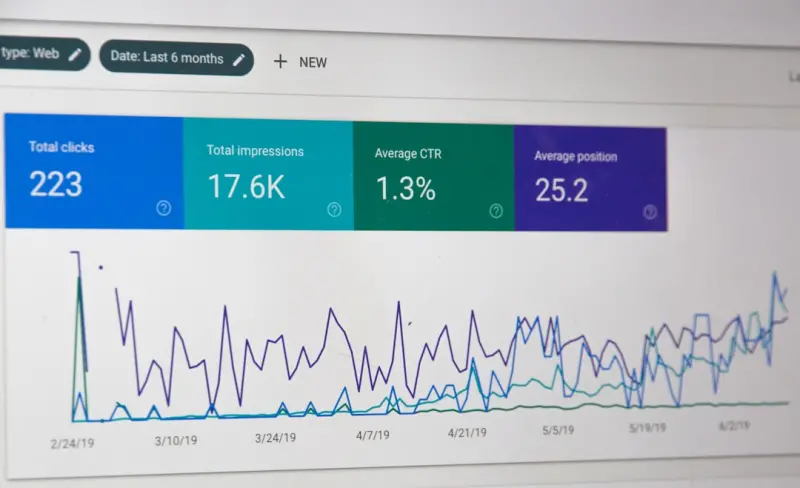
Local SEO is data‑driven. Set up separate Google Search Console properties for each sub‑domain or sub‑folder (e.g., example.com/auckland) so you can track impressions, clicks, and average position by location. Combine this with Google Analytics’ “Geography” reports to see which locations are delivering the highest conversion rates.
Key KPIs to monitor:
- Local Pack impressions per location
- Organic traffic to localized landing pages
- Click‑through rate (CTR) from GBP listings
- Number of location‑specific reviews and average rating
- Leads generated from each location (track via UTM parameters)
Run quarterly experiments—swap headline copy, test schema variations, or adjust NAP formatting—and record the impact. Over time, you’ll build a playbook that tells you exactly which levers move the needle for each market.
Case Study Snapshot: Turning a Small Office into a Lead Engine
When our Melbourne office opened, it was a modest 10‑person team handling APAC support. Within six months of applying the framework above, we achieved:
- +78 % increase in organic sessions to the
/au/melbournelanding page - Top‑3 ranking for “SaaS support Melbourne”
- 15 new qualified inbound leads per month, each with a 22 % higher conversion rate than generic traffic
- A 4.7‑star rating from 34 localized reviews, boosting trust among APAC prospects
The secret? Pairing a well‑optimized GBP with a hyper‑targeted landing page and a steady flow of local testimonials. It proved that even a small footprint can punch above its weight in local search.
Future‑Proofing: AI‑Powered Local Search and Voice
Google’s AI models are getting better at interpreting “near‑me” intent in conversational queries. While our Hyperlocal SEO Playbook already touches on voice search, the next wave will involve:
- Personalized SERP results based on the user’s known preferences and past interactions with your brand.
- AI‑generated FAQ snippets that pull directly from your localized knowledge bases.
- Real‑time availability data—think “Is the Toronto support team available now?”—exposed via structured data.
To stay ahead, start feeding location‑specific FAQ content into your help center, and map that content to schema FAQPage. The more signals you provide, the better Google can match your office to a user’s intent.
Putting It All Together: A Checklist for SaaS Leaders
- Audit every physical location and create a GBP.
- Publish a dedicated, SEO‑optimized landing page per office.
- Implement
LocalBusinessandServiceschema with precise service‑area data. - Launch a systematic review collection program for each location.
- Interlink all local pages to a central “Our Offices” hub.
- Track local KPIs in Search Console and Analytics, and run quarterly experiments.
- Future‑proof with AI‑ready FAQs and real‑time availability schema.
When you treat each office as its own mini‑brand while keeping the overarching SaaS narrative intact, you unlock a network of micro‑traffic sources that collectively drive massive, sustainable growth.
Final Thought
Local SEO isn’t a side project; it’s a strategic layer that turns every physical address you own into a discovery engine. By systematically optimizing Google Business Profiles, localized pages, schema, and reviews, SaaS companies can dominate “near‑me” queries, capture high‑intent prospects, and build regional trust—all without compromising the global brand story.

Meghan Morris is not just a freelance writer - she is a force to be reckoned with in the world of writing. When Meghan isn't immersed into her writing, she dedicates her time and energy to her role as an Activation Coordinator. Apart from her writing and career, Meghan is also a passionate traveler and a self-proclaimed movie lover.
Related Posts
Zero‑Click Local Search: Winning Strategies for SaaS
Learn how SaaS brands can capture zero‑click local search traffic through hyper‑local landing pa... Read More

Hyper‑Local Community Partnerships: The Untapped SEO Gold Mine
Learn to turn community events, local influencers, and niche review sites into a hyper‑local SEO s... Read More

The Neighborhood Advantage: Turning Local Search into Sustainable Growth
Learn how to transform local search into a powerful growth engine for SaaS with hyperlocal landing p... Read More
Top Posts

Google Discover SEO: A Hidden Growth Engine for SaaS
Discover how SaaS marketers can turn Google’s AI‑driven feed into a powerful acquisition channel by focusing on entity‑driven topics, compelling visuals, ...Read More
Zero‑Click Local Search: Winning Strategies for SaaS
Learn how SaaS brands can capture zero‑click local search traffic through hyper‑local landing pages, LocalBusiness schema, and strategic community partnersh...Read More

The Intent‑First Blueprint: Turning User Purpose Into Google SEO Success
Learn why shifting to an intent‑first approach is the secret to sustainable Google SEO success, with practical steps and real‑world case studies....Read More

Decoding Google’s Passage Indexing: Micro‑Content Strategies for Modern SEO
Explore Google’s passage indexing, understand its impact on rankings, and get practical steps to turn every paragraph into a searchable micro‑content asset....Read More
0 Comments
Post Comment
You will need to Login or Register to comment on this post!