

Why Crawl Budget Is the Silent Killer of Massive eCommerce Catalogs
When you’re running an online store with tens of thousands of SKUs, you quickly discover that Google’s crawler isn’t your best friend by default. It will happily skim a handful of product pages, then move on, leaving the rest of your catalog in the SEO shadows. This isn’t a “bad luck” problem—it’s a resource allocation issue known as crawl budget. If you don’t actively manage it, you’ll waste precious visibility, miss out on long‑tail traffic, and watch competitors outrank you on products you thought were “indexed.”
What Exactly Is Crawl Budget?
Crawl budget is the combination of two metrics Google uses to decide how often and how deeply to crawl your site:
- Crawl Rate Limit – the maximum number of requests Googlebot can make per second without overloading your server.
- Crawl Demand – how much Google wants to recrawl your pages based on freshness, popularity, and link equity.
For a boutique store with a few hundred products, the default settings are usually sufficient. For a marketplace with 50k+ items, however, you need a strategy to signal which pages matter most and which can safely sit in the crawl queue.
Mapping Your Catalog: Prioritization by Business Value
Start by classifying every product page into one of three tiers:
- High‑Value: Best‑sellers, seasonal hits, and items with strong inbound links.
- Mid‑Value: New arrivals, moderate traffic, or products with emerging review volume.
- Low‑Value: Out‑of‑stock items, discontinued SKUs, or deep‑link pages with negligible traffic.
Use analytics (Google Analytics, Shopify/HubSpot reports) to assign a “score” based on conversion rate, average order value, and organic impressions. This data-driven tier system will become the backbone of your crawl budget plan.
Technical Foundations: Clean URL Structures and Pagination
Messy URLs and infinite pagination are crawl‑budget vampires. Ensure your URLs are as simple as possible—avoid query strings for product pages. Implement rel="canonical" tags on paginated series to consolidate link equity. Where you have /category/page/2/ and so on, use rel="next" and rel="prev" to help Google understand the sequence without treating each page as a separate content silo.
Don’t forget to de‑duplicate content. If the same product appears under multiple categories, use canonical tags or noindex on the less important variant. This prevents Google from wasting crawls on identical pages.
Leverage XML Sitemaps with Priority Signals
XML sitemaps are still a powerful way to tell Google where to go first. Instead of a monolithic sitemap that lists every SKU, create multiple sitemaps segmented by tier. Assign a higher <priority> value (e.g., 1.0) to high‑value sitemaps and a lower value (e.g., 0.3) to low‑value ones. Remember to keep each sitemap under 50,000 URLs or 50 MB—Google’s limits.
For even finer control, add <lastmod> dates that reflect real updates (price changes, new reviews). Fresh timestamps signal that a page deserves a fresh crawl, nudging it higher in the crawl demand queue.
Robots.txt: The Unsung Hero of Crawl Budget Management
Most eCommerce platforms ship with a robots.txt that blocks everything except the home page and a few core sections. While this protects thin content, it can inadvertently block product pages you actually want indexed. Audit your robots.txt regularly:
- Allow
/products/directories for high‑value items. - Disallow
/search/query parameters that generate endless duplicate pages. - Block
/admin/,/checkout/, and any session‑ID URLs.
When in doubt, use the Semantic Taxonomy & Faceted Navigation post as a reference for handling filter parameters without sacrificing crawl efficiency.
Dynamic Rendering and Server‑Side Rendering (SSR)
If you rely heavily on JavaScript to render product details, Google may struggle to see the full content, leading to wasted crawls on empty shells. Implement server‑side rendering or dynamic rendering for bots. This ensures that when Googlebot requests a product URL, it receives the fully populated HTML, satisfying crawl demand and reducing the need for repeat crawls.
For headless setups, the Headless & Jamstack guide offers practical tips on balancing performance with SEO visibility.
Prioritize Structured Data Over Meta Chaos
Product schema markup (JSON‑LD) is a low‑effort, high‑return way to tell Google exactly what a page represents: price, availability, review rating, and SKU. When Google sees rich results appearing for a product, it signals that the page is valuable, prompting more frequent crawls. However, avoid over‑loading every variant with duplicate schema; instead, focus on top‑selling SKUs and those with significant review counts.
Monitor Crawl Stats in Google Search Console
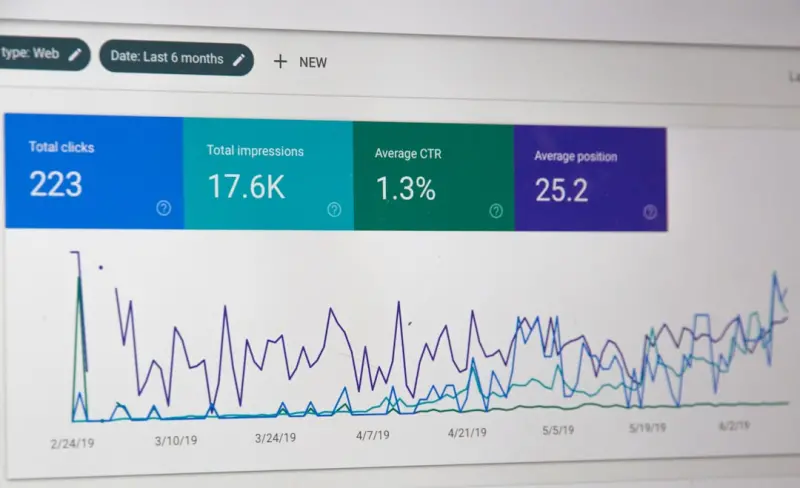
Search Console’s “Crawl Stats” report reveals how many requests Googlebot made, how many were blocked, and the average response time. Set up alerts for spikes in “Crawl Errors” or a sudden drop in “Crawl Budget.” If you notice that only 30% of your catalog is being crawled, revisit your sitemap segmentation and robots.txt directives.
Combine this data with the “Coverage” report to identify pages that are “Crawled – currently not indexed.” Often, the cause is thin content or duplicate URLs—both solvable with the tactics outlined above.
Content Refresh Strategies for Low‑Value Pages
Low‑value pages aren’t dead—they’re just low priority. To bump them into the crawl queue without sacrificing resources, schedule periodic content refreshes:
- Add a “Recently Viewed” widget that injects fresh user‑generated content.
- Update the meta description with current promotions.
- Rotate user reviews or Q&A snippets.
Even a minor <lastmod> change can signal Google to revisit the page, keeping it alive in the index without demanding a full crawl of the entire catalog.
Link Equity Distribution: Internal Linking as a Crawl Guide
Internal links are the highways that guide crawlers. Ensure that high‑value product pages are linked from prominent locations: homepage feature carousels, category landing pages, and blog posts. Use breadcrumb navigation consistently—Google loves breadcrumb trails for both usability and crawl efficiency.
A practical tip: create a “Top 100 Products” hub page that links to each high‑value SKU. This not only distributes link equity but also tells Google which pages deserve frequent attention.
Testing and Iteration: A Data‑First Mindset
SEO is never a set‑and‑forget discipline. After implementing the above changes, track the following KPIs for at least 30 days:
- Increase in indexed product pages (Search Console > Index Coverage).
- Reduction in “Crawl Errors” and “Blocked Resources”.
- Organic traffic lift on high‑value SKUs (Google Analytics > Acquisition > Search Console).
- Improved click‑through rates from rich results (Search Console > Performance > Rich Results).
If any metric stalls, revisit the tiering system, adjust sitemap priorities, or fine‑tune your robots.txt. The key is continuous, data‑driven optimization.
Conclusion: Turn Crawl Budget Into a Competitive Advantage
For eCommerce brands with massive catalogs, crawl budget isn’t just a technical footnote—it’s a strategic lever. By cleaning up URLs, segmenting sitemaps, employing smart robots.txt rules, and feeding Google high‑value signals through structured data and internal linking, you transform a potential bottleneck into a growth engine. The result? Faster indexing of your best products, richer SERP appearances, and ultimately, more organic sales without spending a single penny on ads.

Ryan Stuart is a seasoned freelance features writer, editor, and professional photographer with a passion for exploring the world and capturing its beauty through words and images.
Related Posts

Dynamic Landing Pages: Personalization Meets SEO in eCommerce
Dynamic landing pages blend real‑time personalization with solid SEO foundations, turning generic ... Read More
Customer Reviews: The Hidden SEO Engine Every eCommerce Site Needs
Learn how to capture, structure, and amplify customer reviews to fuel eCommerce SEO, from schema mar... Read More

Unlocking the SEO Power of User‑Generated Content for eCommerce Growth
Learn how to turn customer reviews, photos, and questions into powerful SEO assets that rank higher,... Read More
Top Posts

The Intent‑First SEO Playbook: Winning Google’s Evolving Algorithms
Discover how an intent‑first approach—combining search intent mapping, E‑E‑A‑T, technical foundations, and data‑driven link building—can future‑...Read More

Mobile SEO Reimagined: Harnessing In‑App Browsers, PWAs, and Structured Data for SaaS Growth
This post explores a fresh Mobile SEO strategy for SaaS, focusing on in‑app browsers, progressive web apps, mobile‑first structured data, and micro‑moment...Read More

First‑Party Data: The New Currency Driving Smarter SEM for SaaS
Learn why first‑party data is the most reliable signal for SaaS paid search, how to build a data‑driven SEM engine, and practical tips for integrating AI, a...Read More

When Search Gets Smart: Harnessing Generative AI for Enterprise Discovery
Traditional keyword search struggles with modern, dynamic corpora. This post dives into how generative AI and hybrid retrieval pipelines can deliver contextual,...Read More
0 Comments
Post Comment
You will need to Login or Register to comment on this post!