
Why Visual Search Is No Longer a Niche for SaaS Brands
When I first heard about Google Lens and Apple’s Live Text feature, my gut reaction was “nice gimmick, but who’s actually searching with pictures?” Fast forward a few months, and the data is undeniable: visual search queries have surged by double‑digit percentages across the major platforms. For SaaS companies that have historically chased keywords, backlinks, and core web vitals, this is a wake‑up call. The search engine is learning to see your product just as well as it reads your copy.
The Technical Foundations: How Search Engines Interpret Images
Under the hood, modern crawlers run sophisticated computer‑vision models. They extract:
- Object recognition – identifying logos, UI elements, and product screenshots.
- Contextual cues – understanding surrounding text, alt attributes, and surrounding HTML tags.
- Metadata signals – EXIF data, schema.org image objects, and JSON‑LD snippets.
If any of these signals are missing or weak, the engine defaults to treating the image as “unreadable fluff.” In practice, this means that a beautifully designed SaaS dashboard screenshot can become a traffic magnet—if you give the search engine the right clues.
Step 1: Auditing Your Existing Visual Assets
Before you start building a visual SEO strategy from scratch, take stock of what you already have:
- Product screenshots – Typically scattered across blog posts, help center articles, and marketing landing pages.
- Explainer videos – Thumbnails and keyframes are often overlooked but can be repurposed as static images.
- Infographics and data visualizations – These are high‑value assets that already convey complex information.
Run each asset through a structured data audit. Look for missing ImageObject schema, absent alt text, and improperly sized files that could hurt page speed.
Step 2: Optimizing Alt Text for Intent, Not Just Description
Alt text has historically been a blunt instrument: “screenshot of dashboard.” That’s helpful for accessibility, but it tells the crawler nothing about user intent. Shift the mindset:
- Identify the search intent behind the visual query. Are users looking for “project management dashboard example” or “how to set up a kanban board in SaaS X?”
- Craft concise, intent‑rich alt text. Example:
alt="Kanban board view in SaaS X showing task progress for agile teams". - Include relevant keywords naturally, but avoid stuffing.
Remember, alt text is also read aloud by screen readers, so keep it user‑first.
Step 3: Leveraging Image Sitemaps and Indexing Controls
Google provides an image sitemap format that lets you prioritize high‑value visuals. Include the following fields:
<url>
  <loc>https://example.com/product-dashboard</loc>
  <image:image>
    <image:loc>https://example.com/images/dashboard.png</image:loc>
    <image:title>Kanban board dashboard</image:title>
    <image:caption>Live view of task progress for agile teams</image:caption>
  </image:image>
</url>
Pair this with robots.txt directives to block low‑quality thumbnails while allowing premium assets to be crawled.
Step 4: Turning Product Videos into Visual SEO Gold
If you’ve already invested in video content, you’re sitting on a treasure trove of still frames that can dominate image search. Extract key frames—especially those that highlight unique UI components or data visualizations—and treat each as a standalone asset. For each frame:
- Assign a descriptive filename (e.g.,
saas-x-kanban-board-overview.png). - Write an alt tag that mirrors the video’s transcript segment.
- Wrap it in
<figure>tags with a<figcaption>that includes a short, keyword‑rich summary.
This approach not only boosts image SEO but also reinforces the video’s relevance in the video‑centric ranking signals that Google now values.
Step 5: Structured Data for Visual Assets
Google’s Rich Results documentation encourages the use of ImageObject schema to surface images directly in SERPs. For SaaS, a practical implementation looks like this:
{
  "@context": "https://schema.org",
  "@type": "Product",
  "name": "SaaS X Project Management",
  "image": [
    {
      "@type": "ImageObject",
      "url": "https://example.com/images/dashboard.png",
      "caption": "Kanban board dashboard for agile teams",
      "representativeOfPage": true
    },
    {
      "@type": "ImageObject",
      "url": "https://example.com/images/reporting.png",
      "caption": "Real‑time analytics report in SaaS X"
    }
  ]
}
Embedding this JSON‑LD on your landing pages tells the crawler exactly which visuals to surface, and it gives you a shot at the coveted “image carousel” feature that appears above the organic results.
Step 6: Mobile‑First Visual Performance
Core Web Vitals already dominate the SEO conversation, but visual assets have a direct impact on those metrics. Large, uncompressed images can spike Largest Contentful Paint (LCP) and drag down your Cumulative Layout Shift (CLS). Follow the guidelines from the Core Web Vitals playbook:
- Serve next‑gen formats (WebP, AVIF) for all screenshots.
- Implement
srcsetandsizesattributes to deliver appropriately sized images for each viewport. - Lazy‑load non‑critical visuals while keeping above‑the‑fold assets eager‑loaded.
By keeping visual load times sub‑second, you protect both the user experience and the ranking signals that Google’s AI models weigh heavily.
Step 7: Building a Visual Content Calendar
Just as you schedule blog posts around keyword opportunities, plan visual assets around product releases, feature rollouts, and industry events. A simple calendar template:
| Month | Visual Asset | Target Query | Distribution Channel |
|---|---|---|---|
| January | New dashboard screenshot | “SaaS X dashboard UI 2024” | Blog + Product page |
| February | Infographic on AI‑driven analytics | “AI analytics SaaS visual guide” | LinkedIn carousel |
| March | Video frame of onboarding wizard | “SaaS onboarding flow example” | Help center + FAQ |
Each entry should include a brief note on the schema markup you’ll add, the alt text strategy, and the performance goals
Step 8: Measuring Visual Search Success
Traditional SEO tools still lag behind when it comes to visual search metrics, but a combination of signals can paint a clear picture:
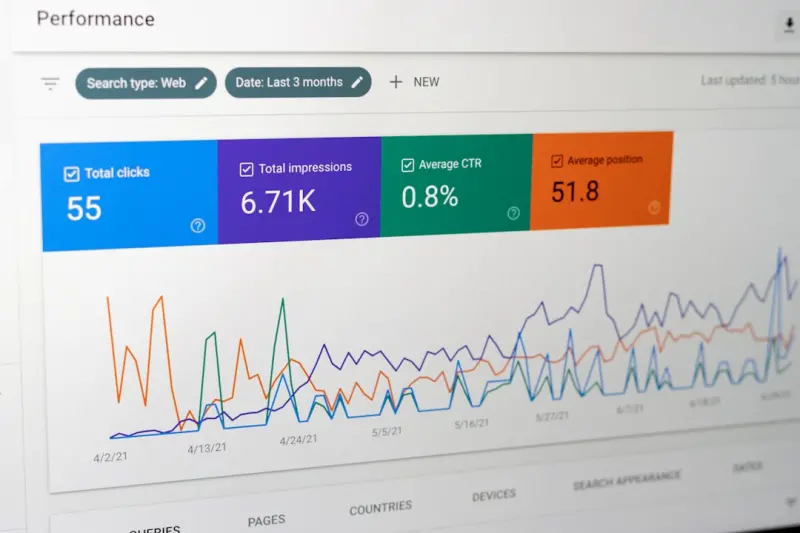
- Google Search Console – “Performance”: Filter by “Image” to see clicks, impressions, and average position for your assets.
- PageSpeed Insights: Track LCP and CLS specifically for pages heavy on images.
- Heatmap tools (e.g., Hotjar, FullStory): Observe how users interact with visual elements—do they click the image to enlarge? Do they scroll past?
- Referral traffic from visual platforms: Pinterest, Instagram, and even TikTok can act as image search engines for niche SaaS audiences.
Set quarterly benchmarks (e.g., “increase image impressions by 30 %”) and iterate based on data.
Step 9: Future‑Proofing with Generative AI Image Creation
OpenAI’s DALL‑E, Adobe Firefly, and other generative tools are already being used to create on‑the‑fly visual assets. For SaaS, this opens two opportunities:
- Dynamic, data‑driven screenshots that update automatically with your latest UI changes, ensuring visual consistency without manual redesign.
- Custom illustrations for niche use‑cases (e.g., “How a fintech SaaS visualizes risk scores”).
When you adopt AI‑generated images, treat them like any other visual asset: add alt text, schema, and performance optimizations. In fact, the novelty of AI‑generated visuals can earn you additional featured image placements in SERPs, especially as Google experiments with AI‑enhanced search results.
Wrapping It All Up: From Pixels to Rankings
Visual search isn’t a passing fad—it’s a structural shift in how users discover software solutions. By auditing your existing images, enriching them with intent‑focused alt text and robust schema, and ensuring they meet mobile performance standards, you lay a foundation that aligns with both human users and the AI‑driven crawlers of tomorrow. The payoff? A new traffic channel that bypasses traditional keyword competition, drives qualified leads, and showcases your SaaS product in a way text alone never could.
So, the next time you’re polishing a product screenshot for a demo deck, ask yourself: “Will this image help a search engine see my solution?” If the answer is yes, you’ve just added another brick to your visual SEO skyscraper.

William Roy is a freelance writer originally from Montreal who moved to Ottawa with his wife of 50 years to be closer to their grandkids. Alongside his writing, William has a passion for fishing.
Related Posts

Multimodal Search & Privacy‑First SEO: The New Playbook for SaaS Growth
Google’s shift to multimodal, privacy‑first search means SaaS marketers must atomize content, le... Read More

Intent‑First SEO: The Latest Wave Shaping Search Strategy
Discover why Intent‑First SEO is the new compass for marketers, how it transforms link building, a... Read More

AI‑Generated Content Detection: Why Authenticity Is the New SEO Superpower
Google’s new authenticity signals are changing SEO. Learn how to safeguard your content, avoid pen... Read More
Top Posts

Mobile SEO Mastery: From Core Web Vitals to Voice Search
Explore cutting‑edge mobile SEO strategies, from adaptive images and edge caching to voice search optimization, to future‑proof your site’s rankings and u...Read More

Turning Thought Leadership into SEO Gold for SaaS
Discover a step‑by‑step framework for turning deep‑dive, data‑rich articles into ranking assets that boost authority, organic traffic, and high‑qualit...Read More

Trending SEO News: Rose DesRochers Decodes 2024’s Biggest Shifts
Rose DesRochers unpacks 2024’s SEO breakthroughs, offering actionable insights on AI, intent, and authority for marketers ready to surf the Google wave....Read More

The Hidden Edge: How AI Search Can Transform SaaS Customer Journeys
AI search is more than a fancy feature—it's a strategic lever that shortens onboarding, slashes support volume, and nudges users toward premium upgrades by de...Read More
0 Comments
Post Comment
You will need to Login or Register to comment on this post!