

Mobile users are no longer just tapping screens; they’re talking to their devices. Voice assistants like Siri, Google Assistant, and Alexa have become the default way many professionals search for solutions while on the move. For SaaS marketers, this shift creates a hidden goldmine: if your product can answer spoken queries, you own the moment when a prospect’s voice turns into a click‑through. In this post I’ll walk you through a pragmatic, voice‑first mobile SEO strategy that turns “Hey, what’s the best CRM?” into a qualified lead for your SaaS platform.
Why Voice Search Is the Missing Piece in Mobile SEO
Even though Mobile‑First SEO has been championed for its focus on responsive design and speed, the rise of conversational queries adds a layer of complexity that most checklists ignore. Voice queries are typically longer, more natural‑language oriented, and heavily intent‑driven. A user might ask, “Which project‑management tool integrates with Slack for remote teams?” – a question that combines product type, integration need, and workflow context.
These “long‑tail” queries represent high‑intent traffic. When you rank for them, you’re not just getting a click; you’re getting a prospect who has already articulated their problem out loud. That’s a conversion‑ready audience you can’t afford to miss.
Understanding the Voice Search Funnel
Voice search doesn’t replace the traditional funnel; it reshapes it. Here’s a quick visual of the new flow:
- Trigger: User activates the assistant while commuting, in a meeting, or multitasking.
- Query Formation: Natural, conversational language with question words (who, what, how, why).
- Result Delivery: The assistant surfaces a featured snippet, a local pack, or a direct answer.
- Action: User clicks the link, calls a number, or asks a follow‑up question.
Each stage demands a different SEO tactic. The good news? Most of these tactics overlap with proven mobile SEO practices, so you’re not building a whole new strategy from scratch.
Step 1: Conduct Voice‑Centric Keyword Research
Traditional keyword tools still work, but you need to tweak the approach. Start by adding question words and conversational modifiers to your seed terms. For example:
- “How to…”, “What is…”, “Best way to…”, “Why does…”, “Can I…”
- Location or device context: “on my iPhone”, “while traveling”, “in a coffee shop”.
Leverage tools like AnswerThePublic, AlsoAsked, or the “People also ask” box in Google Search to surface real user questions. Export the list, then map each query to a specific piece of content you already own or a new page you’ll create.
Step 2: Optimize Content for Conversational Answers
When a voice assistant pulls an answer, it typically reads the first paragraph of a page or a featured snippet. To increase the odds of being selected, structure your content in a Q&A format:
- Headline as a question:What is the best way to automate onboarding?
- Answer in 40–50 words: Directly below the headline, provide a concise, value‑driven answer.
- Supporting details: Follow up with bullet points, examples, and a call‑to‑action.
Don’t forget to sprinkle the exact phrasing of the query within the first 100 words. Search engines treat that as a strong relevance signal for spoken results.
Step 3: Leverage Structured Data for Voice‑Ready Snippets
Schema markup is the secret sauce that tells search engines what your content means. While you may already be familiar with FAQ and How‑To schemas, voice assistants favor the Speakable schema, which explicitly flags text that can be read aloud. Here’s a quick implementation guide:
- Identify the most important sentences on the page—usually the answer paragraph.
- Wrap them in a
<script type="application/ld+json">block using the “SpeakableSpecification”. - Validate with Google’s Rich Results Test.
For SaaS pages, you can also combine Semantic SEO techniques to reinforce entity relationships (product name, brand, industry) that voice assistants rely on to deliver accurate answers.
Step 4: Prioritize Mobile Core Web Vitals
Voice assistants care about speed just as much as any mobile user. A sluggish page will be penalized, and the assistant may skip it for a faster alternative. Focus on:
- LCP (Largest Contentful Paint): Aim for under 2.5 seconds.
- FID (First Input Delay): Keep it below 100 ms.
- CLS (Cumulative Layout Shift): Target less than 0.1.
Optimizing these metrics not only improves voice search eligibility but also boosts overall mobile SEO performance.
Step 5: Create Mobile‑First, Voice‑Friendly Landing Pages
Instead of generic blog posts, design micro‑landing pages that address a single spoken query. These pages should be:
- Lightweight (< 500 KB total weight).
- Responsive with clear, tappable CTAs.
- Equipped with a short video or GIF that auto‑plays muted—studies show that visual confirmation can increase click‑through from voice results.
Because the user arrived via voice, they’re likely on the go. Make the next step (sign‑up, demo request, trial) achievable in three taps.
Step 6: Build an Audio Content Ecosystem
Beyond written answers, consider podcasts, audio snippets, and even in‑app voice assistants. When Google indexes a podcast episode, it can surface the transcript in voice results. Repurpose existing webinars or case studies into short audio clips, then publish them on platforms like Spotify and Apple Podcasts with SEO‑optimized titles.
Link back to your core SaaS pages from the podcast show notes. This not only creates inbound links but also signals authority for the spoken topics you want to rank for.
Step 7: Track Voice Search Performance
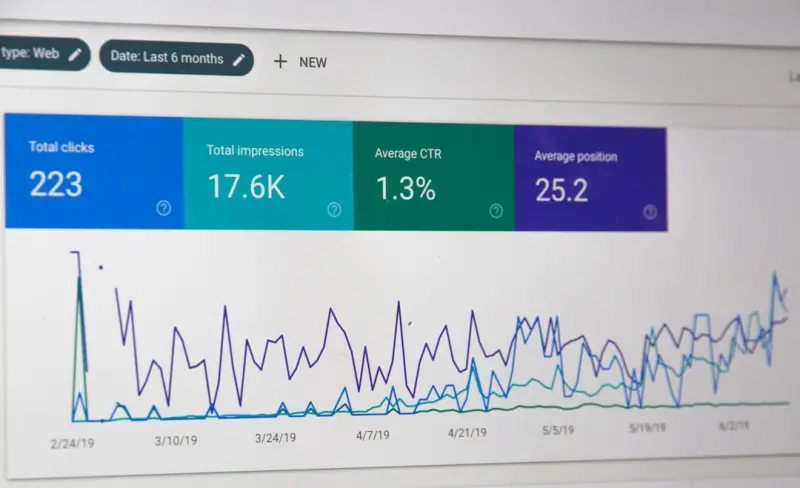
Voice traffic is still a niche in analytics dashboards, but you can approximate it by monitoring “question” queries in Google Search Console and filtering for “position 0” (featured snippets). Additionally, set up UTM parameters that include utm_source=voice to isolate traffic in your attribution model.
Look for patterns: which queries drive the highest conversion rate, which content formats get the most clicks, and where you’re losing users (high bounce, low dwell). Use these insights to refine your content and schema.
Step 8: Future‑Proof with AI‑Generated Voice Assistants
AI assistants are evolving from simple Q&A to contextual conversation. The next wave will involve multi‑turn interactions, where the assistant asks follow‑up questions to narrow down options. To stay ahead:
- Map out conversational trees for your top use cases.
- Provide JSON‑LD that outlines possible follow‑ups (e.g.,
QuestionAnswerschema with multiple related questions). - Integrate your knowledge base via APIs so that the assistant can fetch real‑time data (pricing, availability).
Investing in this infrastructure now positions your SaaS brand as the go‑to answer when AI assistants become the primary search interface for professionals.
Real‑World Example: Turning a Pricing Page into a Voice Magnet
Imagine a prospect asking, “What’s the cost of a SaaS CRM for a team of ten?” If your pricing page uses clear headings like “Pricing for Teams of 5‑10 Users” and includes a Speakable schema highlighting the exact price, the voice assistant can read the answer directly. By pairing this with a fast‑loading, mobile‑optimized layout, you capture the user’s intent at the exact moment they’re evaluating cost—turning a spoken question into a trial signup.
Putting It All Together: A 30‑Day Sprint
Here’s a quick roadmap to get you from zero to voice‑ready in a month:
- Week 1: Audit existing content for voice potential, identify top 20 conversational queries.
- Week 2: Create or revamp 10 micro‑landing pages with Q&A format and Speakable schema.
- Week 3: Optimize Core Web Vitals on those pages, add structured data, and publish a short podcast episode per query.
- Week 4: Deploy UTM tracking, monitor Search Console for featured snippets, and iterate based on performance.
At the end of the sprint, you’ll have a dedicated voice SEO layer that feeds directly into your broader mobile and content strategy.
Key Takeaways
- Voice search is the natural extension of mobile SEO—treat it as an additional SERP format.
- Focus on conversational, question‑based content and concise answers.
- Implement Speakable and other schema types to signal voice‑readiness.
- Speed and mobile‑first performance remain non‑negotiable.
- Track voice performance through featured snippet data and custom UTM parameters.
- Start small, iterate fast, and align voice SEO with your overall SaaS growth goals.
When you master the art of being heard on mobile, you don’t just win clicks—you win the ear of the decision‑maker. And in B2B SaaS, that’s the most valuable lead you can capture.

David Moore is a freelance writer specializing in two dynamic and ever-evolving fields: gambling and the tech industry. With a keen eye for detail and a knack for unraveling complex topics, David delivers insightful and engaging content that keeps readers informed and entertained.
Related Posts

Turning Your Progressive Web App into a Mobile SEO Powerhouse
Explore a comprehensive guide on turning PWAs into mobile SEO assets, covering technical setup, perf... Read More

Unlocking Mobile SEO with a Progressive Web App Mindset
Learn to treat your site as a Progressive Web App, optimize Core Web Vitals, and leverage mobile‑s... Read More

Turning PWAs into Mobile SEO Powerhouses for SaaS
Progressive Web Apps (PWAs) blend web speed with native app experiences, offering SaaS companies a p... Read More
Top Posts

Community‑First Link Building: Turning Conversations Into Authority
Discover a fresh, community‑centric approach to link building that moves beyond cold outreach. Learn practical tactics—co‑creation, repurposed success sto...Read More

Surf the 2024 Google SEO Wave: Rose DesRochers’ Insider Playbook for Intent, AI, and Authority
Rose DesRochers reveals how to dominate 2024 Google rankings by mastering user intent, responsibly leveraging AI, and building real authority—plus a step‑by...Read More

Gamified Outreach: Turning Link Building Into a Win‑Win Game
Explore a revolutionary link‑building method that uses points, badges, and leaderboards to turn outreach into an engaging game, driving higher‑quality backl...Read More
Zero-Click Search: Turning SERP Real Estate into Your Own Traffic Hub
Explore the rise of zero‑click search, learn tactics to dominate featured snippets and knowledge panels, and turn the SERP itself into a lasting source of bra...Read More
0 Comments
Post Comment
You will need to Login or Register to comment on this post!