
Why Your eCommerce SEO Strategy Needs a “Return‑Data‑First” Mindset
When most people think about eCommerce SEO, they picture keyword research, product‑page optimization, and a steady stream of backlinks. Those are important, no doubt. But what if I told you the most under‑leveraged goldmine lives in the data you usually try to hide: product returns, refunds, and post‑purchase churn?
As someone who’s spent the last decade turning messy data into growth stories, I’ve learned that every return tells a story about a missed SEO opportunity. By listening to those stories, you can reshape your content, your site architecture, and even your SERP presence. In this post I’ll walk you through a return‑data‑first framework that lets you surface the right pages at the right moment, reduce friction in the buyer’s journey, and ultimately boost organic revenue.
1. Map the eCommerce Funnel to Search Intent – Then Spot the Gaps
Most eCommerce sites think of the funnel as awareness → consideration → purchase → loyalty. SEO, however, is a parallel track that runs from the first Google query all the way to the post‑purchase search. If you only optimize the product‑detail pages, you’re missing the “post‑purchase” intent stage where customers search for “how to return a laptop charger” or “best warranty for a DSLR”. Those queries have commercial intent, low competition, and a built‑in audience already in your ecosystem.
Start by charting every touchpoint where a shopper might turn to Google after buying—or before deciding not to buy. Typical post‑purchase queries include:
- “How to register my warranty?”
- “Return policy for size‑large shoes”
- “Why does my blender smell after first use?”
- “Best accessories for X product”
Once you have that map, you’ll see clear opportunities to create SEO‑friendly content that answers those questions before a competitor does.
2. Mine Return & Refund Data for SEO Themes
Every time a shopper initiates a return, your order‑management system records a reason code. Those reason codes are a treasure trove of insight:
- Fit or Sizing Issues – Indicates a need for more detailed size guides, fit videos, or user‑generated Q&A.
- Product Not As Described – Signals gaps in your product copy or missing specifications.
- Defective or Damaged – Suggests you should highlight quality assurances, warranty details, or troubleshooting guides.
- Changed Mind – Often tied to price comparison searches or lack of confidence in the purchase.
Export the top 10 reason codes from the last quarter and turn each into a search‑intent‑driven content hub. For example, if “Fit or Sizing Issues” is the #1 reason for clothing returns, create a dedicated Fit Finder guide that combines:
- Dynamic size‑chart widgets.
- Short video clips showing the garment on different body types.
- Customer photos and reviews that talk about fit.
- FAQ schema (yes, even though we’ve covered schema elsewhere, the focus here is on leveraging it for a specific return‑driven use case).
Because these hubs are built directly from real‑world pain points, they rank fast and convert even faster.
3. Build a Seasonal Content Calendar Around Purchase Patterns
Most eCommerce teams schedule blog posts around holidays—Christmas, Black Friday, etc. That’s a start, but you can get far more precise by aligning content with when shoppers actually buy (and return) specific categories.
Use your sales data to identify peaks: perhaps outdoor gear spikes in early summer, while home‑office furniture climbs in September. Then, cross‑reference those peaks with return spikes. If you notice a surge in returns for “summer sandals” in late August, that’s a signal to publish a “How to Choose Sandals That Stay Comfortable All Day” guide in late July.
When you publish these pieces, optimize them for long‑tail queries like “best breathable sandals for hiking” or “how to break in new sandals without blisters”. Not only do you capture pre‑purchase traffic, you also set expectations that reduce post‑purchase returns.
4. Turn Site Search Data into SEO Gold
Internal site search is a micro‑search engine that reflects exactly what your shoppers are looking for. Export the top 20 search queries from your eCommerce platform and ask two questions:
- Do we have a dedicated landing page for this query?
- If not, can we create a SEO‑friendly page that answers it?
For instance, a query like “wireless charger for iPhone 12” might reveal that your product taxonomy lumps all chargers together. By creating a category page specifically for “iPhone 12 wireless chargers” and enriching it with reviews, specs, and comparison tables, you capture high‑intent traffic that would otherwise land on a generic page and bounce.
When you publish new category or guide pages, be sure to add internal links from your main navigation and related product pages—this spreads link equity and signals relevance to Google.
5. Leverage User‑Generated Q&A Without Duplicating Existing Content
Customer questions on product pages are often exactly the queries you want to rank for. Instead of letting them sit buried in a widget, extract them and turn each into a stand‑alone FAQ page. Use the question as the H1, and answer it with a concise, keyword‑rich paragraph followed by a bulleted list of steps or tips.
This approach does three things:
- Creates fresh, indexable content that targets long‑tail queries.
- Improves the perceived expertise of your site (E‑A‑T).
- Provides valuable data for your on‑page SEO checklist, ensuring each FAQ follows best practices for headings, meta tags, and schema.
Remember to keep the tone conversational—your shoppers appreciate hearing “real” voices more than corporate copy.
6. Optimize for “Zero‑Click” SERP Features—Even if You’re Not SaaS
Even though “Zero‑Click Search” is often discussed in a SaaS context, the principle applies to any eCommerce brand. Google’s answer boxes, product carousels, and “People also ask” sections can capture clicks that would otherwise go to your site.
To increase your chances of appearing in these features, structure your content with clear question‑answer pairs, use schema markup for product and FAQ, and keep answers under 50 words when possible. When you do appear, you still benefit from brand exposure and can funnel users to your site through zero‑click search strategies like “buy now” rich snippets.
7. Track Success with Intent Signals, Not Just Rankings
Traditional SEO metrics—rankings and organic traffic—are still important, but they don’t tell the whole story for eCommerce. Add these intent signals to your dashboard:
- Return Rate Reduction after publishing a fit guide or FAQ (measure the % drop in returns for that category).
- Average Session Duration on post‑purchase content (longer sessions indicate valuable information).
- Conversion Rate from Organic Queries that land on new content hubs (track via UTM parameters).
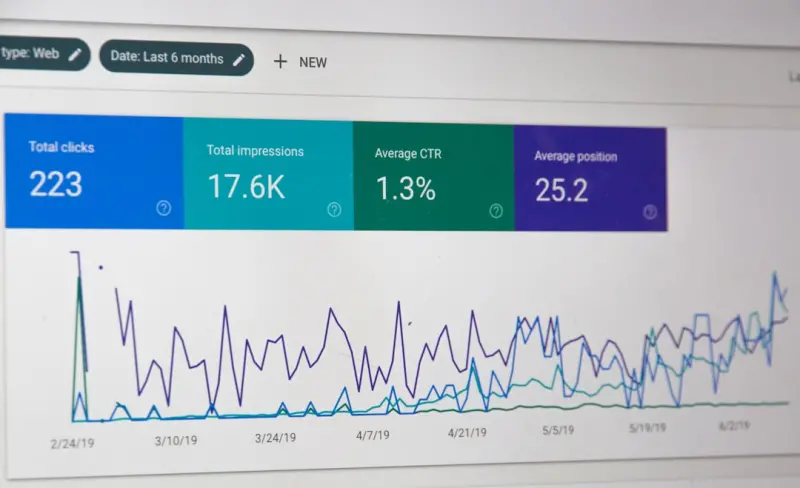
- Search Console “Pages with High Click‑through” that correspond to your return‑driven pages.
When you see a correlation between a new guide and a dip in returns, you’ve proven the ROI of SEO beyond the usual vanity metrics.
8. Quick Wins Checklist (Inspired by the SaaS On‑Page Checklist)
Here’s a concise, actionable list you can implement this week:
- Export the top three return reasons for each product category.
- Write a 500‑word guide for each reason, targeting a specific long‑tail query.
- Insert structured FAQ schema on every guide page.
- Update internal navigation to link to these new guides from related product pages.
- Publish a blog post announcing the new resource and share it on social channels.
- Monitor return rates and organic traffic for 30 days.
These steps leverage existing data, require minimal design work, and can start delivering results within a month.
9. The Bigger Picture: Turning Friction into Loyalty
When you address the reasons behind returns directly in search, you’re not just preventing a lost sale—you’re building trust. Shoppers who find a clear, helpful answer to “How do I return a pair of shoes?” are more likely to buy again, because they know you’ve got their back.
In the long run, that trust translates into higher lifetime value, more positive reviews, and a virtuous SEO loop: happy customers create more user‑generated content, which fuels more organic visibility, which brings in more customers who become loyal advocates.
So next time you stare at a spreadsheet full of return codes, don’t see it as a problem. See it as a map pointing straight to your next high‑impact SEO win.
Conclusion: Let Your Returns Speak for Your Rankings
SEO for eCommerce isn’t just about selling products; it’s about solving problems before they become problems. By flipping the script—using return and refund data as a primary research source—you can craft content that meets shoppers where they are, reduce churn, and climb the rankings with pages that truly satisfy search intent.
Start small, test, and iterate. The data is already in your back office; all you need is a willingness to listen.

Tammy French is a Montessori Teaching Assistant and freelance writer passionate about education, creativity, and inspiring lifelong learning through engaging content.
Related Posts

Voice‑First SEO: Turning Product Pages Into Conversational Checkout Engines
Discover a step‑by‑step strategy to make your eCommerce site voice‑ready, leveraging structure... Read More

Semantic Topic Clustering: Redefining eCommerce SEO for the Modern Shopper
Semantic topic clustering groups related content into authoritative hubs, helping search engines and... Read More

Voice & Visual Search: Redefining eCommerce SEO
A practical guide on adapting eCommerce SEO for voice assistants and visual search, featuring stepâ€... Read More
Top Posts
How Employee Spotlights Supercharge Neighborhood Rankings
Highlighting staff members with dedicated profile pages, authentic stories, and structured data can build trust, improve local search rankings, and increase inâ...Read More

Turn Your SaaS Onboarding Flow into an SEO Powerhouse
Learn to treat every step of your SaaS onboarding experience as searchable content. This guide shows you how to map intent, use structured data, leverage intern...Read More

Podcast Guesting: A Fresh Link Building Playbook
Learn why podcast guesting is a powerful, underutilized link building tactic and how to turn each interview into a cascade of high‑quality backlinks, traffic,...Read More

Decoding Google’s Search Generative Experience for SaaS Marketers
Google’s Search Generative Experience transforms the SERP into a conversational AI layer. This post walks SaaS marketers through the mechanics, practical cont...Read More
0 Comments
Post Comment
You will need to Login or Register to comment on this post!