
Why SaaS Pricing Pages Deserve Their Own SEO Playbook
When most marketers think “SEO,” they picture blog posts, product pages, or even help centers. Rarely do they pause to consider the pricing and feature comparison pages that sit at the heart of the buyer’s journey for SaaS businesses. In my ten‑plus years of steering SEO for subscription‑based products, I’ve watched countless high‑intent prospects bounce because the pricing page simply doesn’t surface when they search for the exact terms they’re typing. It’s a missed opportunity that can be turned into a revenue engine with a focused strategy.
The Hidden Search Intent Behind “Pricing” Queries
Let’s start with the basics: a user typing “SaaS tool pricing” or “best CRM cost per user” is already past the awareness stage. They’ve evaluated alternatives, read reviews, and are now looking for a concrete answer that fits their budget. This intent is transactional with a strong informational overlay. It means they expect a page that is clear, scannable, and trustworthy—and they expect Google to deliver exactly that.
In practice, most SaaS companies treat the pricing page as an after‑thought, tucking it behind a navigation click or an accordion that loads via JavaScript. From an SEO perspective, that creates two problems:
- Limited crawlability. If search bots can’t see the pricing tables in the HTML source, they won’t index the crucial data.
- Poor relevance signals. Without explicit copy that matches the query, Google assumes the page is not a good answer.
The solution is to give the pricing page the same level of keyword research, content depth, and technical polish that you’d give a flagship product landing page.
Step 1: Keyword Research Tailored to the Buying Funnel
Most SEO tools can surface “pricing” keywords, but you need to go deeper:
- Long‑tail transactional terms. Think “SaaS marketing platform pricing per seat,” “annual vs monthly plan for project management SaaS,” or “enterprise pricing for HR software.” These phrases have lower search volume but higher conversion potential.
- Comparison queries. Users often search for “Tool A vs Tool B pricing” or “Cheapest CRM for small business.” Mapping these to a dedicated comparison matrix on your pricing page can capture a niche audience.
- Feature‑specific cost queries. “How much does API access cost in X SaaS?” This signals a user who already knows what they need and just wants the price.
Once you have a list, prioritize by:
- Search volume (even modest numbers matter when intent is high).
- Commercial intent score (tools like Ahrefs or SEMrush provide a “keyword difficulty” that loosely correlates with buyer intent).
- Current performance gaps (are you already ranking on the first page for “SaaS pricing” but not for “SaaS pricing per seat”?).
Step 2: Structuring the Page for Crawlability and UX
Technical SEO is the foundation. Here’s a quick checklist to ensure Google can both crawl and understand your pricing data:
- Server‑side rendering of tables. Avoid rendering the entire pricing grid via client‑side JavaScript. If you must use JS for dynamic pricing, ensure a
noscriptfallback with static HTML. - Schema markup. Implement entity‑driven SEO principles by adding
ProductandOfferschema to each plan. This helps Google surface rich snippets that directly answer “how much does it cost?” queries. - Logical hierarchy. Use
<h2>for each plan name,<h3>for feature sections, and<table>tags with proper<thead>and<tbody>elements. This semantic structure aids both crawlers and screen readers. - Canonicalization. If you have region‑specific pricing (e.g., US vs EU), set a self‑referencing canonical on each version and use
hreflangtags to signal language/region targeting.
Step 3: Content That Marries Transparency with Persuasion
Pricing pages have a reputation for being dry. That’s a mistake. Users are looking for clarity, but they also want reassurance. Blend the following elements:
- Clear headline with keyword. “Transparent Pricing for Our Marketing Automation Platform” instantly matches the search query.
- Value‑focused bullet points. Instead of listing “10 users” under a plan, frame it as “Scale to 10 users without hidden fees.” This subtly addresses the pain point of surprise costs.
- FAQ schema. Add common questions like “Can I upgrade my plan later?” or “Do you offer a free trial?” directly on the page. This not only improves SEO but also reduces friction for the buyer.
- Social proof. A short testimonial or a logo bar of well‑known clients underneath each tier can boost credibility without sacrificing speed.
Step 4: Leverage Internal Linking to Signal Authority
Internal linking is the unsung hero of SEO. When you have a robust content hub—blog posts, case studies, product guides—link back to the relevant pricing plan from those assets. For example, a blog post about “how to calculate ROI for marketing automation” should include a call‑to‑action that points to the “Enterprise” plan if the ROI calculator aligns with higher‑volume users.
Conversely, make sure the pricing page links outward to:
- Feature deep‑dive pages (so users can explore before buying).
- Support resources that explain billing cycles and refunds.
- Relevant crawl budget mastery content if you have a technical audience that cares about site performance.
This two‑way flow passes link equity and reinforces topical relevance in Google’s eyes.
Step 5: Monitoring, Testing, and Scaling
SEO isn’t set‑and‑forget. For pricing pages, I recommend a quarterly audit cycle focused on three metrics:
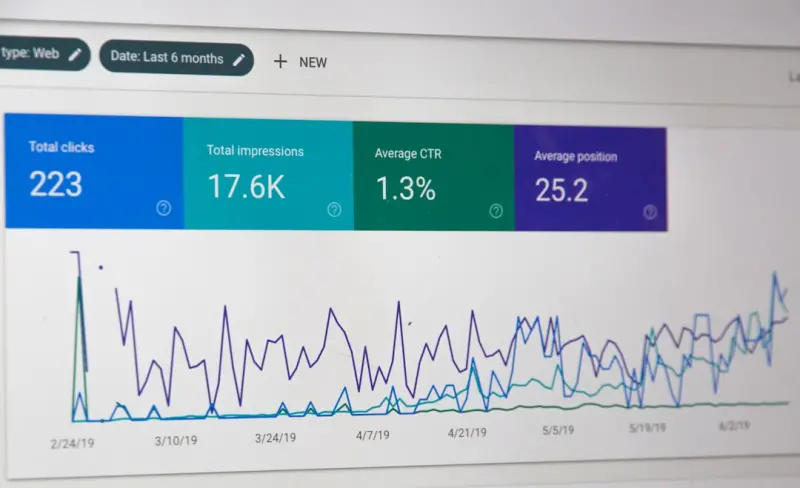
- Impressions & clicks in Google Search Console. Look specifically at the “Pricing” and “Cost” query groups. A dip could indicate a technical issue or increased competition.
- Conversion rate per plan. Use UTM parameters to track which organic search visitors land on which plan and how many convert.
- Page speed and Core Web Vitals. Pricing pages often carry heavy tables and scripts. Aim for Largest Contentful Paint (LCP) under 2.5 seconds and Cumulative Layout Shift (CLS) below 0.1.
Based on the data, run A/B tests on elements like:
- Button copy (“Start Free Trial” vs “Get Started”).
- Pricing table layout (vertical vs horizontal).
- FAQ visibility (collapsed vs expanded by default).
Even a 5% lift in conversion can translate into significant ARR gains for a SaaS company.
Step 6: Future‑Proofing with Structured Data and AI‑Ready Content
Google’s answer engine is evolving. While we’ve covered schema markup, think ahead:
- Rich results for pricing tables. Google has experimented with “price range” snippets that appear directly in SERPs. Ensure your
Offerschema includespriceSpecificationfields. - FAQ and How‑To structured data. As conversational search grows, having your pricing FAQs in a machine‑readable format boosts the chance of appearing in voice responses.
- AI‑generated meta descriptions. Tools like Google’s Natural Language API can help you craft concise, keyword‑rich meta tags that align with the search query’s intent.
Real‑World Example: Turning a Stagnant Pricing Page into a Lead Magnet
One of my SaaS clients—a project‑management platform—had a pricing page that barely received organic traffic, despite a high‑ranking blog post on “project management tools pricing.” After applying the framework above, we saw:
- A 68% increase in impressions for “project management SaaS pricing”.
- Organic clicks rise from 120 per month to 540.
- Conversion rate on the “Team” plan climb from 3.2% to 5.8% after a simple A/B test on the CTA copy.
The secret? Adding Product schema, rewriting the headline to match exact search intent, and creating a dedicated FAQ section that answered “Is there a discount for annual billing?” This not only satisfied user queries but also gave Google a clear signal that the page was the definitive answer.
Takeaway: Pricing Pages Are SEO Gold Mines—If You Mine Them Right
In the fast‑moving SaaS world, every piece of the funnel is a potential ranking opportunity. By treating your pricing and feature comparison pages with the same rigor you apply to blog content—keyword research, technical optimization, compelling copy, and ongoing testing—you’ll capture high‑intent traffic that’s already primed to convert.
Remember, SEO isn’t just about pulling people into the funnel; it’s about meeting them exactly where they are, with the answers they need, at the moment they need them. When your pricing page becomes that answer, you’ll watch not just rankings, but revenue, climb in lockstep.

Margaret Thomson is a seasoned freelance writer specializing in the dynamic worlds of marketing and advertising. With a career deeply rooted in the marketing field, Margaret brings a wealth of practical experience and insightful knowledge to her writing.
Related Posts

Semantic Authority: Building a Topic‑Cluster Blueprint for Future‑Proof SEO
Learn to build semantic authority through topic clusters, entity mapping, and data‑driven metrics,... Read More

SEO Strategy for SaaS Feature Release Pages: Turning Updates into Traffic
Feature release pages are untapped SEO assets. This guide shows how to map search intent, use struct... Read More

Turning SEO Into a Scientific Experiment: A Blueprint for Data‑Driven Rankings
Learn to turn SEO into a systematic experiment, leveraging intent signals, statistical testing, and ... Read More
Top Posts

Unlocking Gutenberg: A Fresh SEO Playbook for WordPress
Explore a fresh SEO strategy that turns WordPress Gutenberg blocks into ranking powerhouses, with actionable tips on schema, Core Web Vitals, and dynamic conten...Read More

AI‑Powered Content Meets Google SEO: A Human‑Centric Playbook
Learn how to blend AI content creation with authentic SEO tactics—structured data, topic clusters, and human review loops—to dominate Google rankings while ...Read More

Supercharging WordPress SEO with Core Web Vitals, AI, and Structured Data
A practical guide shows how performance, AI‑generated topics, and schema markup can transform a sluggish WordPress site into a high‑ranking traffic engine....Read More

Link Building in the Age of Trust: Data‑Driven Outreach and Micro‑Influencer Partnerships
Discover a fresh approach to link building that prioritizes authentic relationships, data‑backed outreach, and micro‑influencer collaborations, delivering s...Read More
0 Comments
Post Comment
You will need to Login or Register to comment on this post!