

Redesigning On‑Page SEO: From Ranking Tool to Revenue‑Generating Canvas
When I first started optimizing SaaS sites, the checklist was simple: sprinkle the target keyword, add a meta description, and hope the algorithm would reward the effort. Today, the landscape has shifted dramatically. Search engines are no longer just looking for the right terms; they’re evaluating the entire experience a visitor has on a page. In this article I’ll walk you through a fresh framework that treats on‑page SEO as a revenue‑generating canvas, where every element—copy, layout, visual cues, and trust signals—collaborates to move a prospect from curiosity to conversion.
1. Start with Intent Mapping, Not Keyword Matching
Most on‑page guides still begin with “find your primary keyword.” That approach is outdated. Instead, start by mapping the search intent of your ideal buyer personas to the stages of the SaaS buyer journey:
- Awareness: Users are exploring problems. Content should be educational, jargon‑free, and answer “What is X?”
- Consideration: Prospects compare solutions. Highlight differentiators, case studies, and feature‑benefit matrices.
- Decision: Buyers need reassurance. Use demos, pricing transparency, and social proof.
By aligning each page’s purpose with a specific intent, you can craft headlines, sub‑heads, and calls‑to‑action (CTAs) that feel natural rather than forced keyword stuffing. This intent‑first mindset also informs the semantic clusters you’ll build later—grouping related terms under a unified theme rather than targeting isolated keywords.
2. Semantic Clustering: The New Pillar‑Cluster 2.0
Traditional pillar‑cluster models separate a “pillar” page from its “cluster” articles with internal links. While still useful, modern on‑page SEO demands a tighter integration. Think of each page as a semantic hub that internally weaves together:
- Primary topic (the headline)
- Secondary concepts (sub‑headings, bullet points)
- Related FAQs (addressed in an accordion or schema‑enhanced block)
- Contextual links to deeper resources (e.g., case studies, API docs)
This approach satisfies Google’s entity‑recognition engines, which now reward pages that demonstrate depth and breadth around a concept. It also reduces the need for thin, isolated articles that compete against each other.
3. Design for Crawlability & Human Readability
Search bots and human visitors share a common need: a clear hierarchy. Use HTML5 semantic tags (<header>, <section>, <article>, <footer>) to define content blocks. Pair them with descriptive aria‑labels for accessibility. Not only does this improve crawl efficiency, but it also boosts the Core Web Vitals that Google monitors for user‑experience signals.
Example best practices:
- Header hierarchy: One
<h1>per page, followed by logical<h2>and<h3>tags that mirror the outline you’d use in a slide deck. - Lazy‑load non‑essential assets: Images, videos, and third‑party widgets should load after the main content, preserving
Largest Contentful Paint (LCP). - Responsive typography: Use relative units (rem, em) so text scales gracefully across devices, keeping
First Input Delay (FID)low.
4. Trust Signals as On‑Page SEO Assets
When a prospect lands on a SaaS product page, the biggest question is “Can I trust this solution?” Trust signals—customer logos, security badges, third‑party certifications—are no longer optional. They serve two SEO purposes:
- Engagement boost: Visitors linger longer, reducing bounce rate—a positive ranking factor.
- Schema relevance: Many trust signals can be wrapped in structured data that appears directly in SERPs.
Integrate them naturally into the page flow. For instance, place a “Featured In” carousel just below the hero, followed by a “Security & Compliance” section that lists ISO, SOC 2, and GDPR badges. Each badge should have an alt attribute describing the certification, adding both SEO value and accessibility compliance.
5. Microcopy Matters: The Hidden SEO Lever
Microcopy includes button labels, placeholder text, error messages, and tooltip content. Though small, these snippets are indexed by modern search engines and can rank for long‑tail queries. Craft microcopy that reflects user intent and includes natural language variations of your core terms.
Example:
- Button: “Start My Free Trial” vs. “Get Started Free” – both capture the “free trial” intent but cater to different phrasing.
- Form placeholder: “Enter your company domain (e.g., acme.com)” – this can surface for “company domain format” queries.
By treating microcopy as an SEO asset, you capture additional keyword impressions without cluttering the primary copy.
6. Leveraging User‑Generated Content (UGC) for Fresh Signals
Many SaaS brands shy away from comments or reviews on product pages, fearing spam. However, when moderated correctly, UGC adds:
- Fresh, naturally varied language that Google loves.
- Social proof that improves conversion rates.
- Long‑tail keyword coverage as users ask real‑world questions.
Implement a rel="ugc" attribute on user‑generated links and ensure a robust moderation workflow. Highlight top reviews in a <section> with a heading like “What Our Users Say”. This section can also be enhanced with FAQ schema, turning each review question into a potential rich snippet.
7. Internal Linking as a Conversion Funnel
Traditional internal linking focuses on passing link equity. While still important, SaaS sites benefit from a conversion‑centric internal link strategy:
- Contextual CTAs: Within body copy, link to a demo request page using anchor text that describes the action (“see a live demo of our analytics dashboard”).
- Breadcrumbs with intent: Instead of generic “Home > Features”, use “Home > Product > Analytics > Real‑time Dashboard”.
- Related‑content modules: At the end of a blog post, surface a “Deep Dive” link to a technical guide, nudging the reader deeper into the funnel.
Map these links in a spreadsheet, tracking both SEO metrics (click‑through rate, dwell time) and conversion metrics (lead form completions). Over time, you’ll see which internal pathways generate the highest qualified leads.
8. Page‑Level Core Web Vitals as Ranking & Revenue Drivers
Google’s Core Web Vitals are no longer a “nice‑to‑have.” They directly influence ad auction quality scores and organic rankings. Prioritize the following on‑page actions:
- Optimize LCP: Serve critical images via
srcsetand prioritize above‑the‑fold content withpreloadlinks. - Reduce CLS: Reserve space for dynamic elements (e.g., carousels) using CSS aspect‑ratio boxes.
- Minimize FID: Defer heavy JavaScript until after user interaction; consider server‑side rendering for interactive components.
Run regular audits with tools like PageSpeed Insights, but also monitor real‑user metrics in the Chrome User Experience Report (CrUX). A 0.2‑second improvement in LCP can translate to a measurable uplift in conversion rates for high‑traffic SaaS pages.
9. Content Freshness: The “Living Page” Concept
Instead of publishing a static product description that never changes, treat each key page as a “living document.” Schedule quarterly reviews to:
- Update feature lists with the latest releases.
- Swap out screenshots to reflect UI changes.
- Add new case studies or testimonials.
- Refresh micro‑copy based on emerging user language.
Each update sends a freshness signal to Google, while also keeping prospects aligned with your latest value proposition.
10. Measuring Success: SEO + Revenue Attribution
Finally, tie your on‑page SEO efforts directly to revenue outcomes. Use a combination of:
- Google Analytics 4: Set up custom events for CTA clicks, form submissions, and demo requests.
- CRM Integration: Pass UTM parameters into your lead database to attribute each contact to a specific page.
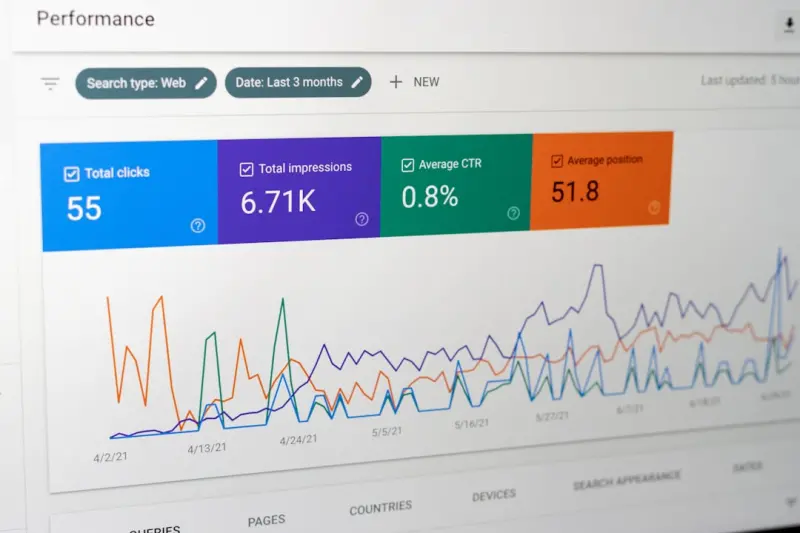
- Search Console Insights: Identify pages that receive high impressions but low clicks, then optimize meta tags and CTAs.
When you can prove that a specific on‑page change moved the needle on qualified pipeline, you’ll secure ongoing investment for further optimization.
Putting It All Together: A Quick Checklist
- Map each page to a specific buyer‑intent stage.
- Build semantic clusters within the page, not just across pages.
- Use clean HTML5 semantics and ARIA for accessibility.
- Integrate trust signals and micro‑copy that target long‑tail queries.
- Encourage moderated user‑generated content and apply FAQ schema.
- Design internal links to guide visitors through a conversion funnel.
- Achieve Core Web Vitals benchmarks for speed, stability, and interactivity.
- Schedule regular content refreshes to keep pages “alive.”
- Track SEO metrics alongside revenue‑impact KPIs.
By shifting the perspective from “rank‑first, convert‑later” to “optimize‑for‑both‑search‑and‑sales,” you’ll transform on‑page SEO from a technical checkbox into a strategic growth engine.

Sarah Gray is a proud Canadian who calls Brampton home, where she lives with her husband, Paul. A passionate home cook and gifted storyteller, Sarah loves creating delicious recipes and sharing stories inspired by everyday life, family, and cherished experiences. When she isn't experimenting in the kitchen, she's busy crafting engaging content that reflects her warmth, creativity, and love of connection. Above all, Sarah treasures time spent with her grandchildren, embracing every opportunity to create lasting memories with the people she loves most.
Related Posts
Why User Interaction Metrics Are the New On‑Page SEO Frontier
Explore the emerging importance of on‑page interaction metrics like scroll depth and dwell time, a... Read More

Beyond Clicks: Harnessing Accessibility and Interaction for On‑Page SEO Success
Learn why making your site accessible and interaction‑rich isn’t just good ethics—it’s a pow... Read More

Turning On-Page SEO Into a Storytelling Canvas
Discover a fresh, narrative‑focused approach to on‑page SEO that blends storytelling, visual hie... Read More
Top Posts

Google SEO in 2024: Rose DesRochers’ Insider Playbook for Dominating the SERPs
Rose DesRochers reveals the 2024 SEO playbook, blending AI, contextual ranking, and performance tactics to help you dominate Google’s SERPs. A must‑read for...Read More

Conversational Commerce: Turning Chat Into Your eCommerce Growth Engine
Learn why embedding real‑time conversations into your eCommerce site is the next big growth driver, with practical steps to choose channels, build human‑cen...Read More

Google Algorithm Shifts Toward Intent‑Centric Rankings
The article explains Google’s move from keyword matching to understanding user intent, offering practical steps for SaaS marketers to adapt their content, lev...Read More

Cracking the Facebook SEO Code: Strategies SaaS Marketers Overlook
A deep dive into Facebook’s search ecosystem reveals actionable tactics—page optimization, group authority, Instant Articles, video Reels, and social proofâ...Read More
0 Comments
Post Comment
You will need to Login or Register to comment on this post!