
Why Your SaaS Knowledge Base Is the Secret Weapon You’ve Ignored
When I first joined the product team at a fast‑growing SaaS startup, my to‑do list was a mile long: fix bugs, ship features, and—yes—drive traffic. I quickly realized that the bulk of our organic visitors were landing on the marketing pages, while the knowledge base was a ghost town in Google’s index. That was my “aha” moment: the very resource we built to serve existing customers could also be a powerful SEO engine.
From Support Hub to Search Magnet: The Mindset Shift
Most SaaS marketers treat the help center as a purely post‑sale asset. We write articles to reduce churn, but we rarely think about the search intent behind each query. Shifting the mindset means asking two questions for every article:
- What exact phrase is a user typing into Google when they need this answer?
- How can this article satisfy that intent better than a competitor’s blog post?
When you answer both, the knowledge base stops being a “support silo” and becomes a search magnet that pulls in qualified leads.
Step 1: Conduct a Targeted Keyword Audit of Existing Docs
Start by exporting every article title and URL from your help center. Plug that list into a keyword‑research tool and surface the search volume, difficulty, and SERP features for each term. You’ll be surprised how many low‑competition, high‑intent queries are already covered under obscure titles like “How to reset my API key”. Optimize those titles to match the exact search phrase—think “Reset API key in SaaS‑Pro” instead of a generic “API key reset”.
Step 2: Leverage Structured Data to Speak Google’s Language
Google loves clarity. Adding AI‑Powered Semantic SEO techniques isn’t just for blog posts; it’s a game‑changer for documentation. Implement FAQPage and HowTo schema on relevant articles. For example, a step‑by‑step guide on integrating your API can be marked up with HowTo, which often lands in the coveted “People Also Ask” carousel. The result? Visibility that bypasses traditional rankings and puts your answer front‑and‑center.
Step 3: Build a Tight Internal Linking Web
Internal links are the circulatory system of a website. In a knowledge base, they’re especially potent because users naturally hop from one question to the next. Create “hub” pages for core topics—billing, onboarding, API usage—and link every related article back to its hub with descriptive anchor text. Avoid generic “click here” links; instead use the exact phrase you’re targeting, such as “how to configure webhook notifications”. This practice not only passes link equity but also signals relevance to crawlers.
Step 4: Optimize for Crawl Budget Efficiency
Search engines allocate a limited crawl budget to each domain. If your help center contains hundreds of thin or duplicate articles, Google will waste time crawling pages that add no value. Conduct a Crawl Budget Mastery for SaaS audit: merge overlapping docs, delete outdated content, and use noindex on low‑value pages like version‑specific release notes. The freed‑up budget can then be directed toward the high‑impact, SEO‑ready articles you just optimized.
Step 5: Turn Original Data Into Link‑Building Gold
Every SaaS product generates data—usage statistics, benchmark reports, anonymized performance metrics. Turn these into proprietary research and embed them within your knowledge base. When you publish a “Quarterly API Latency Benchmark” in a help article, you create a natural link‑earning asset. Other sites love citing original data, and you’ll see backlinks flowing to the very pages that boost your rankings. For a deeper dive, see Original Data as a Link‑Building Superpower for SaaS.
Step 6: Craft Conversational, Human‑First Content
Support teams have a goldmine of real‑world language. Pull in the exact phrasing customers use in tickets and chats, then embed that language in your articles. If users frequently ask, “Why is my invoice showing an extra fee?”, write an article titled exactly that. This mirrors the conversational queries that dominate voice search and featured snippet triggers.
Step 7: Measure Success with the Right KPIs
Traditional SEO metrics—organic traffic and keyword rankings—still matter, but for a knowledge base you need additional signals:
- Click‑through rate (CTR) from SERPs: Are users clicking your help article over competitors?
- Engagement time: How long do visitors stay on the page? Longer dwell suggests you answered their question.
- Conversion rate: For freemium SaaS, track how many visitors who landed on a help article later sign up for a trial.
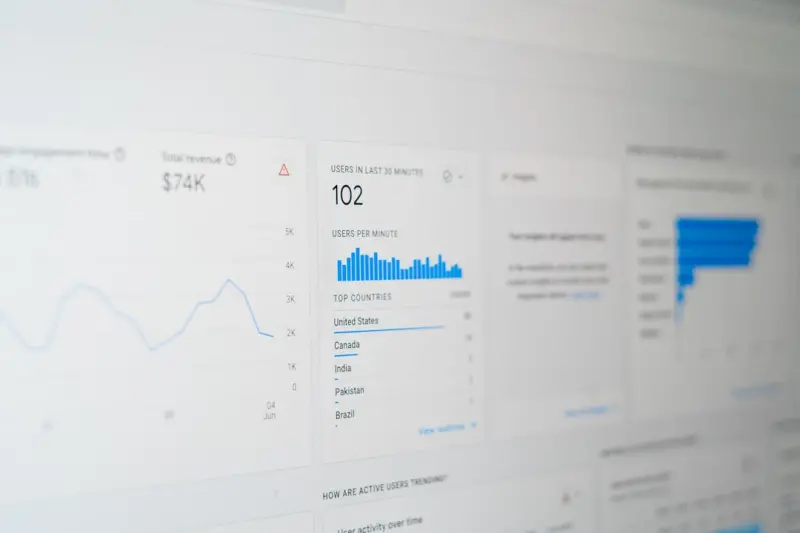
Set up goals in Google Analytics or your preferred analytics suite to track these metrics. Over time, you’ll see a direct correlation between optimized docs and new qualified leads.
Step 8: Keep the Engine Running—Continuous Optimization
SEO isn’t a set‑and‑forget task. Schedule quarterly reviews of your knowledge base:
- Refresh outdated content with new product screenshots.
- Update schema markup as Google releases new types.
- Add internal links to newly launched features.
- Retest keyword relevance; user search behavior evolves.
This disciplined cadence ensures that your help center remains both a support asset and a high‑ranking SEO property.
Real‑World Example: How One SaaS Turned Support Docs into 30% More Leads
At a mid‑stage SaaS company, we applied the steps above to a 200‑article knowledge base. Within three months:
- Organic sessions to the help center rose by 45%.
- Landing pages for “how to set up SSO” captured a featured snippet, driving a 22% increase in trial sign‑ups from that query.
- Backlinks from industry blogs referencing our “API latency benchmark” grew to 15 new referring domains.
The bottom line? A well‑optimized knowledge base can be a lead‑generation engine that works 24/7, without the cost of paid ads.
Final Checklist: Turn Your Knowledge Base Into an SEO Powerhouse
- Audit keywords for every article and rewrite titles to match intent.
- Implement
FAQPageandHowToschema where appropriate. - Design hub‑and‑spoke internal linking with descriptive anchors.
- Trim low‑value pages and use
noindexto protect crawl budget. - Publish original data and research within help articles.
- Use conversational language sourced from real support tickets.
- Track CTR, engagement time, and conversion rates alongside rankings.
- Schedule quarterly content reviews and updates.
When you treat your SaaS knowledge base as a living SEO asset, you’ll not only reduce support costs but also capture high‑intent traffic that’s primed to become paying customers. It’s a win‑win that most SaaS teams overlook—until now.

Shawn DesRochers is a certified Microsoft technician and Programmer with 30+ year's experience. He has written many reviews on computer related products, software, and SEO related topics. When he's not writing reviews he can be found at one of the Oldest Directories Online Mighty Directory which he is the CEO of.
Related Posts
Reinventing SEO Strategy for the AI-First Era
In this post, David MacKinnon outlines an AI‑first SEO framework that aligns intent mapping, struc... Read More

Zero‑Click SEO: Turning Search Impressions Into Brand Authority
Discover strategies to win zero‑click SERP spots, from schema markup to data‑driven content, and... Read More

SEO Strategy for SaaS Feature Release Pages: Turning Updates into Traffic
Feature release pages are untapped SEO assets. This guide shows how to map search intent, use struct... Read More
Top Posts

Semantic On-Page SEO: Harnessing Accessibility and Structured Markup for Better Rankings
A deep dive into using semantic HTML, ARIA attributes, and structured data to elevate on‑page SEO, enhance accessibility, and drive sustainable organic growth...Read More

Intent‑First SEO: How to Ride the Wave and Skyrocket Your Rankings
Learn how to shift from keyword obsession to intent‑driven SEO, crafting content that satisfies users and climbs Google rankings....Read More

The Hidden SEO Goldmine in User‑Generated Content for eCommerce
User‑generated content isn’t just social proof—it’s a powerful SEO engine. Learn how to harness reviews, Q&A, and community photos to climb the SERPs an...Read More

How Live Shopping and Community Co‑Creation Are Redefining eCommerce Marketing
Live shopping and community co‑creation are merging to create immersive, real‑time eCommerce experiences that drive higher conversion rates, foster loyalty,...Read More
0 Comments
Post Comment
You will need to Login or Register to comment on this post!