
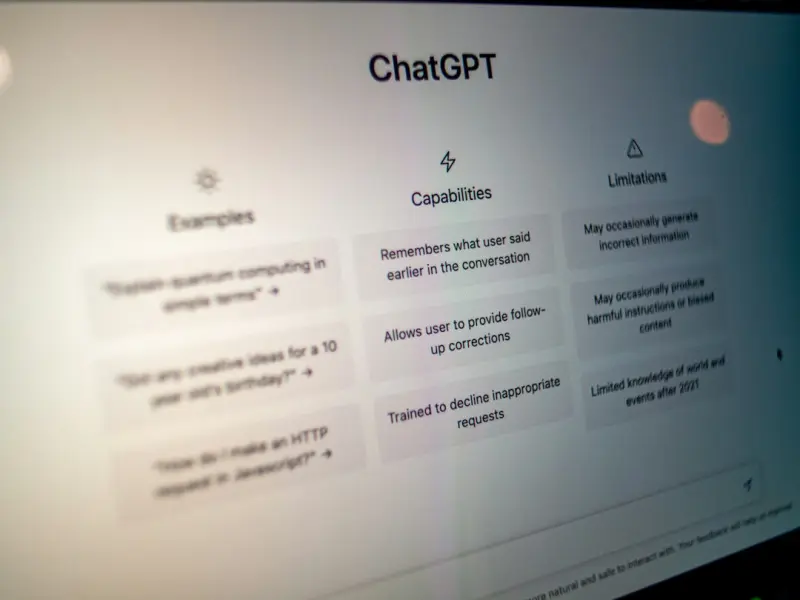
When I first started tinkering with on‑page SEO, I treated each page like a tiny billboard: sprinkle the right keywords, add a catchy meta, and call it a day. Over the years, the billboard has morphed into an interactive, voice‑ready storefront that needs to anticipate how real people ask questions in the moment. In today’s mobile‑first, voice‑dominated world, the classic “keyword‑density” playbook feels as outdated as a dial‑up modem. It’s time to rethink on‑page SEO through the lens of conversational intent and the auditory habits that are reshaping how users discover content.
Why Voice Search Isn’t Just a Gadget; It’s a Paradigm Shift
Voice assistants have moved from novelty to daily utility. From “Hey Siri, find a gluten‑free bakery near me” to “ChatGPT, explain quantum tunneling in plain English,” the queries we speak are fundamentally different from the typed strings that dominated the early days of SEO. Voice queries tend to be longer, more natural, and heavily rooted in question intent. This shift forces us to re‑evaluate three core on‑page elements:
- Content framing: Instead of stuffing a paragraph with “best SEO tools,” we need to answer the question “What are the best SEO tools for a SaaS startup?”
- Structured markup: While structured data has been championed for rich snippets, the emerging structured data on WordPress ecosystem is also a conduit for voice assistants to fetch concise answers.
- Page speed & mobile friendliness: Voice queries are almost always mobile‑first, so a lagging page is a dead end for the user and a signal to the search engine that the content isn’t trustworthy.
In short, voice search demands that each page be a well‑structured, conversation‑ready answer hub, not just a collection of buzzwords.
Mapping Conversational Intent to On‑Page Architecture
The first step is to decode the type of question your audience is likely to ask. According to research from the Voice Search Association (yes, that exists), 70% of voice queries fall into four buckets:
- Fact‑based questions (e.g., “What is churn rate?”)
- How‑to inquiries (e.g., “How do I integrate Stripe with my SaaS platform?”)
- Comparative searches (e.g., “HubSpot vs. Marketo pricing”)
- Local or personal recommendations (e.g., “Find a coffee shop open now”)
Each bucket requires a distinct on‑page strategy.
1. Fact‑Based Answers: The Power of the “Featured Snippet” Paragraph
For straight‑forward definitions, the sweet spot is a concise answer paragraph that appears within the first 40–50 words. Search engines love a crisp, authoritative sentence that can be lifted verbatim for a voice response. Here’s a quick template:
What is [Term]? [Term] is a ... (one‑sentence definition). It typically ... (brief context). For example, ... (real‑world illustration).
Notice the use of the keyword early, followed by a natural, spoken tone. The answer should be written for a human, not a robot, because voice assistants literally read it aloud.
2. How‑To Guides: Step‑by‑Step, Yet Skimmable
When a user asks “How do I …?” the goal is to provide a stepwise walkthrough that can be parsed by both search algorithms and spoken assistants. Use ordered lists (<ol>) with clear, actionable verbs. For each step, consider adding a sub‑question as a bold heading; this mirrors the way users phrase follow‑up questions.
Example:
- Set up your DNS records. Log in to your domain registrar and add the required
CNAMEentries. - Verify ownership in Google Search Console. Paste the verification token into your site’s HTML head.
- Submit a sitemap. Upload
sitemap.xmlthrough the “Sitemaps” section of Search Console.
Each step can be referenced by voice assistants when a user asks, “What’s the second step?” because the numbered list creates a clear hierarchy.
3. Comparative Content: Tables That Speak
For “X vs. Y” queries, a well‑structured comparison table is gold. Use <table> markup with scope attributes for headers, and consider adding Google passage ranking insights to make each cell individually indexable. Voice assistants can pull specific rows (“Which platform offers a free tier?”) if the markup is clean.
4. Local & Personal Recommendations: Embedding Contextual Signals
Even for SaaS businesses, “local” can mean “regional compliance” or “industry‑specific regulations.” Use schema like LocalBusiness (or ProfessionalService) to embed that context. When you do, your page becomes eligible for the “near me” voice query results, which increasingly surface relevant SaaS solutions based on the user’s location.
Optimizing the Technical Foundations for Voice‑Ready Pages
Voice search isn’t just about the words on the page; it’s also about the invisible scaffolding that tells search engines “this content is ready to be spoken.” Below are the technical pillars you should audit.
1. Mobile‑First Rendering
Google’s mobile‑first index means the crawler looks at the HTML served to a mobile user agent. Ensure that the same content you crafted for voice is present in the mobile DOM. Use responsive design, avoid intrusive interstitials, and test with Google’s Mobile-Friendly Test tool.
2. Core Web Vitals as Voice Signals
Page experience metrics—Largest Contentful Paint (LCP), First Input Delay (FID), and Cumulative Layout Shift (CLS)—directly affect how quickly a voice assistant can retrieve and read your answer. Aim for LCP under 2.5 seconds, FID below 100 ms, and CLS under 0.1. A fast, stable page is more likely to be selected for the coveted “spoken answer” slot.
3. Schema Markup for Conversational Snippets
Beyond the standard Article or FAQPage types, consider the newer Speakable schema, which explicitly flags sections that can be read aloud. Example:
<script type="application/ld+json">
{
  "@context": "https://schema.org",
  "@type": "SpeakableSpecification",
  "cssSelector": [".speakable-answer"]
}
</script>
Wrap your answer paragraph in a .speakable-answer class, and you’re giving voice assistants a clear cue.
4. HTTPS and Security
Security isn’t just a trust factor for users; it’s a ranking factor. Voice assistants prioritize secure sources because they’re often used in privacy‑sensitive contexts (e.g., health or finance queries). Make sure every page serving conversational content runs over HTTPS and has a valid SSL certificate.
Content Creation Workflow: From Voice Query to Published Page
Here’s a repeatable process that I use with my editorial team to turn a raw voice query into a fully optimized on‑page asset.
- Query Mining. Use tools like AnswerThePublic, AlsoAsked, and Google’s “People also ask” to collect natural‑language questions.
- Intent Classification. Tag each query as fact‑based, how‑to, comparative, or local. This dictates the page template.
- Outline Drafting. Build a skeleton with
<h2>sections that mirror sub‑questions. Include placeholder<ol>or<table>structures where needed. - Answer Writing. Write each section in a conversational tone, aiming for 150‑200 words per answer. Read it aloud; if it feels natural, you’re on the right track.
- Technical Embedding. Add
Speakableschema, ensure mobile‑first CSS, and run a Core Web Vitals audit. - Internal Linking. Connect the new page to existing pillar content, using contextual anchor text that reinforces the topic cluster.
- Publish & Monitor. After publishing, track performance in Google Search Console’s “Performance” report, focusing on “Average position” for the target voice queries.
By systematizing the workflow, you turn a one‑off effort into a scalable engine that continuously fuels your voice‑search visibility.
Measuring Success: Voice‑Specific KPI Dashboard
Traditional SEO metrics—organic traffic, backlinks, keyword rankings—are still relevant, but voice search introduces a few nuanced KPIs:
- Featured Snippet Impressions. A rise here often translates to higher voice answer selection.
- Average Position for Question Phrases. Track rankings for exact conversational queries (e.g., “how to set up multi‑factor authentication”).
- Voice Query Click‑Through Rate (CTR). In Search Console’s “Performance” tab, filter by “Device: Mobile” and “Search type: Voice” to see how often users click through after hearing the answer.
- Engagement After Voice Click. Look at bounce rate and time on page for visitors who arrived via voice; low bounce indicates the answer met the need.
When you see a steady climb in featured snippet impressions alongside a low bounce rate, you’ve nailed the voice‑ready on‑page experience.
Common Pitfalls and How to Avoid Them
Even seasoned SEOs stumble into traps when adapting to voice. Here are the top three and quick fixes:
Pitfall #1: Over‑Optimizing for “Long‑Tail” Keywords
It’s tempting to stuff every possible phrase into a single page. The result is a disjointed, hard‑to‑read piece that fails both human and voice standards. Solution: Keep the core answer concise and use sub‑headings to address variations.
Pitfall #2: Ignoring the “Answer Gap”
Many pages answer a question partially, prompting voice assistants to pull answers from multiple sources. Solution: Aim for completeness. If your page covers the full answer, it’s more likely to be selected as the sole voice response.
Pitfall #3: Forgetting the Mobile Context
Even if the content is voice‑ready, a sluggish mobile experience will drop you from the voice answer queue. Solution: Run a Lighthouse audit before publishing, and prioritize image compression, lazy loading, and critical CSS.
Future‑Proofing Your On‑Page Strategy
Voice assistants are evolving toward multi‑modal interactions—think visual cards paired with spoken answers. To stay ahead, embed rich media (images, videos) alongside your spoken content, and use VideoObject schema to make those assets discoverable. Also, keep an eye on emerging standards like semantic SEO and AI‑generated snippets, which will increasingly influence how voice assistants decide which page to read.
In the end, the secret sauce of voice‑centric on‑page SEO is simple: write as if you’re answering a friend’s question over coffee, then back it up with the technical rigor that search engines demand. When you marry conversational authenticity with bullet‑proof performance, you create a page that not only climbs the rankings but also becomes the go‑to voice answer for your audience.
Ready to give your pages a voice? Start by auditing one high‑traffic article today, apply the checklist above, and watch the spoken impressions roll in.

Margaret Thomson is a seasoned freelance writer specializing in the dynamic worlds of marketing and advertising. With a career deeply rooted in the marketing field, Margaret brings a wealth of practical experience and insightful knowledge to her writing.
Related Posts

Unlocking SEO Success Through Accessibility and Inclusive Design
Accessibility isn’t just a legal checkbox—it’s a powerful on‑page SEO lever. Explore how inc... Read More

On-Page SEO Meets Conversion: Turning Rankings Into Revenue
Learn how to fuse on‑page SEO with conversion‑focused techniques—semantic HTML, Core Web Vital... Read More

Semantic HTML Secrets: Elevate Your On-Page SEO with Structured Markup
Learn to use semantic HTML, schema markup, and strategic internal linking to supercharge your on‑p... Read More
Top Posts

Predictive Bidding: The Next Frontier for SaaS SEM
Predictive bidding shifts the focus from cheap clicks to high‑value conversions by using first‑party data and machine‑learning forecasts, giving SaaS mark...Read More

Zero‑Party Data: Unlocking Hyper‑Personalized eCommerce Marketing
Zero‑party data—voluntary, intent‑driven information shared by shoppers—offers eCommerce marketers a privacy‑first path to hyper‑personalization. Th...Read More

Rose DesRochers Unpacks the Hottest SEO News of 2024
Rose DesRochers breaks down 2024’s SEO landscape, from algorithm changes to AI-driven context, offering actionable tips to boost rankings and future‑proof y...Read More

Layered On‑Page SEO: Building a Resilient Content Scaffold
Learn how to construct a multi‑layered on‑page SEO framework that treats each element as a structural beam, ensuring your SaaS pages stay strong against alg...Read More
0 Comments
Post Comment
You will need to Login or Register to comment on this post!