
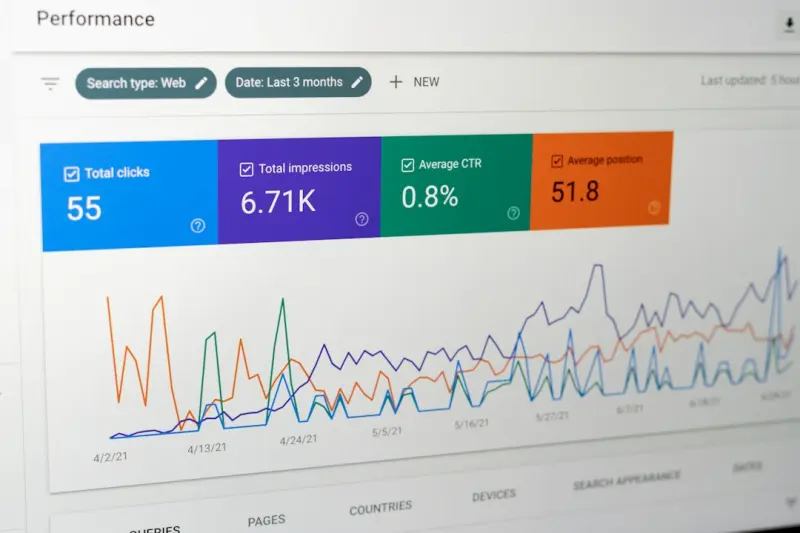
Why On‑Page SEO Needs to Stop Being Static and Start Acting Like a Mini‑App
When I first started tinkering with SEO, the checklist looked a lot like a grocery list: title tag, meta description, H1, alt text, keyword density. It worked—until Google began rewarding signals that had little to do with those items and everything to do with how users actually interact with a page. Today, a page that feels like a static brochure is at a disadvantage compared to one that behaves like a lightweight app, delivering instant feedback, personalized content, and micro‑interactions that keep visitors engaged.
The Core Problem: Treating Content as a One‑Way Broadcast
Most SEO teams still think of a page as a billboard. We write the copy, drop the keywords, and hope the traffic rolls in. The reality is that Google’s algorithm is now a sophisticated model of user experience. It watches dwell time, scroll depth, click‑through rates on internal links, and even how many times a visitor expands a <details> element. If those signals are weak, the page’s relevance score drops, no matter how perfect the <title> tag looks.
So, how do we flip the script? By treating every on‑page element as an interactive component that can be measured, optimized, and, most importantly, personalized on the fly.
1. Build a “Content Scaffold” That Adapts to Intent
Instead of writing a single monolithic article, design a scaffold that can serve multiple intents. Start with a high‑level overview (the “hero” section) and then branch out into modular blocks: FAQs, case studies, calculators, and even short video snippets. Each block should be able to load independently based on the visitor’s context.
- Intent detection: Use the query string or referral data to surface the most relevant block first. For example, a visitor coming from a pricing‑comparison site sees the cost‑calculator block immediately.
- Progressive disclosure: Hide deeper content behind
<details>or accordion widgets so users can choose how deep they want to go without feeling overwhelmed. - Micro‑analytics: Tag each block with a custom event (e.g.,
block_viewed,block_expanded) and feed that data back into your SEO dashboards.
By structuring the page this way, you’re not only delivering a more relevant experience, you’re also creating multiple, crawlable content sections that can rank for a broader set of long‑tail queries.
2. Turn Schema Into a User‑Facing UI Layer
Structured data has traditionally been a “behind‑the‑scenes” tactic. It tells Google what a page is about, but it doesn’t have to stay hidden from the user. Imagine surfacing the same information in a visual widget that users can interact with.
Take FAQPage markup: instead of a plain list, render each question as a collapsible card that expands on click. The same markup still satisfies Google, while the UI gives the visitor a clear pathway to the answer they need. The added benefit? Each interaction can be captured as an event, feeding into your on‑page SEO health metrics.
3. Leverage “Zero‑Interaction” Signals Wisely
While we’ve all heard about the power of zero‑click searches, the principle can be turned inward. If a user lands on a page and immediately finds the answer in a featured snippet‑style box at the top, they may never scroll further. That’s great for the user, but it can also signal to Google that the page satisfies the query perfectly—if the rest of the page supports that answer.
To make this work:
- Place a concise, well‑optimized answer box at the top, using the same language you’d expect in a SERP snippet.
- Follow that with richer, deeper content that expands on the answer, ensuring the page isn’t a “thin” one‑paragraph hit.
- Use internal anchors (foundation audit guide) to let users jump straight to sections they care about, while Google sees a full, content‑rich page.
4. Make Internal Linking a “Conversation” Not a List
Traditional SEO advice says “link to related articles.” That’s fine, but it can feel forced. Think of internal linking as a dialogue. When a user scrolls past a paragraph about “pricing models,” surface a contextual card that says “Compare our plans” with a brief table and a CTA. The link is still there for crawlers, but it feels natural for the reader.
Dynamic linking also helps with link equity flow. By highlighting the most important sections with visual cues, you’re telling Google which parts of the page deserve more weight, which can boost rankings for those sub‑topics.
5. Use “Micro‑Content” to Capture Passage Indexing Opportunities
Google’s passage indexing means it can rank a specific paragraph inside a long article. To take advantage, break your content into clearly defined <section> tags with descriptive headings. Each paragraph should be self‑contained enough to answer a specific sub‑question.
But don’t stop at HTML semantics. Pair each passage with a <blockquote> or <figure> that visually emphasizes the key point. That visual cue can increase the chance that Google extracts the passage as a featured snippet, while users get a quick visual takeaway.
6. Turn Performance Metrics into SEO Signals
Core Web Vitals have moved beyond “speed” to include interactivity metrics like First Input Delay (FID) and Cumulative Layout Shift (CLS). Here’s how to align those with on‑page SEO:
- Preload critical UI components: If you have an interactive calculator, preload its JavaScript so it’s ready the moment the user scrolls into view.
- Lazy‑load non‑essential assets: Images, iframes, and third‑party widgets should load only when they enter the viewport. This keeps FID low.
- Reserve space for dynamic content: Use CSS aspect‑ratio boxes to prevent layout shifts when widgets expand.
When your page feels smooth, dwell time increases, bounce rates drop, and those micro‑signals collectively give Google a stronger confidence signal.
7. Personalize Content on the Fly—Without Going Full‑Blown AI
Personalization doesn’t have to be a massive machine‑learning project. Simple rule‑based scripts can swap in localized statistics, industry‑specific case studies, or even user‑provided data (e.g., “Enter your company size to see a tailored ROI chart”). These variations are rendered server‑side, so Google sees a fully populated page for each user segment.
Because the content is still static HTML at crawl time, you keep the SEO benefits of traditional pages while delivering a bespoke experience that boosts user metrics.
8. Audit Your On‑Page UI With the Same Rigor as Your SEO
Just as you run a technical SEO audit, schedule a UI/UX audit for each high‑traffic page. Check for:
- Broken interactive elements (buttons that don’t respond)
- Missing
aria‑labelson custom widgets (affects accessibility and can impact rankings) - Inconsistent visual hierarchy (H2s that look like H3s, making it hard for Google to parse the outline)
- Overloaded
onclickhandlers that slow down FID
Combine the findings with traditional SEO data (keyword rankings, CTR) to prioritize fixes that deliver the highest ROI.
9. Future‑Proofing: Prepare for “Experience‑First” SERPs
Google’s roadmap hints at SERPs that surface interactive experiences directly on the results page: live calculators, mini‑forms, and even real‑time data visualizations. The pages that already host those components will have a head start.
Start embedding reusable interactive modules—think of them as “SEO widgets”—that can be lifted and dropped into new pages. When Google decides to surface a widget in the SERP, you’ll already have a polished, crawlable version ready.
10. The Bottom Line: Merge SEO Discipline with Product Thinking
On‑page SEO is no longer just about keyword placement. It’s about delivering an experience that satisfies both human users and algorithmic expectations. By treating each page as a mini‑app—complete with modular content, interactive UI, and measurable micro‑signals—you create a virtuous cycle: better user engagement fuels higher rankings, which drives more traffic, which in turn provides richer data to iterate on the experience.
If you’re still stuck in the “static page” mindset, you’re leaving a massive upside down the road. Start experimenting with one of your cornerstone pages today: break it into intent‑driven sections, add a few interactive widgets, and watch both user metrics and rankings climb.
Need a practical roadmap? Check out our foundation audit guide for a step‑by‑step plan to transform your on‑page assets into dynamic, SEO‑friendly experiences.
And if you want to see how micro‑content can win passage indexing, read the deep dive on micro‑content tactics. Combining those insights with the strategies above will put you ahead of the curve as search evolves from a list of links to a platform for real‑time user experiences.

Miranda Murphy: Experienced freelance writer with a decade of storytelling expertise. Let's create something amazing together!
Related Posts
Beyond Keywords: Crafting On-Page SEO for SaaS Knowledge Hubs
A deep dive into on‑page SEO for SaaS knowledge hubs, covering intent mapping, structured data, in... Read More
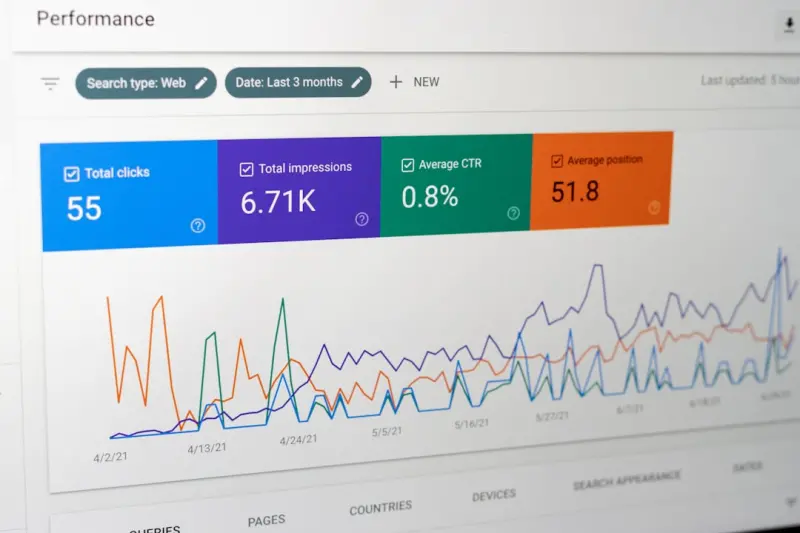
Reading the Heat: How Behavioral Data Supercharges On-Page SEO for SaaS
This post shows SaaS marketers how to use heatmaps, scroll depth, and click‑through data to refine... Read More

Semantic HTML5: The Quiet Powerhouse Behind Modern On-Page SEO
Semantic HTML gives search engines a clear map of your content hierarchy. Learn why it matters for o... Read More
Top Posts

The Secret Sauce of Privacy‑First SEM: Winning Without Cookies
In a world without third‑party cookies, SEM can still thrive. Learn a three‑step framework—first‑party data, contextual signal stacking, and human‑inâ...Read More
Cracking the People‑Also‑Ask Box: A Tactical Playbook for SaaS SEO
A step‑by‑step guide shows SaaS marketers how to mine real user questions, craft answer‑first content, and leverage structured data to win the People Also...Read More

Dynamic On-Page SEO: Personalizing SaaS Pages with Real-Time Data
Dynamic on-page SEO transforms static SaaS pages into personalized search assets. Discover the pillars, technical steps, and measurable results of tailoring hea...Read More

How Live Shopping and Community Co‑Creation Are Redefining eCommerce Marketing
Live shopping and community co‑creation are merging to create immersive, real‑time eCommerce experiences that drive higher conversion rates, foster loyalty,...Read More
0 Comments
Post Comment
You will need to Login or Register to comment on this post!