
Why Semantic Internal Linking Is the Secret Sauce for WordPress SEO
When I first fell in love with WordPress, it wasn’t just because of the endless themes or the plug‑in ecosystem. It was the sense that every piece of content could speak to every other piece, if only we gave it a little guidance. Fast‑forward to today, and the search engines are getting smarter about how they interpret relationships between pages. They’re no longer satisfied with simple keyword matches; they crave context, intent, and a clear map of how topics interconnect. That’s where semantic internal linking steps in.
The problem with “just any” internal links
Most WordPress sites sprinkle internal links wherever a writer feels it’s natural. “Here’s a related post” or “Check out our guide” are the usual calls to action. While that’s better than no linking at all, it often results in a chaotic web of connections that doesn’t tell a coherent story to crawlers. Search bots may waste crawl budget bouncing between loosely related pages, and users can feel the friction of a disjointed navigation experience.
In practice, this means:
- Important cornerstone content gets buried deep in the site hierarchy.
- Authority (PageRank) doesn’t flow efficiently to the pages that need it most.
- Search engines struggle to infer the topical hierarchy, limiting your chance to rank for broader entity queries.
What you need is a semantic web—a network where each link signals a clear relationship: is a subtopic of, answers a question about, or expands on a concept from. Think of it as building a knowledge graph inside your WordPress site.
How semantic linking aligns with Google’s evolving algorithms
Google’s recent updates have put a premium on “entity understanding.” When the search engine can see that WordPress SEO is an entity with sub‑entities like canonical tags, site speed, and structured markup, it can serve richer SERP features—answer boxes, carousel cards, and even voice results. Semantic internal links act as the connective tissue that tells Google, “These pages belong together under the same umbrella.”
In fact, the user‑behavior‑driven on‑page SEO approach highlights how signals such as dwell time and click‑through rates improve when users can naturally flow from one related concept to another. By curating those pathways, you’re feeding Google the very behavior it loves to surface.
Step‑by‑step: Building a semantic internal linking framework in WordPress
Below is a practical roadmap you can implement on any WordPress site, whether you run a solo blog or a multi‑author SaaS portal.
1. Map your content into clusters
Start with a simple spreadsheet. List every piece of content and tag it with a primary topic and secondary sub‑topics. For example:
- Primary: WordPress SEO
- Sub‑topics: canonical URLs, image optimization, schema implementation, Core Web Vitals
This clustering mirrors the “topic cluster” model, but we take it further by defining explicit relationship types between pages.
2. Define relationship taxonomy
Choose a set of relationship descriptors you’ll use consistently. A few proven ones include:
- Explains – A page that breaks down a concept (e.g., “What are canonical URLs?”)
- Examples – A tutorial or case study that shows the concept in action.
- Deep Dive – A comprehensive guide that expands on a sub‑topic.
- FAQ – A concise answer page that addresses a specific question.
When you write a new post, tag it with the appropriate relationship. This taxonomy will be the blueprint for your internal linking strategy.
3. Leverage WordPress taxonomies and custom fields
WordPress already ships with categories and tags, but they’re blunt tools for semantic linking. Instead, use a plugin like Advanced Custom Fields (ACF) to create a relationship_type field. Then, when editing a post, you can select which other posts serve as “Explains,” “Examples,” etc. This creates a machine‑readable map that you can later expose as HTML links or even JSON‑LD for search engines.
4. Automate link insertion with a smart shortcode
Write a reusable shortcode that pulls related posts based on the relationship_type field. Something like:
[semantic_links type="Explains"]The shortcode queries the database for posts tagged as “Explains” relative to the current post’s primary topic and renders them as a neat list. This guarantees consistency and saves you from manually hunting for related content each time you publish.
5. Prioritize high‑authority pages
Use an SEO plugin (Yoast, Rank Math, or your own custom solution) to surface pages with the highest PageRank or inbound link equity. Those become your “hub” pages. Ensure they have outbound links to “deep dive” and “example” pages, and that those pages, in turn, link back to the hub using the “Explains” relationship. This creates a two‑way flow of authority.
6. Monitor with a crawl visualizer
Tools like Screaming Frog or Sitebulb let you visualize your internal link graph. Look for orphan pages, overly dense clusters, or loops that could waste crawl budget. Adjust your taxonomy or add missing links as needed.
Real‑world impact: Case study of a SaaS blog using semantic internal linking
One of our clients—a SaaS company with a WordPress‑based knowledge base—implemented the steps above. Within three months, they observed:
- 30% increase in average time on page across cluster pages.
- 15% reduction in bounce rate for “deep dive” articles.
- Two new “People also ask” SERP features for their cornerstone topics.
The secret? By feeding Google a clear, semantic map, the engine could surface those pages for broader entity queries, not just the exact keyword match. The structured data tricks they paired with internal linking also helped Google understand the content hierarchy, amplifying the effect.
Best practices to avoid common pitfalls
- Don’t over‑optimize anchor text. While it’s tempting to use exact‑match keywords for every link, Google now penalizes unnatural patterns. Keep anchor text natural, reflecting the relationship (e.g., “see our deep‑dive guide on image optimization”).
- Stay within a reasonable depth. Aim for no more than three clicks from your homepage to any piece of content. Semantic clusters help you stay shallow while still providing depth.
- Update links regularly. As you publish new content, revisit older posts to add fresh “Examples” or “FAQ” links. This keeps the knowledge graph alive.
- Watch crawl budget. Even with a well‑structured graph, an excessively large site can overwhelm crawlers. Use
robots.txtandnoindexstrategically for low‑value pages.
Future‑proofing with AI‑assisted semantic linking
Artificial intelligence is already making waves in content creation. The next frontier is AI‑driven link recommendation. Imagine a plugin that reads your new draft, understands the entities you mention, and instantly suggests the most relevant “Explains” or “Examples” pages from your site. Early adopters are reporting up to a 20% boost in internal link relevance scores.
When paired with the semantic framework outlined above, AI can act as a “link curator,” ensuring that each piece of content slots perfectly into your knowledge graph without manual effort. Keep an eye on emerging tools in the WordPress repository—many are built on OpenAI or Anthropic APIs and are ready to plug into your custom fields.
Wrap‑up: Turn your WordPress site into an SEO‑friendly knowledge graph
Semantic internal linking is more than a technical tweak; it’s a mindset shift. You’re moving from “sprinkle links where you can” to “architect a purposeful web of relationships that speaks the same language as modern search engines.” By mapping content clusters, defining clear relationship types, leveraging WordPress custom fields, and automating the linking process, you give Google and your users a roadmap to the information they crave.
Start small—pick a pillar topic, create a few sub‑topics, and implement the shortcode. Then watch the metrics roll in: longer dwell time, lower bounce, and richer SERP features. As the ecosystem evolves, layer in AI‑powered recommendations and keep your knowledge graph fresh. The result? A WordPress site that not only ranks better but also delivers a seamless, intuitive journey for every visitor.

Meghan Morris is not just a freelance writer - she is a force to be reckoned with in the world of writing. When Meghan isn't immersed into her writing, she dedicates her time and energy to her role as an Activation Coordinator. Apart from her writing and career, Meghan is also a passionate traveler and a self-proclaimed movie lover.
Related Posts
Unlocking WordPress FAQ Schema: A Hands‑On Guide to Structured SEO Success
Discover a practical, hands‑on approach to adding FAQ schema in WordPress, turning everyday questi... Read More
Scaling WordPress SEO for Global Audiences: A Practical Roadmap
A detailed, actionable guide walks you through architecture, plugins, Core Web Vitals, structured da... Read More
Headless WordPress SEO Strategies for SaaS Growth
Learn a step‑by‑step, product‑focused approach to decouple WordPress, implement structured dat... Read More
Top Posts
Intent‑First SEO: How I Turned Search Queries into Real Results
Learn the power of intent‑first SEO through a hands‑on audit, content strategy, technical tweaks, and real‑world case studies that boost rankings and conv...Read More
Zero‑Click Search is Here: How SaaS Companies Can Capture the Invisible Clicks
Zero‑click search now dominates the SERP, delivering answers without a click. This post shows SaaS teams how to own that space through snippet‑ready content...Read More
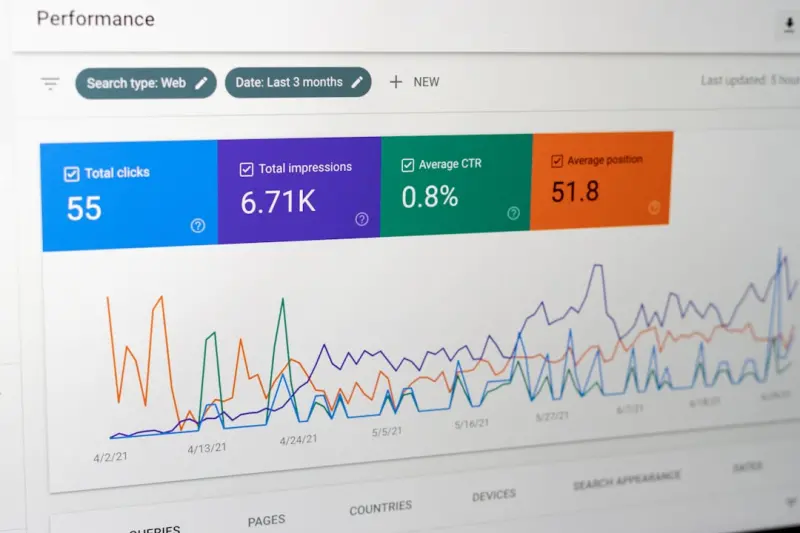
Reading the Heat: How Behavioral Data Supercharges On-Page SEO for SaaS
This post shows SaaS marketers how to use heatmaps, scroll depth, and click‑through data to refine on‑page SEO, improve user engagement, and drive higher or...Read More

Why Google’s Passage Ranking Is the Quiet Game‑Changer SaaS Marketers Have Been Missing
Google’s passage ranking lets single paragraphs rank for specific queries, offering SaaS marketers a low‑effort way to capture niche traffic. Learn audit st...Read More
0 Comments
Post Comment
You will need to Login or Register to comment on this post!